
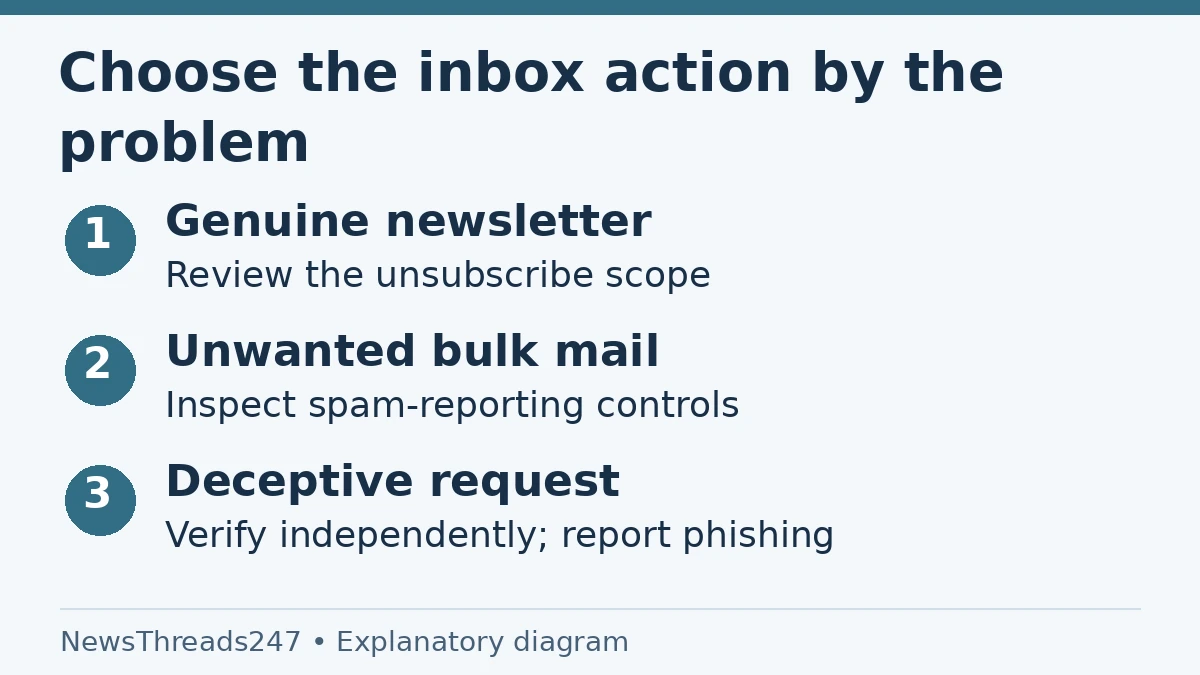
An old shopping newsletter, a stranger’s sales pitch and a fake bank warning can land next to one another in Gmail. Clearing all three with the same ‘unsubscribe’ routine is a poor fit. First identify whether you want to leave a genuine mailing list, filter an unwanted sender or report a deceptive request.
Gmail’s Manage subscriptions view can simplify legitimate inbox cleanup, but it is not a reason to follow links in suspicious messages. Blocking, unsubscribing and reporting have different effects. This guide uses Google’s current help and FTC safety guidance checked October 26, 2026; it applies to Gmail users in India and the US without assuming every account has identical menus.
Use unsubscribe for a genuine subscription you no longer want
For a recognised newsletter, open Gmail’s own available unsubscribe controls or review the sender in Manage subscriptions. Google’s computer instructions place that view under More in the left navigation. Review the messages before confirming: the action can cover all active mailing lists associated with that sender.
That sender-wide effect is useful and easy to overlook. You may want to stop a store’s daily promotions while keeping a separate useful newsletter it sends. Inspect what is grouped together and use the legitimate sender’s preference controls when appropriate, rather than assuming the Gmail button changes only the message open on screen.
Google says a sender can take a few days to process an unsubscribe. A further message immediately afterward does not, by itself, prove the control failed or the sender is a criminal. Review the subsequent status and use the appropriate Gmail controls if unwanted mail continues.
Blocking changes delivery, not the mailing-list record
Google distinguishes blocking from unsubscribing: blocking sends future messages from that sender to Spam, but does not automatically remove you from the mailing list. This can be useful when the immediate aim is to stop seeing a sender’s mail in the inbox, provided you understand what has and has not changed.
Deleting a message is different again. It removes that copy from the current mailbox view; it does not by itself express a subscription preference or create a continuing sender rule. Archiving similarly changes where a message appears rather than cancelling the reason it was sent.
Consider a fictional user who deletes the same retailer’s messages each morning. The repetitive task may be solved by reviewing the legitimate subscription once. A user who blocked the retailer months ago should instead inspect Spam and the block setting before claiming that a later message means an unsubscribe request was ignored.
Report spam when the issue is unwanted mail
Google’s spam-reporting instructions describe selecting one or more messages and using Report spam. The service says it receives a copy of reported mail and may analyse it to improve abuse protection. A report is therefore a different action from silently deleting your own copy.
Do not report a legitimate important message merely because its subject is inconvenient. Confirm that you recognise the sender and understand the message’s purpose. For a valid message incorrectly placed in Spam, use the appropriate not-spam route and inspect any block or filtering rule that might be involved.
The action should match the problem. A newsletter you knowingly subscribed to and no longer enjoy generally needs a preference change; repeated unsolicited bulk messages may warrant spam reporting. A request designed to steal credentials deserves the more specific phishing investigation and reporting route.
A suspicious request needs verification outside the message
Google’s phishing guidance explains that deceptive messages can impersonate a bank, workplace, familiar person or service. A plausible logo and polished grammar are not proof that a request is genuine. Equally, a writing mistake is not the only sign worth checking.
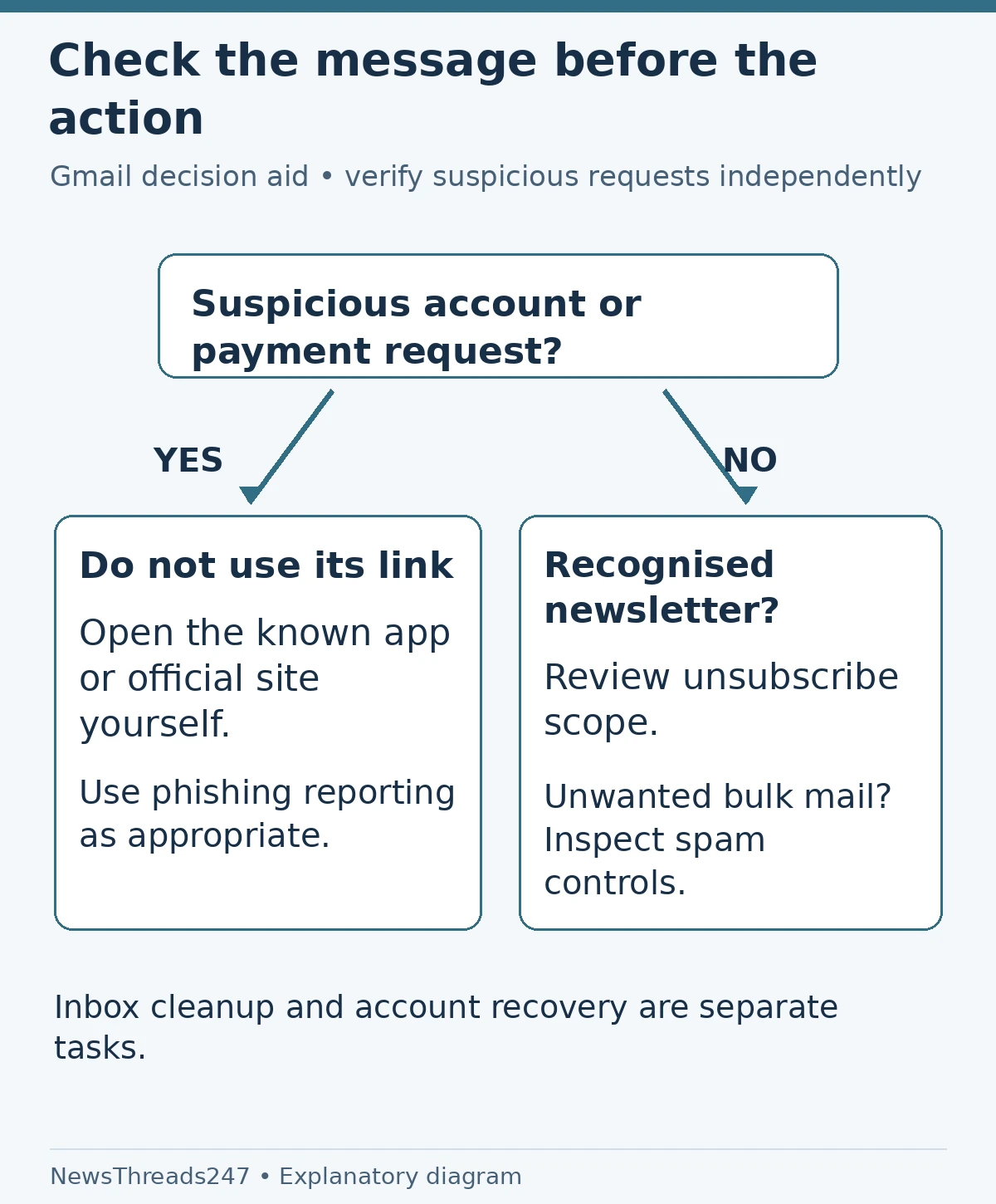
If an email claims a bank account, subscription or delivery needs urgent action, open the known app or independently obtained official website. Check there, or contact the organisation through a verified route. Do not use the email’s own phone number or sign-in link as the sole way to authenticate the email.
The FTC’s phishing advice also recommends contacting a purported sender through information you already know is real. The practical question is whether the claimed account problem exists independently of the message. Investigate that before entering a password, installing software or sending payment.
Choose the control by the situation
| Situation | Useful first response | What to avoid assuming |
|---|---|---|
| Recognised newsletter, no longer wanted | Review subscription and unsubscribe scope | Only one list will necessarily change |
| Sender you want kept out of the inbox | Consider blocking and review delivery consequences | Blocking cancels the mailing-list record |
| Unsolicited unwanted bulk message | Use Gmail’s spam-reporting controls as appropriate | Deleting one copy stops future mail |
| Suspicious account or payment request | Verify independently; use phishing reporting | An unsubscribe link is safe merely because of its label |
For example, a fictional email says a streaming account will be closed today and asks for card details. Before cleaning up subscriptions, the reader opens the genuine streaming app and checks the account. The apparent urgency belongs to the unverified email. A genuine subscription-management task should not be used to justify following its payment link.
Know where the control sends you
Google’s subscription help notes that some senders direct users to an external website to unsubscribe. If Gmail offers that choice, pause and consider whether the destination and sender are trusted. A button opening another site is not the same action as a local inbox change.
For messages from unknown or untrustworthy sources, Google advises against following links, opening attachments or entering personal information. Do not explore an external unsubscribe page simply to see whether a suspicious message is real. Use the mail service’s reporting controls and the independent verification route instead.
If you already interacted with a suspect message, distinguish what happened: opening it, following a link, entering a password, downloading a file or authorising a payment. Different actions may need different recovery steps. Follow Google’s account-security guidance and the relevant institution’s official process; changing a subscription setting does not undo a disclosed password.
The feature may be absent or look different
Google’s help page still notes that Manage subscriptions is gradually rolling out and may not be available to every user. Its Android instructions use the app’s menu, while the computer route uses the left navigation. Check the instructions for the device actually in your hand.
The original Google Workspace announcement dates from July 2025. This article explains the current controls rather than presenting that launch as new October 2026 news. A missing menu is a reason to consult current help, not to install an unknown ‘Gmail cleanup’ extension.
Work and school accounts can have organisation-specific controls. Ask the administrator about a persistent legitimate-message problem rather than weakening protections or creating broad allow rules without understanding them. A rule that rescues one expected sender should not accidentally trust every lookalike address.
Finish by checking what you intended to change
After a legitimate unsubscribe, check the sender and scope recorded by the interface, then give processing the time described by the provider. After a block, remember that future mail may be in Spam. After a phishing report, continue any separate account or payment recovery work that the incident requires.
Unsubscribing from marketing is not proof that a paid product or recurring payment has been cancelled. Confirm cancellation in the provider’s billing process. For Indian recurring payments, our UPI AutoPay guide addresses the separate mandate check. Inbox preferences and payment authority should have separate confirmations.
A useful cleanup session ends with fewer unwanted messages and a clear record of any unresolved security issue. It should not leave you guessing whether an action changed delivery, a list subscription, an account password or an actual bill.
Sources and visual credits
Sources: Google’s Manage subscriptions computer and Android help, spam-reporting and phishing guidance, the July 2025 Workspace announcement, and FTC phishing advice, linked above; checked October 26, 2026. No mailbox was tested or accessed for this guide. Featured image: AI-generated conceptual illustration. Action comparison and verification diagrams: NewsThreads247.