A free trial becomes a subscription. A subscription renews through a payment app you have stopped opening. The surprise is often not the payment technology itself, but the gap between remembering a purchase and understanding the permission that allows the next debit.
Before accepting a new membership or recurring service, review both sides of the arrangement: the service you bought and the payment mandate. They are connected, but changing one does not necessarily complete every action required on the other.
Quick answer: Find the mandate in your UPI app’s AutoPay or mandate section, check the merchant, amount, frequency and dates, then use the supported pause or cancel option. Confirm the resulting status. Separately cancel the underlying subscription where required, and arrange another payment method before changing mandates for essential bills, loans or insurance.
What a UPI AutoPay mandate does
NPCI describes UPI AutoPay as a way to manage recurring payments, with controls including modification, pausing and revocation where supported. A mandate records authorisation for payments under stated conditions. It is not merely a reminder that you can ignore.
The practical question before approving one is: “What am I allowing this merchant to collect, when and for how long?” Read the request on your own trusted payment app. Do not approve it simply because a caller describes it as a refund confirmation or account verification.
Terms, authentication requirements and available controls can vary by payment category, bank and app. The live mandate details and the provider’s current help page are more useful than a screenshot from another person’s account.
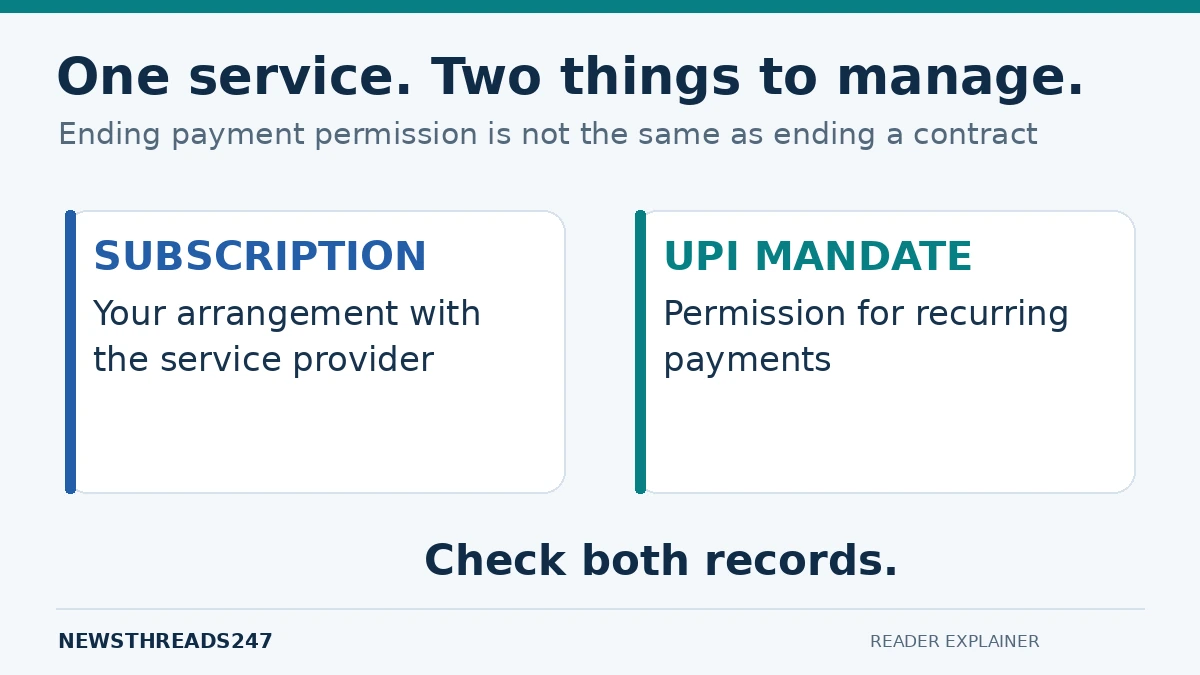
A mandate and a subscription are two different records
The subscription is your arrangement with the service provider. The mandate is a payment permission. Removing payment permission does not automatically establish that the service agreement has ended or that a refund is due.
For example, Google Play’s subscription guidance directs users to manage cancellation in the subscription system. It also states that uninstalling an app does not cancel its subscription. If your service is billed somewhere else, use that provider’s cancellation process instead.
Consider a fictional streaming subscription billed at ₹299 per month. You cancel its AutoPay but leave the provider’s account unchanged. You have altered payment permission, yet you still need to establish the service’s cancellation status, renewal date and any remaining commitment under its terms. Check both records rather than guessing from the absence of an immediate debit.
Start with an inventory of active permissions
Open every payment app or bank channel you actually used for subscriptions and recurring bills. Note the merchant, mandate reference, linked account, amount or permitted ceiling, frequency, start date and end date where shown. Do not assume your most-used app displays every arrangement created elsewhere.
| Mandate type | Question to resolve | Action before changing it |
|---|---|---|
| Optional membership | Do I still want the service? | Check provider cancellation and renewal terms |
| Essential bill | How will the next bill be paid? | Arrange and track an alternative payment |
| Loan or other obligation | Will changing payment permission affect repayment? | Contact the lender or merchant first |
| Unrecognised permission | Did I authorise this merchant? | Verify and raise a support complaint promptly |
Keep this inventory in a secure place without including PINs or passwords. A simple record of the service, reference and next review date is enough to make future checks easier.
How to pause or cancel in Google Pay
As an app-specific example, Google Pay’s official instructions direct users to the profile picture, AutoPay and the relevant live mandate. The supported actions include pausing with dates or cancelling. The app then asks for the required authentication, and the user should confirm the updated status.
Do this from the app you opened yourself. Enter a payment PIN only in the legitimate in-app flow after reading the action you are authorising; never tell it to support staff, a caller or a person offering to “help cancel.”
Google Pay notes that loan-related mandates cannot necessarily be cancelled through its app and directs users to the merchant. If a control is missing, do not substitute an unrelated transfer or close an account to force the issue. Use the official support process and ask what action is available for that mandate.
Pause when you need a defined break
Pausing can be useful when the service and payment arrangement support a temporary interruption. Write down the period and what will happen afterwards. A pause with an end date is different from a permanent decision to stop a subscription.
Before pausing, ask whether the merchant will still treat the service as active, accumulate an amount due or require separate notice. The payment app can show a mandate state without answering every contractual question about your service.
Revoke when the permission should end
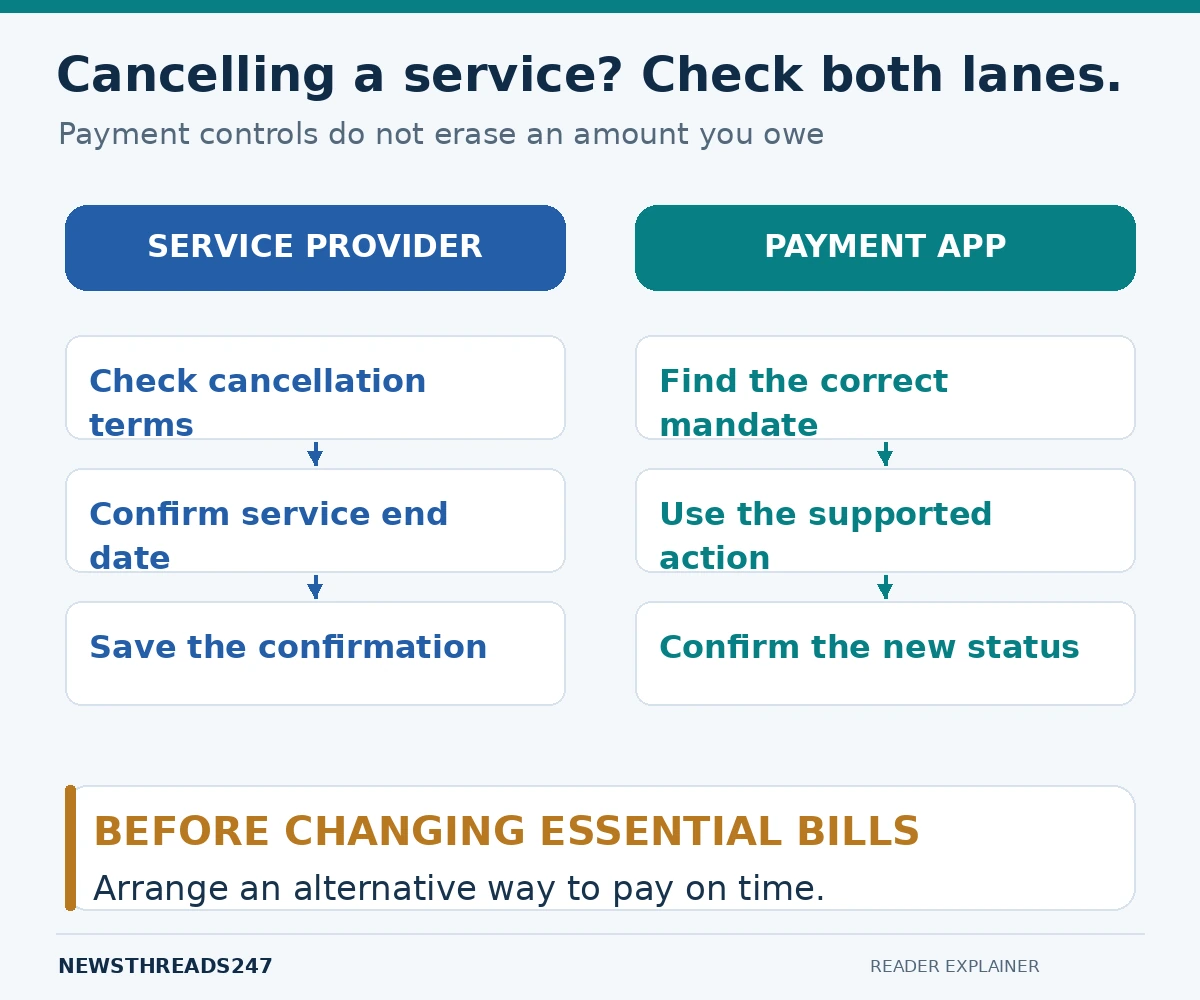
If you are ending an optional service, complete the provider’s cancellation process and review the mandate. Save the provider’s confirmation and the payment-app status. If a final bill or refund is involved, keep those transactions separate from the cancellation record.
Do not assume that a request immediately reverses a debit already processed. For a disputed or unexpected transaction, raise that issue through the payment provider, bank and merchant using the actual transaction reference. Cancellation of future permission and resolution of an earlier debit are separate tasks.
Protect essential payments before changing anything
A loan repayment, insurance premium or important utility bill deserves more care than an unused entertainment membership. Changing the payment method does not remove an amount you owe. Check the due date and arrange an alternative before relying on a paused or revoked mandate.
For instance, if you want to move a recurring bill to another account, record the old mandate’s status, the replacement arrangement and the next payment date. Then verify the bill was actually paid. The goal is controlled payment, not simply a screen that says cancellation succeeded.
What to do when a debit or mandate is unfamiliar
First compare the merchant description with services you or an authorised family member subscribed to. A billing name can differ from the consumer-facing app name. Verify that connection through the provider’s official account page, not through a number supplied in a suspicious message.
If it still appears unauthorised, contact your bank and UPI app promptly using official support. Preserve the mandate ID, transaction reference, amount, date and relevant messages. NPCI’s MyUPI support portal offers routes for transaction and mandate assistance. Suspected financial cyber fraud can also be reported through the national cybercrime portal or 1930. Recovery is not guaranteed.
A review that helps beyond this month
Set a personal review point before a trial renews or a longer plan ends. Compare the annual cost with what you actually use: the fictional ₹299 monthly service would total ₹3,588 across twelve equal payments. That arithmetic is not a recommendation to cancel; it makes the commitment visible.
Repeat the review when you change phones, payment apps or bank accounts. Keep provider cancellations and payment permissions together so the next unexpected message can be checked against your own records.
Frequently asked questions
Will deleting my UPI app cancel every mandate?
Do not rely on deletion. Review the mandate through the provider’s supported management route and obtain confirmation of the action. Also check the service provider’s subscription record.
Does cancelling AutoPay cancel a loan?
No. Payment authorisation and the underlying repayment obligation are different. Contact the lender about permitted payment-method changes and keep payments on schedule.
Will cancelling guarantee a refund?
No. A refund depends on the transaction, merchant terms and applicable dispute process. Ask about it separately and retain the reference.
Sources and scope
Checked on 23 October 2026: NPCI AutoPay overview; Google Pay mandate-management help; Google Pay AutoPay help; Google Play subscription cancellation; MyUPI. This is general payment-management information, not personalised financial or legal advice. The ₹299 example is illustrative.