
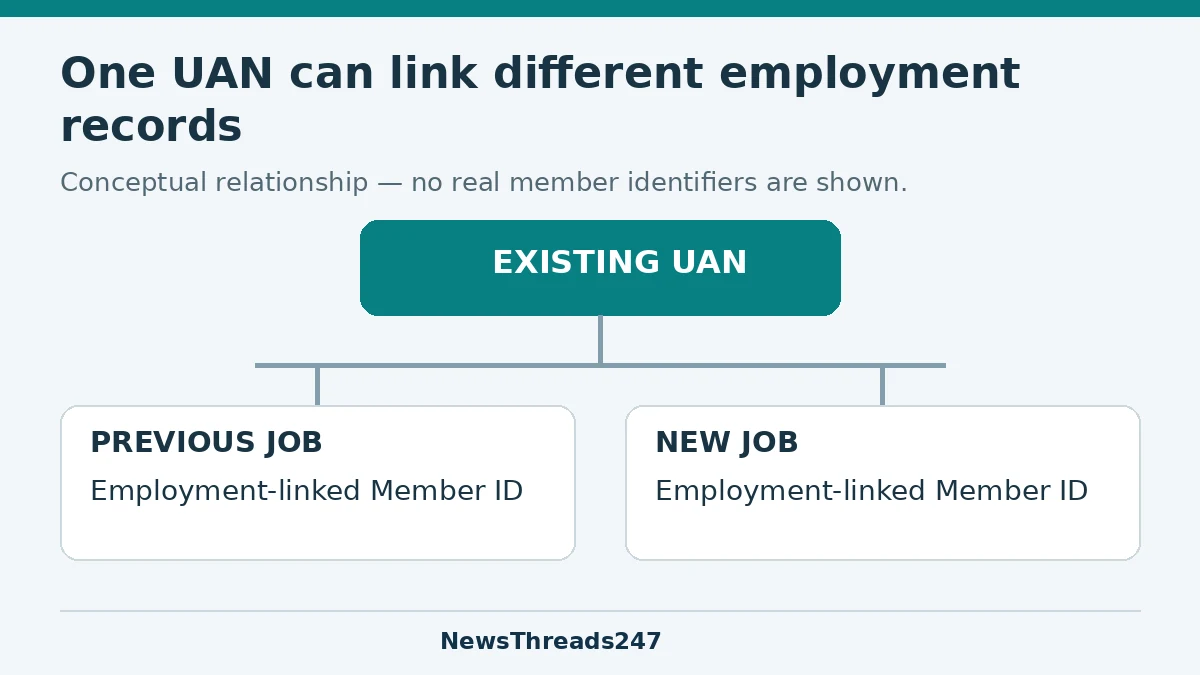
NewsThreads247 concept diagram. Multiple employment-linked Member IDs are different from duplicate UANs.
When you move between EPF-covered jobs in India, give the new employer your existing Universal Account Number, or UAN. A new employment-linked Member ID is different from a new UAN. The onboarding task is to link the correct employment record to the existing identity, then verify contributions and any transfer of earlier funds separately.
That last step is easy to overlook. Seeing the new employer in an app does not, by itself, establish that the old balance and service records have been dealt with correctly. Nor does a deduction on a payslip prove which member record received the payment. Keep an orderly handover file and check what the records actually show.
This guide concerns employment covered by India’s Employees’ Provident Fund Organisation (EPFO). It does not describe US retirement accounts or decide an individual’s coverage, withdrawal eligibility, pension entitlement or tax treatment. Official service information was checked on 24 October 2026.
Separate the UAN, the employment record and the money
EPFO describes a UAN as a 12-digit identifier in its member FAQ. The ministry’s 2017 explanation of PF portability sets out the purpose of carrying a member’s provident-fund accumulation across jobs through the UAN. To support that continuity, provide your existing UAN to the new payroll team and ask it to verify the employment linkage.
The useful distinction is between who the member is, which employment the record belongs to and what transactions have been credited. Several employment records can relate to one member. Conversely, two different UANs for the same person need investigation; choosing whichever login works best does not reconcile them.
Prepare a list of past employers, their relevant Member IDs, dates supported by your employment records and the UAN you have used. Do not paste those identifiers into a public forum. Supply the required information through the new employer’s authorised payroll or benefits channel.
Before joining, recover the existing number and check access
The official member portal offers a “Know Your UAN” route and directs members to UMANG for activation of existing UANs and generation of new ones. Recovery, activation and first-time generation are different needs. If you already have an allotted UAN, do not treat a forgotten password as proof that you need another number.
A 12 February 2026 Ministry of Labour and Employment statement confirms that UAN generation and activation through Aadhaar face authentication in UMANG was introduced in April 2025. Follow the current official prompts for the service you need; an old illustrated tutorial may describe a different interface or a process that has since changed.
Check that you can access the member services before you lose routine contact with the former employer’s payroll team. Keep the final payslips and employment correspondence available. If a record is wrong, write down the exact discrepancy while the source documents and responsible office are easy to identify.
Give payroll a clear handover
- State that you already have a UAN and provide it through the secure onboarding process.
- Ask the new payroll team to confirm that the new employment is linked to that UAN, rather than relying on a verbal “PF is done.”
- Compare your name and other required personal details with the identity records used for authentication.
- Retain the joining information and any acknowledgement of the declaration.
- Ask which office will investigate an enrolment mismatch, and keep the response with your records.
You do not need to send an employer your account password or one-time codes to communicate an existing identifier. Use the employer’s verified channel and follow the official authentication process yourself when required. Be wary of an unsolicited agent who promises to repair the account in exchange for login access.
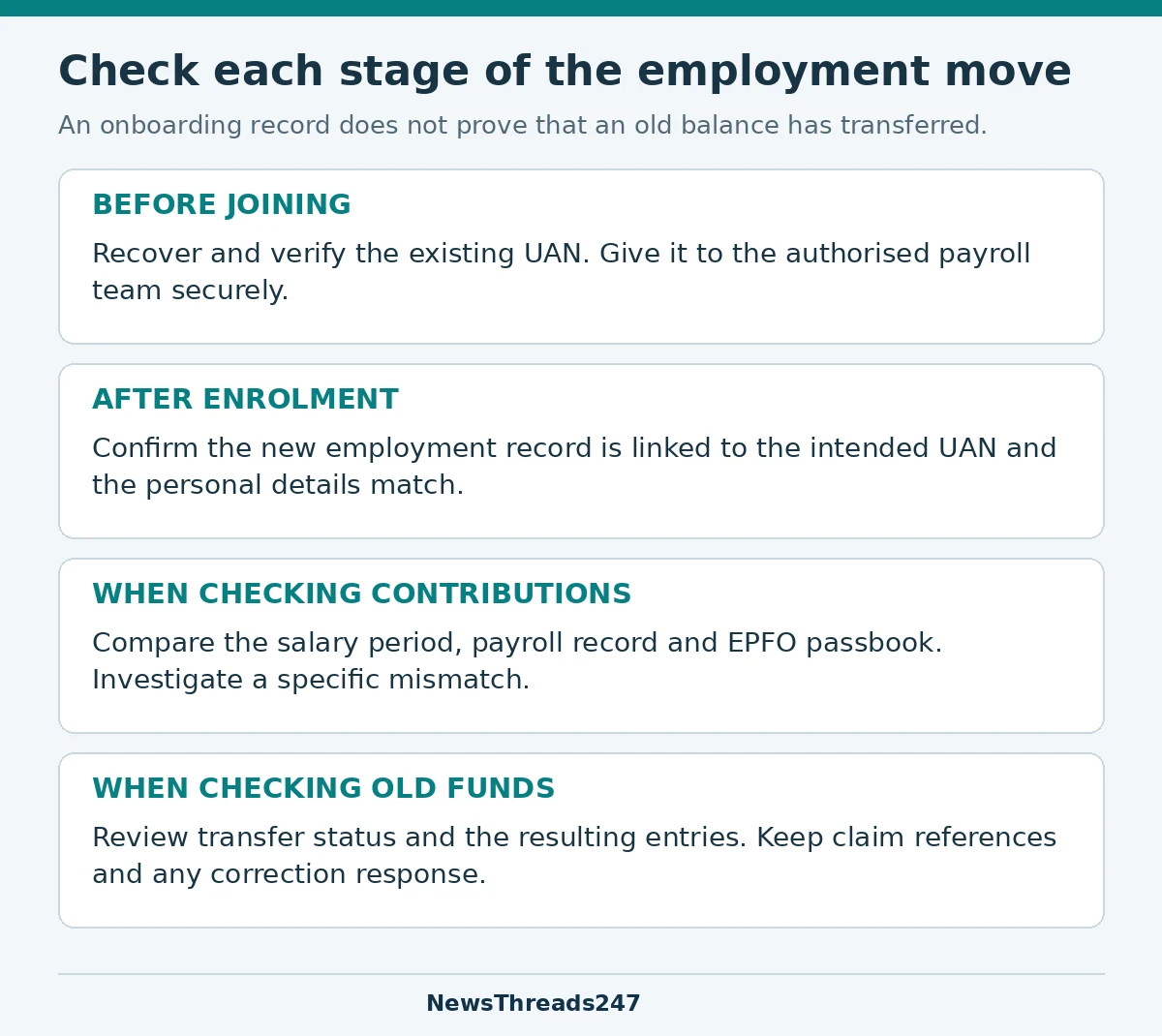
NewsThreads247 onboarding checklist. Verify the actual records and the route applicable to your case.
A worked example: two job records, one unresolved question
Consider a fictional employee, Nisha, who leaves employer A and joins employer B. She gives B her existing UAN. Later, she can see a record associated with B and an older record associated with A. That alone does not tell her that an error has occurred: the records concern different employment relationships.
Her next checks are specific. Does B’s record relate to the right employer and joining period? Are the expected contribution entries appearing for the relevant salary periods? What do the old account and any transfer status show? If an application exists, what is its reference and current outcome?
If B instead tells her that it generated another UAN, she should retain both identifiers and ask the authorised payroll team and EPFO to investigate. She should not invent a date, abandon a record or initiate a withdrawal simply to make the screen look tidy. The remedy depends on what was actually allotted, linked and credited.
This example is a record-checking exercise, not a claim about a real employee or an assurance that a transfer will be automatic.
Check the contribution separately from the payslip
EPFO’s official service page provides routes for the passbook, member services and claims or transfers. Use those records alongside your salary documents. Note the wage or contribution period, employer and relevant account before reporting a mismatch; two figures from different periods are not a meaningful comparison.
If payroll says a contribution was submitted but you cannot identify the corresponding entry, ask it to investigate that specific period and member record. Keep the reply and supporting reference. A useful complaint is “this salary-period deduction cannot be matched to this record,” with evidence, rather than simply “my PF is missing.”
A delayed display, an enrolment mismatch and a contribution that was not remitted are different possibilities. Do not assume which one applies from a single screenshot. Ask for verification through the appropriate payroll and EPFO channels.
The transfer process has changed; verify the outcome
In January 2025, the ministry announced removal of employer routing for online transfer claims in the majority of cases. Its 25 April 2025 statement described revamped Form 13 functionality that removed separate destination-office approval after source-office approval. These changes reduce stages in qualifying cases; they do not mean that seeing a new employment record proves every old account has transferred.
Check whether the applicable process has generated or requires a transfer claim, then retain the reference and inspect the outcome. Where there is a rejection or pending correction, read the stated reason. Submitting the same request again without addressing the underlying mismatch may leave the practical problem unresolved.
Special records, including those involving exempted provident-fund trusts or legacy employment, can require additional handling. Ask the relevant employer or EPFO office for the route applicable to the actual record instead of following a generic click-by-click guide for a different case.
Correct a profile mismatch through the right route
The ministry’s 19 January 2025 profile-update announcement says members with Aadhaar-validated UANs can self-update specified profile fields, with employer certification needed in certain cases involving UANs obtained before 1 October 2017. That is a conditional simplification, not a promise that every discrepancy can be changed by every member without checks.
Identify which record contains the error and what evidence supports the correct value. Follow the current member-service route or obtain employer assistance where required. Check the saved result after the request is processed; a submission acknowledgement is not the same as an approved correction.
For an unresolved service issue, EPFO’s FAQ describes EPFiGMS as its grievance route, with a registration number for tracking. Prepare a short chronology, the relevant employment or claim reference and the precise question that remains unanswered. Keep personal identifiers in the official submission, not the public narrative.
Before any onboarding stage, make sure the employer itself is genuine. Our job-offer verification guide covers checks to make before sharing sensitive documents with a purported recruiter.