Your application is almost ready, but the marksheet you need is missing from DigiLocker. Uploading a scan seems like the quickest fix. It may help you store a copy, but it does not create the institution-issued academic record that an admissions office or employer may be asking for.
Quick answer: Search for your board or university and the exact document type, then enter the examination details as recorded by the issuer. An academic certificate fetched from the institution belongs in Issued Documents. A scan you upload is a personal copy. If the institution, examination year or student record is unavailable, ask the issuer to check its published data rather than paying an agent to “activate” your certificate.
Issued documents and uploaded scans solve different problems
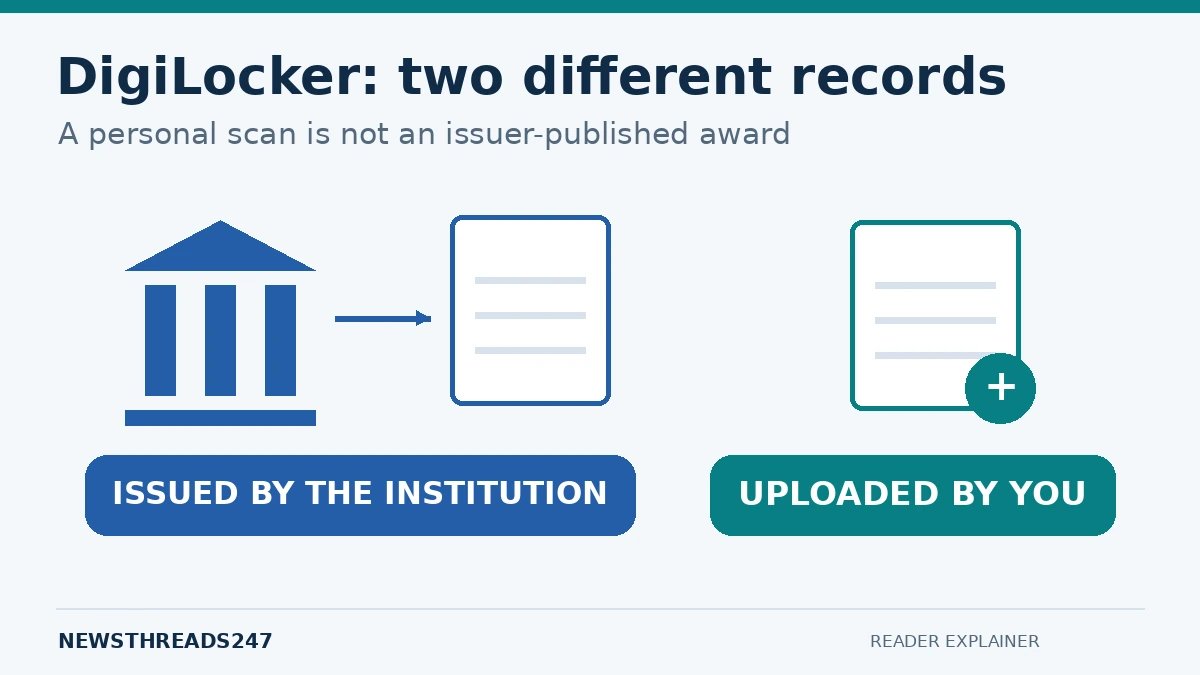
DigiLocker can hold different kinds of records. Its official FAQ distinguishes documents supplied electronically by authorised issuers from files that users upload themselves. The first tells a verifier where the record came from; the second stores the copy you provided.
Imagine two students with the same-looking PDF. One fetched it from a board’s published records; the other photographed a paper marksheet and uploaded the image. The marks printed on the pages might be identical, but the route by which the files reached DigiLocker is different. Do not describe both as issuer-issued certificates.
| Record | Who supplies it? | What to check |
|---|---|---|
| Issued academic document | The participating institution or board | Issuer, student details, document type and year |
| Uploaded scan or PDF | You | Readability and whether the recipient accepts a self-uploaded copy |
| Corrected certificate | The institution responsible for the underlying record | Whether the correction has been completed and republished |
Prepare the details before you try again
Keep your paper certificate, previous official result or registration record beside you. Write down the board or university’s formal name, examination year, roll or registration number and the exact certificate required. A marksheet, passing certificate, degree and migration certificate are not interchangeable.
Check whether the year requested refers to the examination session or another field shown on the form. Preserve leading zeroes in identifiers where they are part of the official number. Copy the spelling from the issuer’s record instead of guessing how your name ought to appear.
This preparation also makes a support request more useful. “My marksheet is missing” leaves several possibilities open. “The university is listed, the degree option appears, but my 2022 registration number returns no record” identifies the stage that failed.
How to fetch an institution-issued academic certificate
The National Academic Depository’s student guidance describes a straightforward route: sign in to DigiLocker, browse the Education documents, choose the institution and document type, supply the requested examination details and consent, and fetch the document. A successfully retrieved academic award appears in Issued Documents. Menu labels can vary between app and website versions.
After fetching it, open the actual document. Confirm your identity details, course, year and marks or grades. Save an unchanged copy for your application records, and follow the receiving institution’s instructions about upload, verification or consent-based sharing. Avoid editing the certificate locally to make a mismatch disappear.
If someone is helping you, enter authentication codes yourself. A helper can explain a form without needing your account password or control of your phone. Use the official DigiLocker website or its verified app-store listing to begin.
Diagnose the problem by the point where it stops
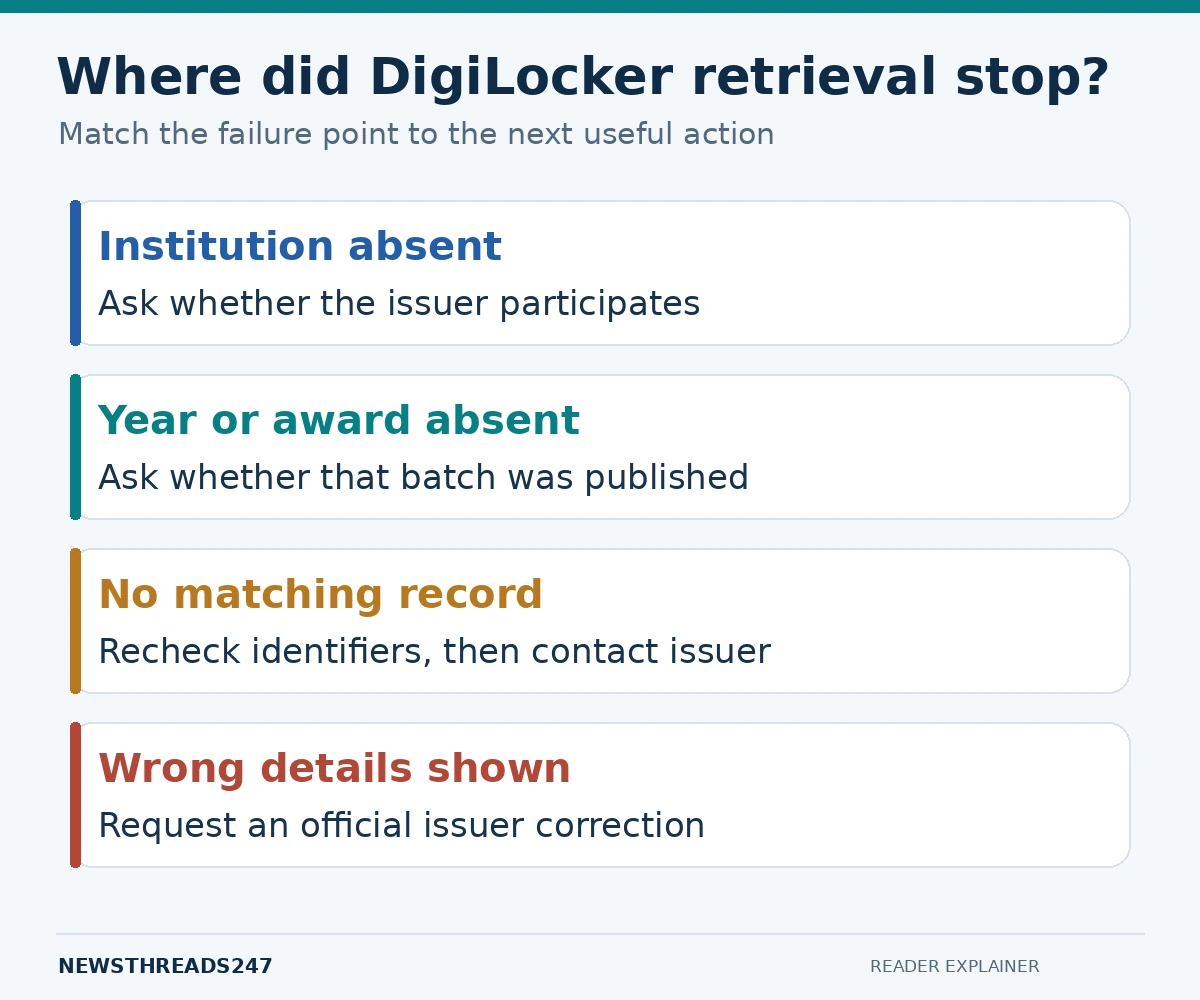
The institution does not appear
First search its formal name and any clearly identified board or parent university. Then check with the institution whether it has published the relevant awards on DigiLocker NAD. Repeatedly changing your own account details cannot create an issuer’s missing dataset.
The institution appears, but not your year or document
Ask whether that particular batch and award type are available. The presence of a university’s logo is not proof that every course, year and certificate has been published. Tell the institution precisely which combination you need.
The search says there is no matching record
Recheck the identifiers against your official record, including examination session and registration format. If they match, send the issuer a clear error description through its published support channel. Do not post a screenshot containing full identity numbers in a public comment.
The certificate opens, but the details are wrong
Contact the institution responsible for the academic record. DigiLocker NAD’s FAQ assigns record accuracy to the issuing institution. Keep your original evidence and ask about its correction process, reference number and expected next step. An edited PDF is not a substitute for an official correction.
What to send in a useful support request
Use a short subject such as “DigiLocker degree retrieval: course, year and registration reference.” In the message, identify the document type, institution and batch; explain the exact stage that failed; include the error text; and state whether the same details work on the institution’s own system.
Attach supporting evidence only through the institution’s verified channel and only to the extent requested. Ask for a ticket or acknowledgement. Keep a record of the date and response so that your follow-up can add information instead of repeating the entire problem.
If an application deadline is close, contact the receiving institution separately. Explain that retrieval or correction is pending and ask which temporary evidence it will accept. Do not assume an extension, provisional acceptance or a substitute document has been approved until you receive that instruction.
Acceptance does not remove application requirements
NAD describes its issued digital academic certificates as equivalent to physical originals. That does not mean every portal uses the same submission workflow. A recipient may specify a document type, verification method, readable upload format or a deadline. Check the actual instructions while keeping the distinction between an issued record and your own scan clear.
For instance, an admission form asking for a passing certificate may not be satisfied by a marksheet alone. The practical fix is to obtain the correct award or ask the admissions office about an alternative—not to rename a different PDF and hope it passes.
Frequently asked questions
Can I upload a scan to make it an issued certificate?
No. Uploading a personal copy does not make the institution its issuer through DigiLocker. For an issuer-issued award, use the participating institution’s record or ask it to publish the missing data.
Does a missing DigiLocker record mean my degree is fake?
No. A missing result may relate to issuer participation, the published batch, search details or a record mismatch. Verify the qualification with the institution; do not draw a conclusion from one unsuccessful fetch.
Do students need a separate NAD account?
NAD’s student FAQ says students can access published academic awards through DigiLocker without a separate NAD registration.
Should I pay someone who promises to release the certificate?
Do not treat that promise as proof of access. Contact the institution or official support directly. A third party cannot establish that your issuer has published an award merely by requesting a payment.
Before you submit
Open the exact file you intend to share. Check the student, course, document type and year one last time. The goal is not simply to attach something called a marksheet; it is to provide the right verifiable record through the process your recipient actually accepts.
Sources and editorial note
Checked on 23 October 2026: DigiLocker FAQ; DigiLocker National Academic Depository FAQ; DigiLocker Ask Our Experts responses. Examples and troubleshooting organisation are editorial guidance. Confirm individual admissions and correction requirements with the relevant institution.