
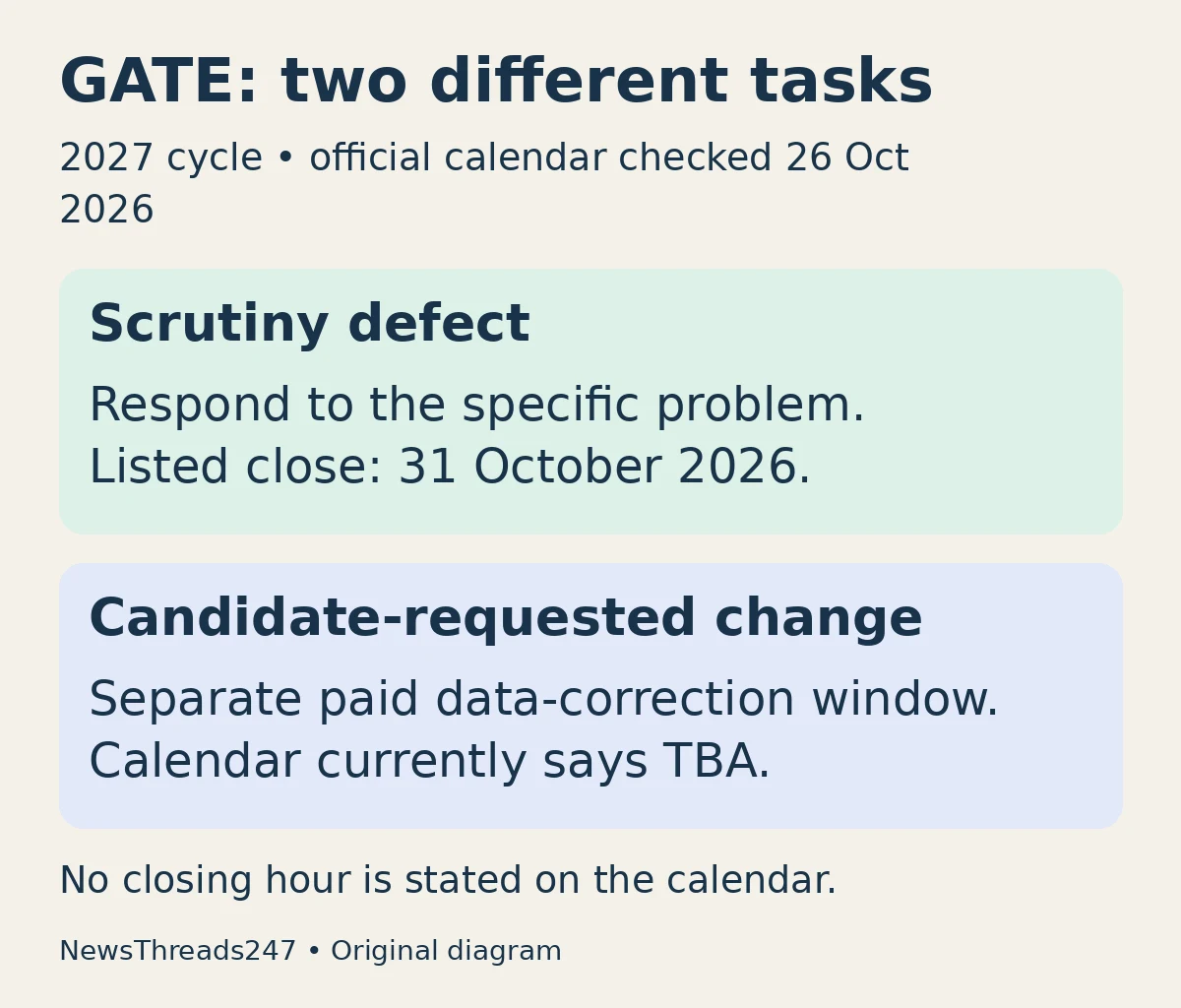
A GATE application marked defective needs a response to the problem the scrutiny team identified. It does not mean every field in the form has reopened for changes. For GATE 2027 applicants in India, confusing those two processes can lead to waiting for the wrong window—or assuming an uploaded replacement has already been accepted.
The official important-dates page, checked on 26 October 2026, lists scrutiny-defect rectification from 14 to 31 October 2026, with the earlier 21 October date crossed out. The separate candidate-requested data-correction window, with a fee, remains marked TBA. The calendar gives no closing hour for rectification. Do not assume the portal remains open until midnight; allow time before the final date.
First decide whether you have a defect or want a change
A defect is a problem identified while the submitted application is being checked. A change is something you now want to alter, such as a paper choice, even if the submitted entry was intentional. Describe your situation in those terms before looking for a button or making a payment.
For example, a candidate told that a signature image is unacceptable should read and resolve that message. Another candidate who has reconsidered the chosen test paper needs the rules for a candidate-requested change. One person’s available options do not establish what another person can edit.
IIT Madras’s application-status FAQ distinguishes a form under scrutiny from one marked incomplete or defective. It also explains that “Under Scrutiny: Defect Rectification Done” returns the corrected application for review. That status is different from “Application accepted”.
Use the message as a short repair brief
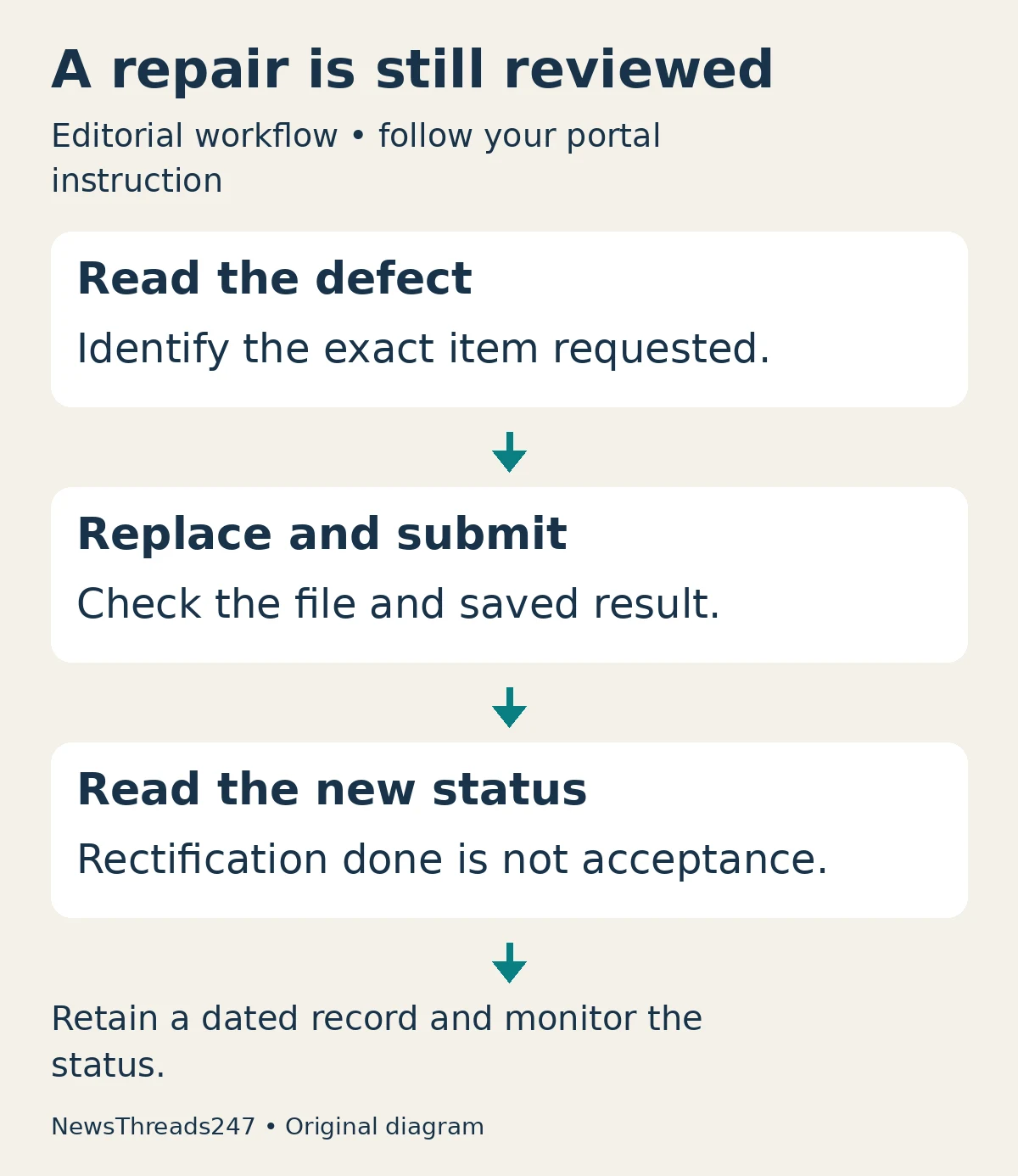
Log in through the official GATE website and read the full status message. Write down the affected item, the requested action and any instruction specific to your application. If a document must be replaced, keep the original separately and prepare a clearly named replacement. Check the complete file after saving it, rather than judging it only from a small thumbnail.
The useful sequence is simple: identify the defect, check the relevant specification, prepare the replacement, upload it, complete the available submission step and then read the resulting status. This is an editorial workflow for avoiding omissions; the portal’s actual controls and your individual instruction take priority.
Do not assume that selecting a file on your computer means it reached the portal. Reopen the saved application or document view where available. Check that the replacement belongs to you, contains the intended page and remains readable. Keep a dated record of the resulting status without posting identity documents or credentials in public discussion groups.
Read image instructions before repeatedly compressing a file
For a photograph or signature problem, consult the official photograph and signature instructions through the examination menu if the direct page changes. Apply the requirements for the relevant item; a photograph and a signature are not interchangeable uploads. Do not use dimensions remembered from a different entrance examination.
Repeatedly shrinking a blurred scan may make it smaller without making it acceptable. Start from a clear source and inspect the final output at a readable size. If you cannot understand which requirement the scrutiny message refers to, ask the official helpdesk a focused question before cycling through speculative replacements.
After resubmission, distinguish action taken from acceptance
Maintain a small record with three entries: what the portal requested, what you submitted and what the portal now says. This separates your completed action from the organising institute’s later decision. A successful upload is useful evidence of submission; it is not an independent promise that every other part of the application is satisfactory.
If the status still requests action, read it again rather than assuming the earlier upload resolved everything. If it says the replacement is back under scrutiny, monitor that status and the registered contact channels. Do not create a second application simply to escape an unresolved status in the first one.
When seeking help, include the enrolment reference, the exact status wording, the affected document and the date of your attempt. Explain the obstacle briefly. Share sensitive material only through the official support route when requested, and never give a password or one-time code to someone offering to fix the form.
Keep exam planning separate from application repair
Rectification is the immediate administrative task; preparation remains a separate workstream. Once you have recorded your response, return to the correct paper’s official syllabus and previous papers. Our city-slip and admit-card guide explains another distinction to remember later: travel information is not itself an admission document.
The practical stopping point today is not “I saw a correction headline”. It is that you know whether your own application needs action, have responded to any specific defect, and have retained evidence of the saved result. Recheck the official calendar before acting because dates can change.
Sources and visual credits
References checked on 26 October 2026: GATE 2027 important dates, official FAQ and the official examination-menu document specifications. This guide does not establish the outcome of an individual application. Featured image: AI-generated conceptual illustration, not a GOAPS screenshot. The two diagrams are original NewsThreads247 explanatory graphics.