
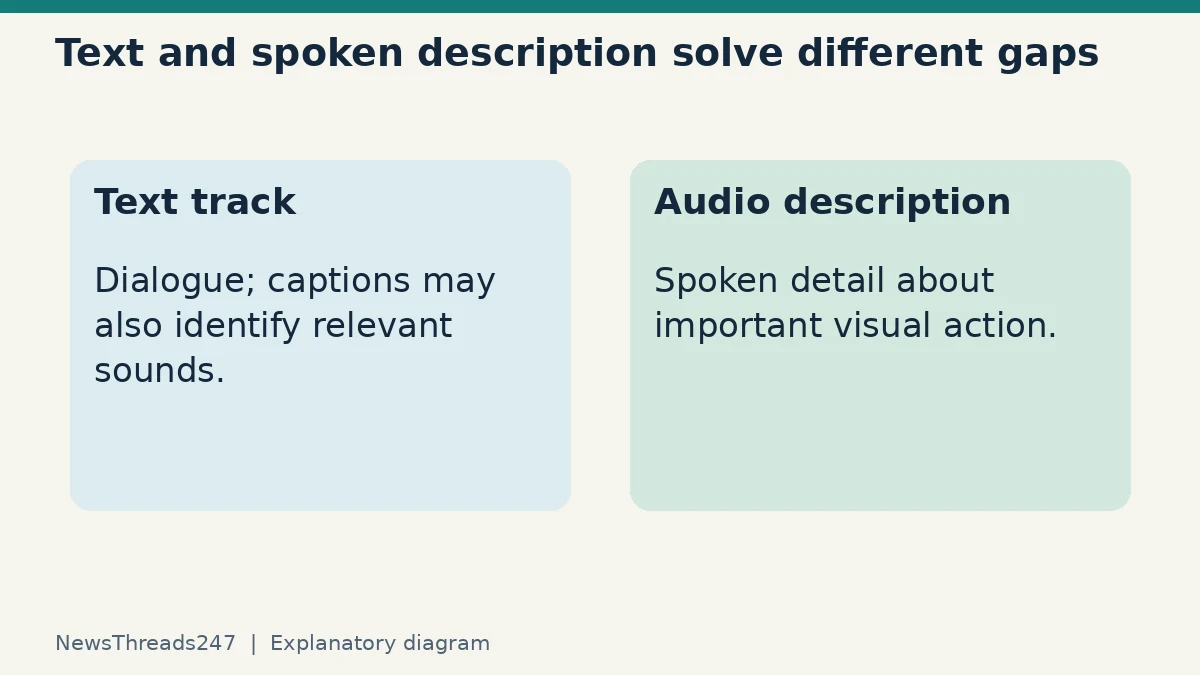
You can read every line of dialogue and still miss that a phone rang off screen. You can hear a film clearly and still miss a silent expression that explains the next scene. Subtitles, closed captions and audio description address different parts of that problem; switching the language alone may not supply the information a viewer needs.
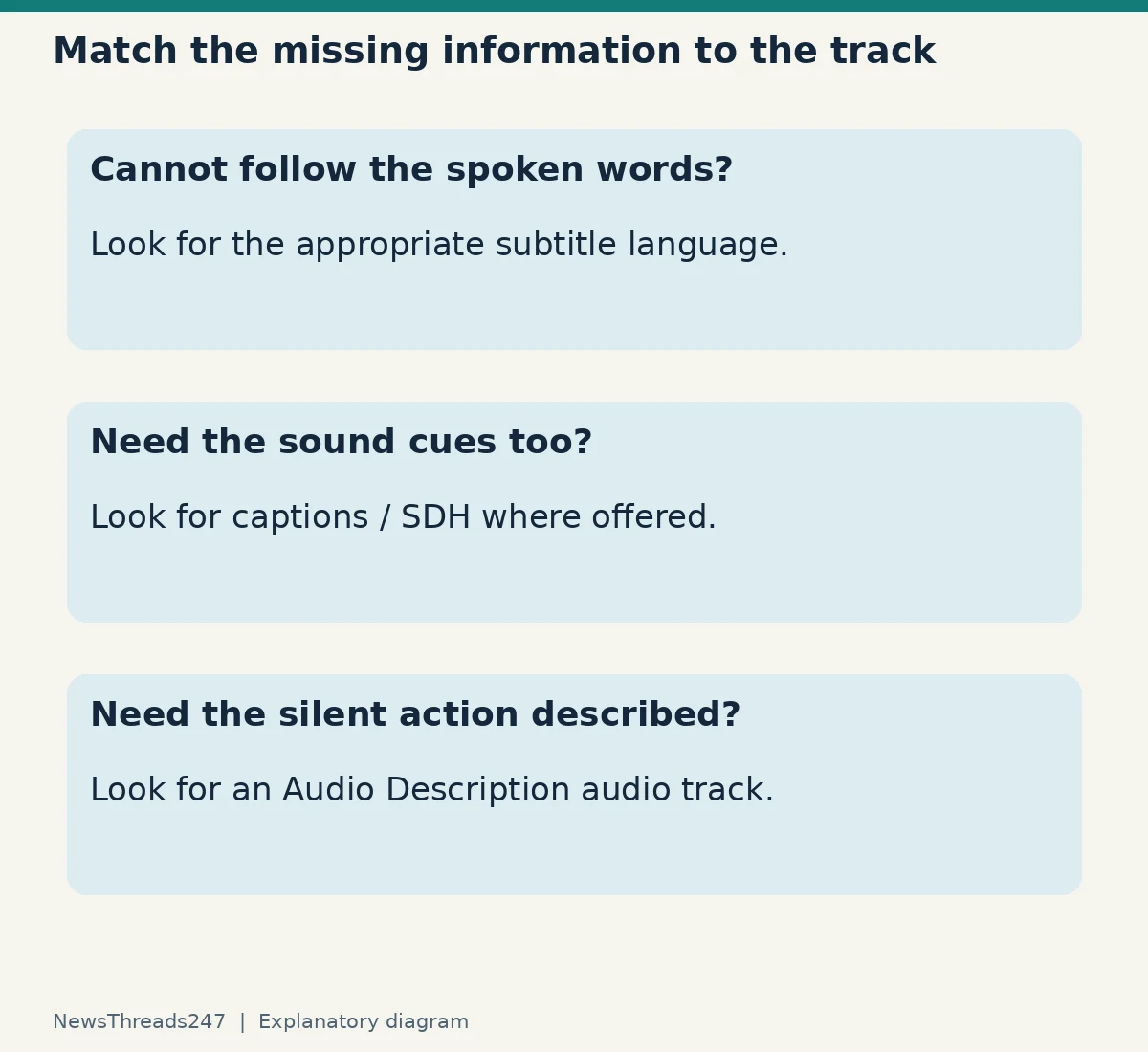
On Netflix, begin with the title’s Audio & Subtitles options. Choose a subtitle or caption track for readable dialogue and, where offered, sound information. Choose an audio track labelled Audio Description for spoken descriptions of important visual action. Availability depends on the title, language, region and device, so test the actual episode you plan to watch.
What each track adds to a scene
Netflix’s accessibility guide distinguishes subtitles, which put dialogue into text, from closed captions, which also describe sounds. Audio description supplies spoken detail about visual information such as expressions, physical actions and scene changes. These are different information channels rather than three settings on a scale of “more subtitles”.
Imagine an invented scene in which a character says “I’m staying”, a train announcement sounds and another person silently leaves a key on the table. A dialogue subtitle can convey the spoken sentence. A suitable caption track can identify the announcement or other relevant sound. Audio description can convey the silent action. This is an explanatory example, not dialogue or imagery taken from a film.
The best choice depends on the viewer. Someone watching without usable sound may need sound cues as well as speech. Someone who cannot see the screen clearly may need the described action while keeping the programme’s dialogue audible. A language learner may want original-language speech with an available text track. Ask what information is missing rather than assuming one setting suits everyone.
Select the actual track, not just the programme language
Start playback, reveal the controls and open Audio & Subtitles. Netflix’s selection instructions explain that layout varies across devices; on some televisions the options appear near the bottom of the screen. Look through the available choices rather than expecting an identical menu on every TV, phone and browser.
Read labels carefully. A dubbed audio track changes the spoken language; it is not automatically audio description. A subtitle in a chosen language is not automatically a caption track containing relevant sound cues. For titles offering Subtitles for the Deaf and Hard of Hearing, Netflix says to look for its SDH badge on the details page.
For audio description, Netflix’s specific guide says to choose an audio track with Audio Description in its name. To stop it, select a track without that label. If you hear narration describing movements between lines, check the selected audio track before assuming the programme has a sound fault.
Why a language can be missing
Netflix lists location, profile language settings, the title and the device among factors affecting availability. Its missing-language guide also notes that a show’s seasons can have different subtitle or audio sources. Finding a language in the first episode does not establish that every episode has the same tracks.
For audiences in India and the United States, this means a recommendation from someone in another country is a starting point rather than a promise. Open your own account, region and intended episode. Do not buy a subscription or plan an accessible group screening solely from a screenshot of another viewer’s menu.
If a track appears on one device but not another, record the title, season, episode, profile and device. Check the relevant Netflix support instructions for that device. Changing several settings at once makes it difficult to tell what resolved the issue; test one meaningful change, then reopen the same scene.
Check readability from the seat where you watch
Readable captions on a phone held close can be too small on a television across the room. Netflix allows appearance changes for subtitles and closed captions where supported. Use an actual scene with a bright background, a dark background and several lines of text to check the result. A large font that hides essential action is not automatically better than a smaller one with clearer contrast.
Make the test with the person who will use the setting. Check whether text can be followed without repeatedly pausing and whether sound labels are understandable. Avoid setting preferences on a shared profile without telling other viewers, particularly if they use a different language or accessibility feature.
A useful household note is brief: the profile, preferred language, whether captions or audio description are wanted, and which device was checked. It is a convenience record, not proof that every future programme will support those choices.
Streaming and downloaded copies need separate preparation
A successful streaming test does not by itself verify an offline copy. Netflix has separate instructions for audio description missing from downloads, including checking the language preference. Prepare the downloaded episode while you still have a connection and confirm the needed track before leaving.
Our Netflix download checklist covers expiry and offline preparation. Keep this track check distinct from the question of whether a download is still valid: a playable file can still lack the language or descriptive audio the viewer expected.
For a flight or a journey with limited connectivity, test a short portion offline using the intended headphones and device. This is a sensible preparation step rather than a claim that it guarantees playback through every travel situation. Reconnect and resolve missing options before relying on the copy.
When the setting is right but the content seems wrong
If text is missing, noticeably out of sync or appears to describe the wrong scene, distinguish a content issue from a preference issue. Note the title, episode, approximate timestamp, selected track and device, then use Netflix’s support route. A specific example is easier to investigate than a report that “all subtitles are broken”.
Do not assume a translation must reproduce every word of a dub exactly. They may be separate adaptations. The practical question is whether the selected track serves the viewer’s needs and whether an apparent error can be identified clearly. Avoid presenting a personal preference as a confirmed production mistake.
Before pressing play for a group
Check three things on the actual programme: can everyone follow the dialogue, are important sounds represented if needed, and is visual action described if required? Confirm the selection after switching episodes or devices. A minute spent on the right track can prevent a whole viewing session in which someone receives only part of the story.
Sources and scope
The Netflix support pages linked above were checked on 25 October 2026. This guide explains available feature types; it does not promise that a named language or accessibility track exists for every title or territory.