
A lost Android phone creates two problems at once. You want the handset back, but you also need to stop someone else from reading messages, accessing accounts or using the SIM. The right first action depends on whether the phone is merely misplaced, likely stolen, or already being used without permission.
Quick answer: From a safe device, open Google Find Hub, sign in to the Google Account associated with the missing Android phone, check its available location and use Mark as lost if appropriate. If theft is suspected, contact your mobile operator and secure important accounts. In India, a separate Sanchar Saathi CEIR process can block the handset’s IMEI on mobile networks after you complete its police-report and SIM requirements.
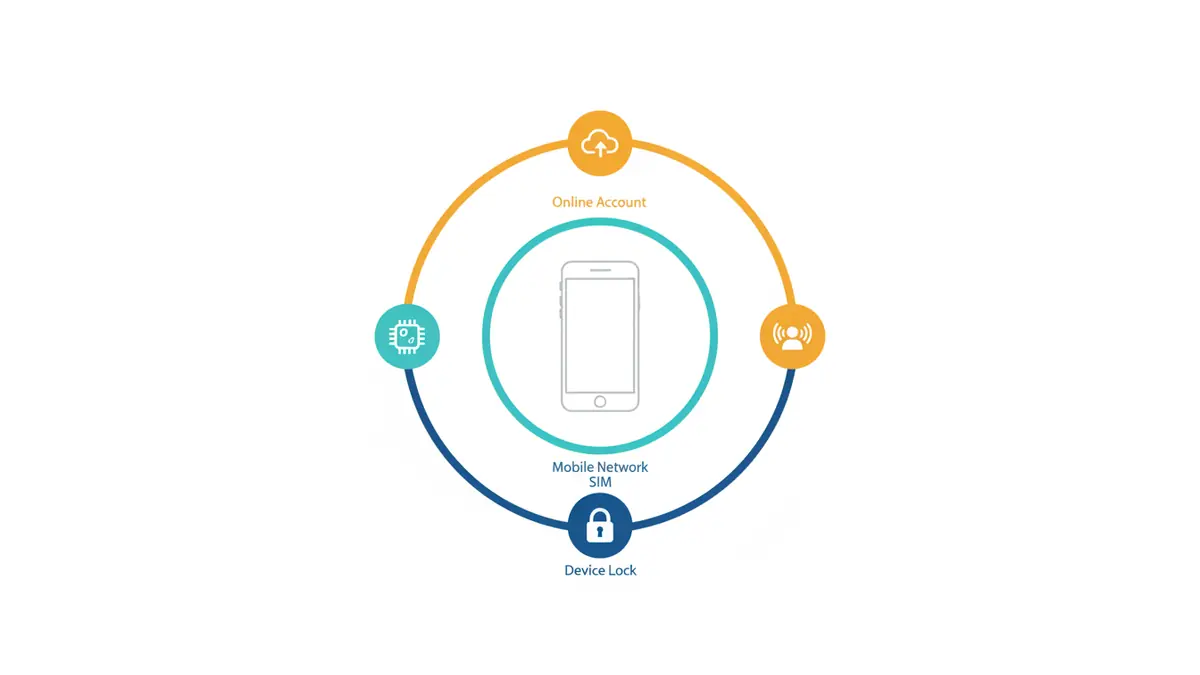
This guide separates three layers that are often confused: the device lock, the SIM and mobile network, and the accounts signed in on the phone. No one step replaces the others. Menu labels and features vary by model, Android version and region.
On this page: First 10 minutes · Find Hub · Remote Lock · India: CEIR · SIM and account safety · When to erase · Prepare ahead · Decision table · Sources and limitations
First 10 minutes: protect yourself without making recovery harder
- If the phone might be at home, call it and check familiar locations first. Find Hub can play a loud sound when the device meets the required conditions.
- Open android.com/find from a browser you trust, or use Find Hub on another Android device. Avoid links from texts claiming to show your phone’s location.
- Review the device’s last available location. A map pin can be approximate or old; it is not proof that a particular person has the phone.
- If the phone is beyond your control, choose Mark as lost. Add a safe contact number if helpful, but do not place a home address or sensitive information on the lock screen.
- If theft is plausible, contact local police rather than visiting an unfamiliar location alone. Preserve the complaint number and any evidence.
- Notify the mobile operator about SIM security and examine critical accounts, especially email, payments and messaging.
Why this order? An immediate remote factory reset can protect data but may also remove access to locating the device through Find Hub. A lock is usually a more reversible first protective step while you assess the situation. The correct choice changes if there is clear evidence that sensitive information is exposed.
What Google Find Hub can and cannot do
Google’s current Android help describes Find Hub as a way to locate, play a sound on, mark as lost, or erase a device. Remote secure and erase actions have prerequisites: the phone generally needs power, connectivity, a signed-in Google Account, Find Hub enabled and visibility in Google Play. Google may show a last-known position when a live location is unavailable. Read Google’s detailed Find Hub guidance.
When you select the missing phone, Google may ask for its screen-lock PIN or your Google password. The phone itself can receive a notification. If you suspect theft, do not interpret a changing map marker as an invitation to confront someone; the location estimate and safety situation are separate questions.
If you signed in on a borrowed device to use Find Hub, sign out completely afterward. If your missing handset was also your only two-step-verification method, use backup codes, trusted devices or the recovery methods you set up earlier. Do not share one-time codes with anyone offering to ‘trace’ the phone.
Remote Lock is a different shortcut, not an IMEI block
Some compatible Android phones offer Remote Lock at android.com/lock. This can lock the screen using a verified phone number without completing a full Find Hub sign-in at that moment. Google’s requirements include an existing screen lock, an active SIM, a verified number, Find Hub enabled and connectivity. If offline, the lock request can take effect when the device reconnects. The feature must have been enabled beforehand and availability can vary.
Remote Lock protects the screen; it does not cancel the SIM, erase data, block the IMEI or automatically sign out payment and email accounts. Google says a device can be remotely locked this way twice in a 24-hour period. See the official theft-protection instructions for setup and limitations.
In India: block the handset IMEI through Sanchar Saathi CEIR
India’s Department of Telecommunications offers CEIR blocking for lost or stolen handsets. IMEI blocking is not the same as Find Hub locking. CEIR aims to prevent the handset from being used on Indian mobile networks after a successful request; it does not guarantee that local files, Wi-Fi apps or online accounts are secure.
The official prerequisites include a police report or FIR, a reissued or duplicate SIM for OTP verification, identity proof and the device IMEI if available. The purchase invoice is optional on the portal. The telecom authority notes that SMS on a replacement SIM may remain unavailable for 24 hours, which can delay OTP-based filing. Do not invent a completed request while waiting.
- Report the loss or theft to the police and retain the complaint copy.
- Contact the mobile operator for a replacement SIM and ask how to protect the previous one.
- Keep the required identity document and the phone’s IMEI or IMEIs ready, where available.
- Submit the request on the official CEIR blocking form once OTP works.
- Store the Request ID. If the handset is recovered, inform police and follow the official unblocking process.
The CEIR FAQ says a successfully submitted block is implemented within 24 hours and can stop use on Indian mobile networks. The wording concerns network access, not guaranteed physical recovery. Do not pay a third-party ‘IMEI tracker’ merely because it advertises faster results.
Protect the SIM, messages and accounts separately
Your email account often controls password resets for several other services. If someone has access to your unlocked phone, begin with the accounts carrying the greatest financial or identity risk. Use a separate trusted device and official apps or websites.
- Ask the mobile operator to disable or replace the lost SIM and check for unauthorized SIM changes.
- Review your primary Google Account’s security activity and signed-in devices. Change credentials if compromise is suspected, and use the official account recovery route if you cannot sign in.
- Check banking and payment apps for suspicious activity; follow your bank’s immediate blocking and fraud-reporting instructions. Do not publish your financial details in a public lost-phone notice.
- For WhatsApp registration concerns, see our WhatsApp account recovery and safety guide.
- Update recovery contact methods after regaining control, and save backup codes somewhere that is not only on the missing phone.
Blocking a SIM may stop new mobile-network OTPs on that SIM, but it does not retroactively end every signed-in app session. Changing the Google password also does not replace the operator’s SIM process. Review each layer deliberately.
When is remote erasure the right choice?
Use remote factory reset when protecting sensitive data outweighs the realistic chance of finding and using the same device. Google warns that erased data may not be recoverable and that you will need the Google Account password if you subsequently regain and reactivate the phone. A memory card can have separate implications, depending on the device and reset operation.
Before choosing erase, verify what was actually backed up. Android device backups do not necessarily include the content of every app or private area. Our related guide explains why Android Private Space needs separate checks before a reset. Erase is a serious decision, not a routine first click for every misplaced handset.
Make the next loss less damaging
The most effective preparation takes place while the phone is still in your hand. Verify Find Hub can see the device, set a strong screen lock, review Android theft-protection settings and record the IMEI privately. Make sure you can reach your primary email and recovery methods without relying on this one phone. Test backups by checking that important files can actually be viewed from another trusted device.
A screen lock prevents casual access; reliable account recovery prevents being locked out yourself. Both matter. Avoid storing all backup codes, purchase records and login recovery details only on the device they are meant to protect.
Which action solves which problem?
| Action | Main purpose | What it does not do |
|---|---|---|
| Find Hub / Mark as lost | Locate if available and secure the device screen | Does not cancel the SIM or block the IMEI |
| Remote Lock | Quick screen lock for previously enabled, eligible devices | Does not erase data or sign out all apps |
| Operator SIM replacement | Protect the mobile number and regain access | Does not automatically lock the physical phone |
| India CEIR IMEI block | Restrict use of the lost handset on Indian mobile networks | Does not erase local data or guarantee recovery |
| Google and app security review | Reduce account takeover risk | Does not physically retrieve the handset |
Official sources, scope and editorial notes
Primary references: Google Find Hub; Google theft protection and Remote Lock; DoT CEIR FAQ; official CEIR form. Checked for this editorial on 3 November 2026. Features and prerequisites can change.
Disclosure: The illustrations are AI-generated editorial concepts, not screenshots of the cited services. This is general technology and consumer-safety information, not an account-access service, a police report or legal/financial advice. Never provide passwords, OTPs or IMEI details to an unsolicited caller.