
If WhatsApp reports that your phone number was registered on another device and you did not authorize it, treat the alert seriously—but do not send anybody a verification code or recovery payment. WhatsApp’s official instructions explain that registering your number again through the authentic app with a valid code can log out other registered devices. Regaining account access is different from recovering missing chat history or a stolen physical phone.
This guide covers both an unexpected registration notification and a compromised-account scenario, with boundaries for what a user can safely verify. It draws on the official compromised-account recovery page and WhatsApp’s new-device registration explanation. Interfaces and account security methods change, so use the steps shown in the current official app rather than trusting instructions from a stranger in a chat.
Recognize the difference between a warning and confirmed loss of access
| What you notice | What it may indicate | First safe check |
|---|---|---|
| Unrequested six-digit code | Someone may have tried to register your number | Do not share the code; check the app |
| Message says number registered on new device | A registration event is reported | Try official account recovery process |
| Unknown device under Linked devices | An extra session may be connected | Review and log out unknown session |
| Chats missing after phone change | Backup/transfer issue may be involved | Check backup and platform migration steps |
A login code appearing without your request does not, by itself, prove another person has logged in. Attackers sometimes seek a code precisely because they have not succeeded. A message from a contact asking for a code “by mistake” is a common pretext; the legitimate verification code is for the account owner only. WhatsApp does not require you to tell it to a friend or a third-party recovery service.
The first ten minutes: contain risk without erasing evidence
Keep control of the phone number and SIM if possible, and open the app through its normal installed icon or an official app-store listing. Do not follow a short link in an unsolicited SMS that claims to be a security verification page. If the app still works, review the Linked devices list and remove sessions you do not recognize. Then check the current two-step verification setting and the recovery email or password options that the app makes available.
Warn close contacts through a trusted channel if your account may have sent unexpected requests for money or codes. Tell them not to act on recent suspicious messages until you verify your identity. Do not mass-forward the malicious message or paste sensitive verification details into a public social post as “proof.”
How WhatsApp says to recover a compromised registration
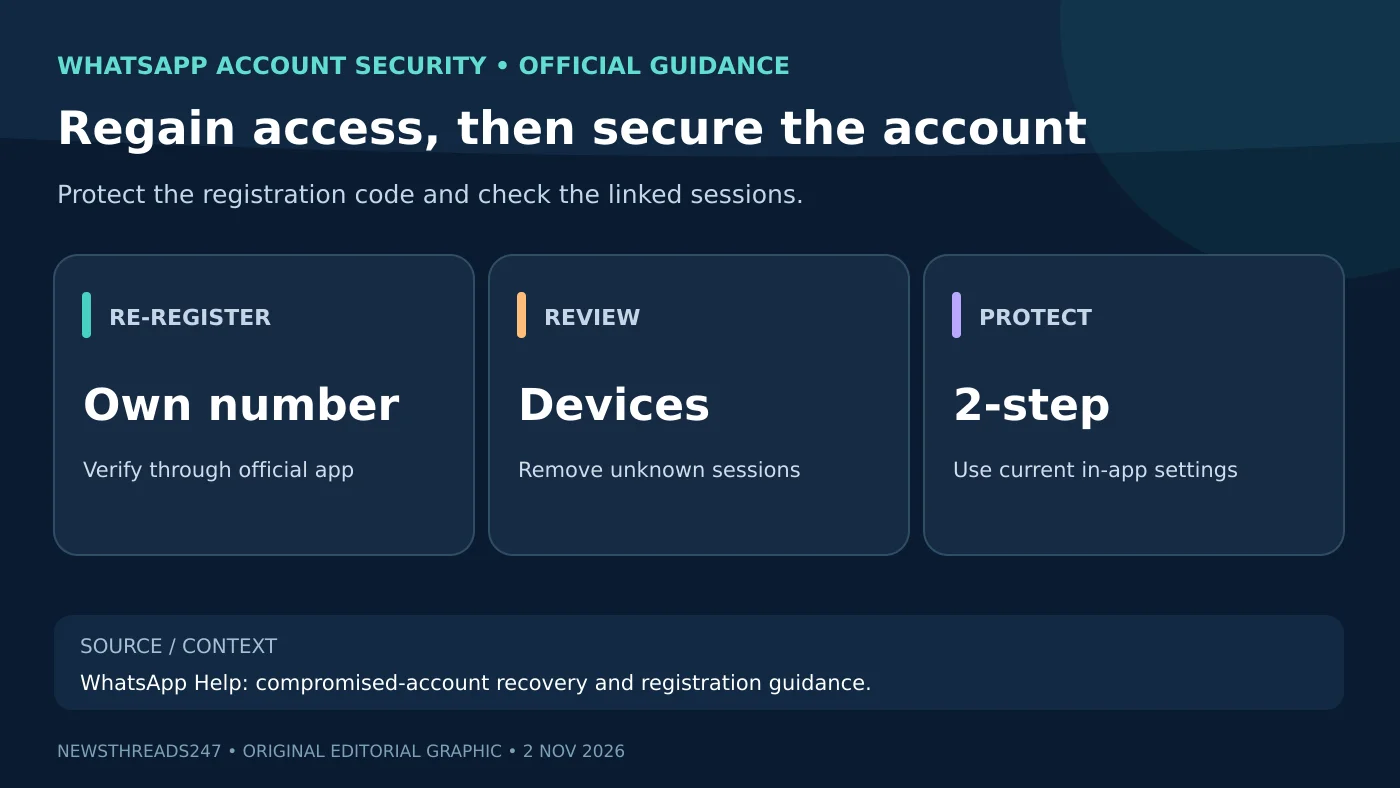
According to WhatsApp, when you re-register your account with the six-digit verification code sent to your own number, other devices logged in to the account are automatically logged out. This is the relevant recovery step when someone else has completed an unauthorized registration. The official app may use SMS, phone call or other already configured verification methods depending on the account, device and region; do not assume every user sees identical options.
- Confirm that you still control the phone number you are trying to register.
- Use the authentic WhatsApp app to enter the number in the correct international format and follow its current verification prompt.
- Enter the valid code only inside the app; do not give it to an alleged support agent in a call or chat.
- Once access returns, review linked sessions, two-step verification and contact messages for signs of misuse.
- If the process refuses access, follow the official recovery/help flow and do not repeatedly request codes in a way that triggers rate limits.
WhatsApp’s Help Center also warns that incorrectly reporting an account as compromised through certain abuse-reporting flows could cause a ban or loss of access. Choose the documented recovery procedure, not mass reports as an improvised workaround. Avoid services that promise they can “hack the account back”; the legitimate route requires proving control through the platform’s own registration and support systems.
What if an attacker set a two-step code or password?
Extra verification exists to protect the owner, but it can complicate recovery when another person has changed the secret. WhatsApp’s current help material discusses recovery methods and is also describing a transition from a six-digit two-step PIN to a password in some account flows. Follow the actual in-app prompts and the official registration and two-step verification page; do not rely on a rigid universal “wait exactly X days” claim without checking the current documented case.
If your account has a recovery email configured, check that mailbox directly and protect it with its own multifactor authentication. A secured email account and a secure SIM are related defenses but are not substitutes for WhatsApp’s own setup. Our Google passkey/shared-device guide explains why signing out of one service is different from removing all account access on a shared device.
What linked devices can and cannot tell you
Linked devices may include Web or desktop sessions authorized from your primary phone. If you recognize a computer, verify whether it remains in your control; if you do not recognize it, log it out through the app. The list is one useful check, but an empty or normal-looking list is not proof that a registration attempt never happened. Account-registration events and linked-device sessions are distinct situations.
For a workplace or family shared computer, logging out and clearing residual local sessions is an appropriate additional step; this should not be confused with deleting an account or permanently erasing chats. If devices or messages appear suspicious, capture enough non-sensitive evidence for a support report without exposing private conversations online.
Lost phone or SIM? Recover the number separately
If the physical phone or SIM has been lost, the account owner may first need the mobile carrier’s authorized SIM-replacement or number-recovery process. WhatsApp cannot simply verify ownership of a number that the user no longer controls. Lock the device with the operating system’s official find/lock tools if those were enabled and consider local carrier advice for the SIM. Never disclose a carrier one-time password or account PIN to someone calling themselves a WhatsApp employee.
If the old number has been permanently reassigned to a different customer, the situation is not equivalent to a temporary lost-SIM problem. Use official platform and carrier guidance tailored to number changes. Do not try to enter a code sent to a number you no longer own.
Account login is not the same as chat history recovery
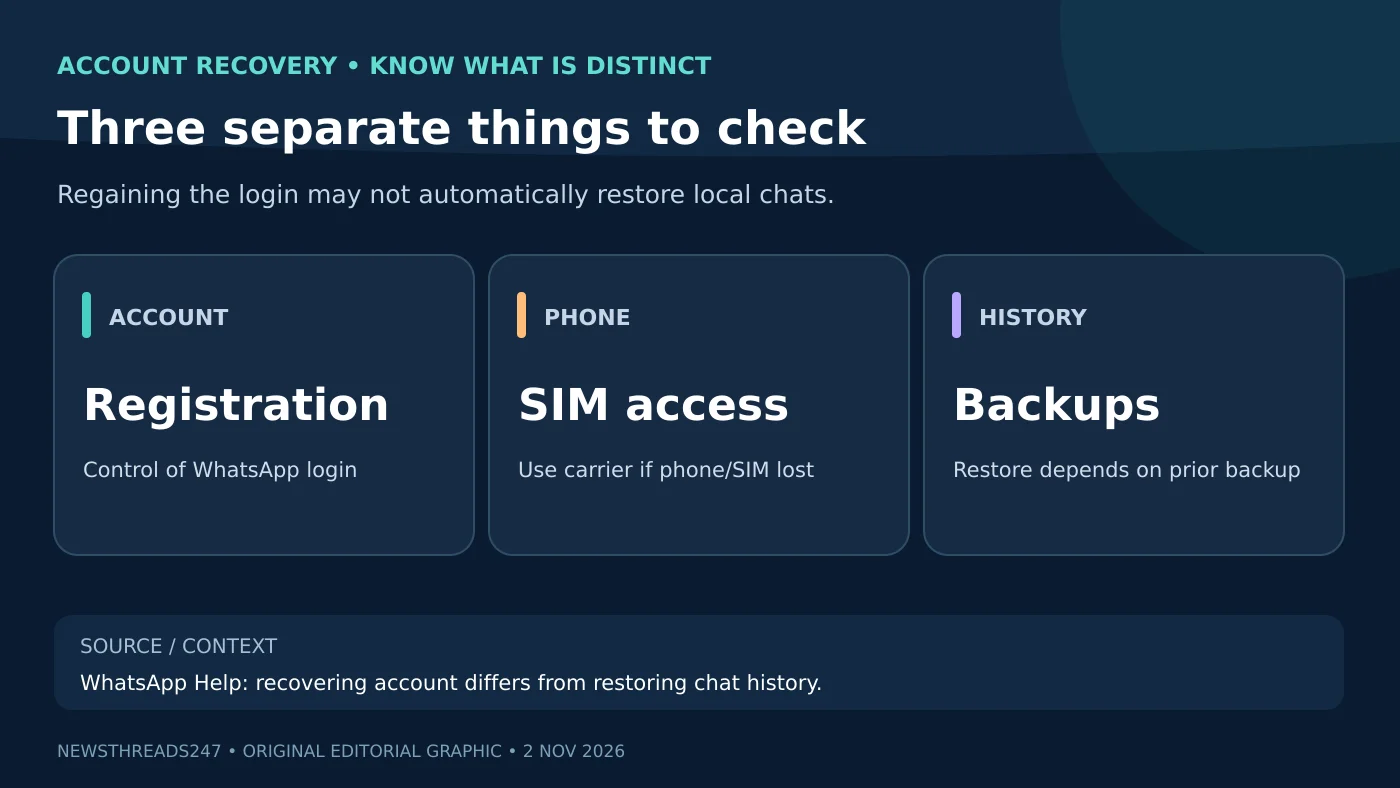
WhatsApp chat history can depend on local storage, a prior Google Account or iCloud backup, encryption settings and a supported transfer route. Re-registering an account does not automatically make missing local chats reappear. Check the official changing-phones guidance and your app’s backup state before resetting or discarding a device. A backup made after data has been lost may not contain the older conversation you hoped to restore.
Be especially careful if a third-party recovery seller asks you to install remote-control software, share cloud-backup passwords or provide a six-digit registration code. These requests may create a second compromise. Reinstalling repeatedly without knowing the backup situation may make a stressful incident harder to understand.
How to reduce the chance of another incident
- Never share registration codes, two-step credentials or email recovery links with callers or contacts.
- Keep the phone OS and WhatsApp updated through official app-store channels.
- Enable the current two-step verification option and safeguard any recovery email or password.
- Review linked devices periodically and remove unfamiliar sessions.
- Back up chats in a way you understand, with the encryption and recovery secret you can safely retain.
- Treat urgent money requests from a contact as unverified until you confirm outside the same chat.
Frequently asked questions
Can someone read my WhatsApp with only my phone number?
Knowing a number is not itself the same as completing account registration. Registration protection and device access still matter; never share a verification code.
Does re-registering log the attacker out?
WhatsApp’s compromised-account page says successful re-registration using the six-digit code logs out other devices logged into the account. Follow the applicable official flow.
Will my old chats return after account recovery?
Not necessarily. Chat restoration depends on an available valid backup or supported transfer process and the correct account/phone state.
Should I pay a social-media account to recover WhatsApp?
No. Use WhatsApp’s official help and the mobile carrier where relevant. Paying a stranger and giving them credentials can deepen the compromise.
Bottom line and source date
Use the legitimate app and your own number to recover control, then review linked devices and security settings. Keep login recovery, SIM recovery and chat backups separate in your decisions. The official WhatsApp recovery instructions and new-device warning explainer were checked for this 2 November 2026 IST guide. Menus and verification methods can change.
Safety and visual note: This is general account-security guidance, not access to a reader’s private account. The lead illustration is AI-created; the two companion diagrams are original educational graphics without genuine phone numbers or screenshots.