
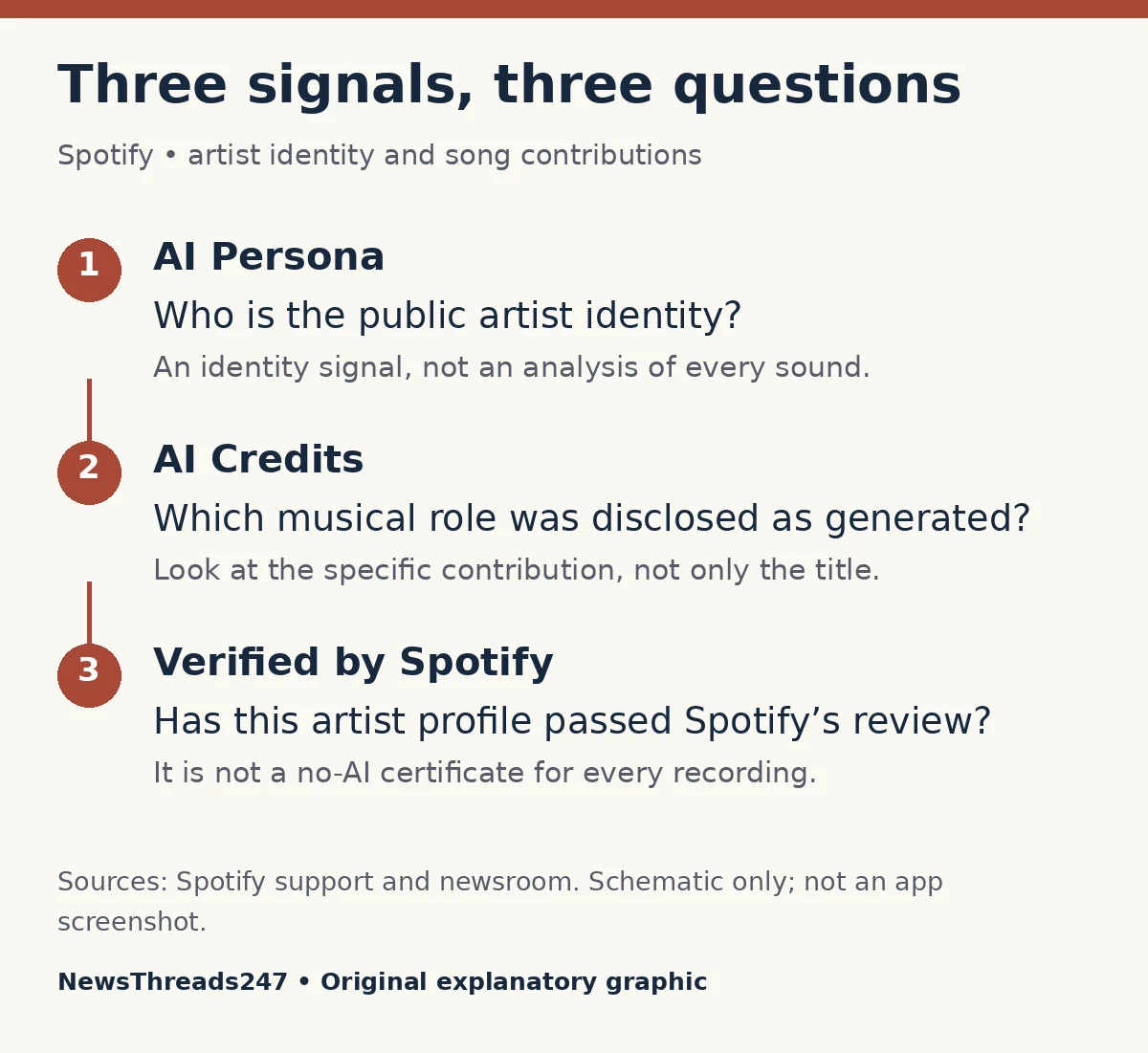
Spotify’s latest AI update is easier to understand if you separate three questions: who is presented as the artist, how a particular recording was made, and why it appears in your recommendations. A badge or credit answering one question does not automatically answer the other two.
On October 20, 2026, Spotify said it had taken more than 50 million slop and spam tracks out of recommendations this year. It separately described more than 75 million spam tracks removed from the platform for serious or repeated violations. Those are company-reported figures with different scopes. They should not be combined into a claim that every track was an AI song deleted from the catalogue.
For listeners in the US and other markets where these features appear, the immediate task is smaller: read the actual signal attached to the artist or recording. Spotify’s support guidance still describes gradual availability and beta features, so this guide does not promise the same display on every account or device.
An AI Persona badge is about the artist’s public identity
Spotify defines an AI Persona as an artist whose public identity represents an AI-generated photorealistic human. Its help page distinguishes an artist’s own disclosure from a “Likely AI Persona” determination made after Spotify’s review. The extra information in the profile’s About area explains which route produced the badge.
That distinction matters when sharing a discovery with a friend. “Spotify labels this profile as an AI Persona” is a narrower, more accurate observation than “every sound in this song is AI.” The first describes an identity signal you can inspect. The second makes a production claim that needs its own evidence.
A stage name, a fictional character and an invented photorealistic human are not interchangeable categories. The support page explicitly says the badge does not apply merely because a real person uses AI in music, or because a stage identity is fictional without depicting an AI-generated photorealistic person. Do not try to settle those differences from an unfamiliar name or an unusual cover image alone.
AI Credits identify contributions within a recording
AI Credits have a different job: they identify specific generated contributions, such as lyrics, vocals, instrumental performances or production. Spotify says they are optional, submitted through supporting distributors and currently visible to listeners on mobile in beta. They are not a blanket track-level label.
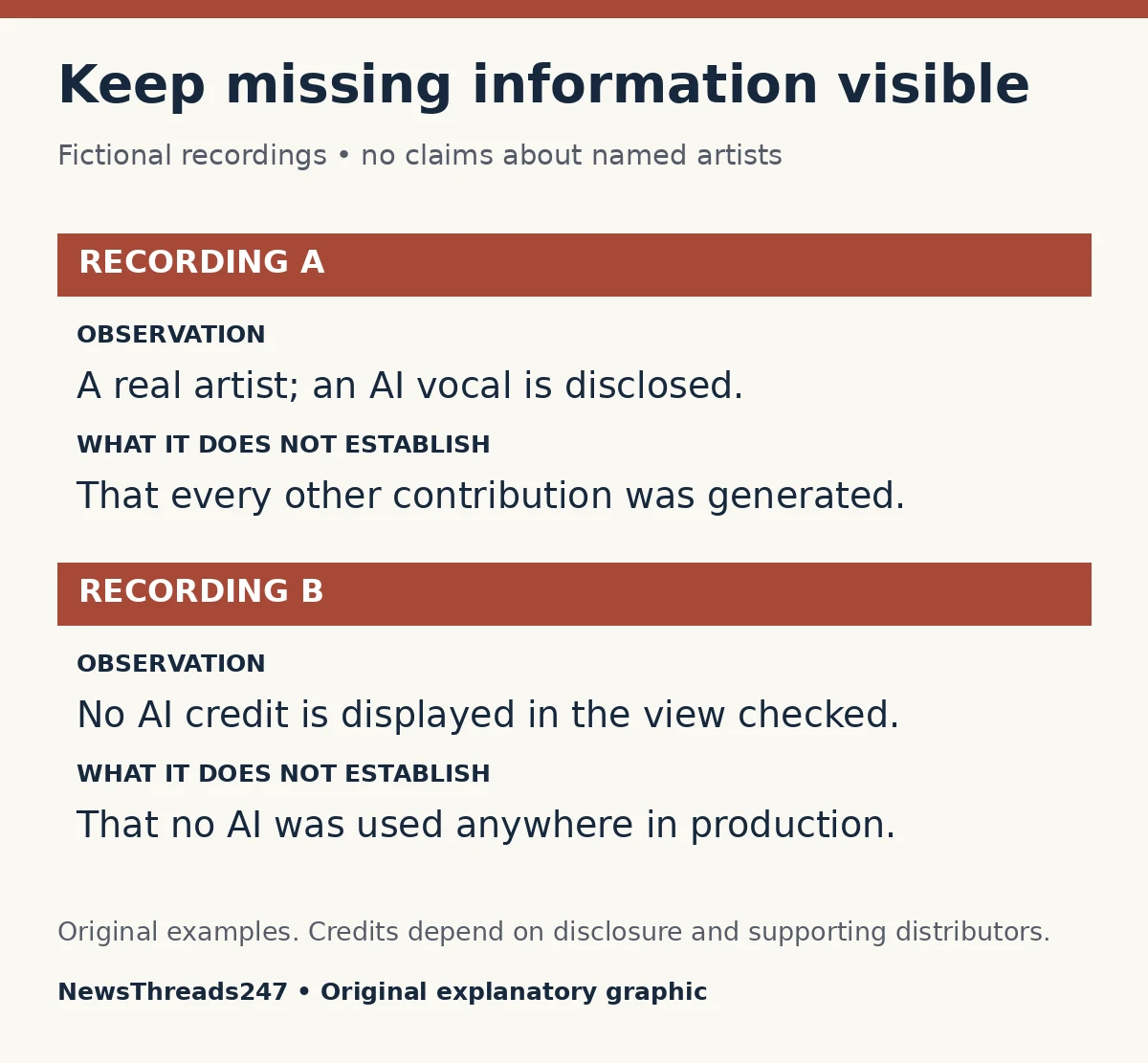
Imagine a fictional recording with human-written lyrics and an AI-generated vocal. An accurate contribution record could distinguish those roles. Reducing the whole release to “human” would conceal the vocal’s origin; reducing it to “AI” would erase the lyricist’s contribution. The useful information is the division of work, not a guess about which single label should describe everything.
For a second fictional recording, a producer may disclose a generated instrumental part while a person sings. That is a different production arrangement. Read the named role rather than assuming an AI credit always means a synthetic lead singer. These examples explain how to interpret credits; they are not claims about any named artist or song.
No displayed credit is an unanswered question
The absence of an AI credit is not certification that no AI was used. In the updated official disclosure announcement, Spotify explains that credits depend on artist disclosure and that not all distributors enable it. Its current support page likewise describes limited distributor availability.
If a recording has no disclosure, the careful conclusion is “I did not find an AI credit here.” You can then look for attributable production information from the artist or label. Avoid converting a missing field into a positive fact, particularly when recommending the recording as an example of entirely human performance.
Listening impressions can prompt a question, but a polished voice, repetitive arrangement or strange lyric does not establish a production history. A fair assessment needs evidence about the recording you are discussing. This article has not run an audio detector or tested named songs, and it does not offer a reliable listening trick for identifying generated music.
Verification is another signal, with another scope
The Verified by Spotify announcement describes an authenticity review of artist profiles, using signals such as an identifiable presence, policy standing and sustained listener activity. Spotify also says verification is ongoing; absence of that badge does not establish that an artist is synthetic.
Use verification to understand what Spotify says about the artist profile. Do not treat it as a laboratory report on each recording. A real artist’s identity and the tools used on a particular release remain separate questions. Equally, a less-established artist without verification should not be accused of deception just because the badge is missing.
Recommendations and catalogue availability are different
Spotify’s August identity-label announcement says AI Personas are excluded from editorial and algorithmic recommendations by default, with intentional engagement such as following offered as an exception. The October update reports that thousands of those identities are now labelled. This is a programming policy, not a promise that the service contains no AI-created music.
That is why “not recommended,” “labelled,” and “removed” should stay separate in a news story or social post. A listener might still encounter an available release without that encounter disproving a statement about default recommendations. Conversely, finding an artist in a playlist does not itself prove anything about how a particular vocal was produced.
A short check before adding a discovery to a playlist
Start with the artist profile and read any identity badge’s explanation. Then inspect the recording’s Song Credits on mobile for role-specific disclosures. Keep those observations separate in a note: identity status, disclosed contributions, and information still missing. Use the artist’s or label’s attributable release notes to investigate the missing part.
For example, your note might read: “Profile presents a real person; vocal production not disclosed in the credits I checked.” That is useful even though it is incomplete. It records the limit honestly and leaves room for better evidence. “Definitely no AI” would go beyond it.
You can choose music according to your own preferences without publicly assigning an unsupported production method to an artist. If reporting a suspected profile problem through available official support, distinguish the identity concern from a claim about a track. Reporting options may differ as features roll out; use the official support route shown for your account.
The broader habit is the same as reading cinema format labels: learn what a term actually describes before using it as a promise. Our movie-ticket format guide applies that approach to sound, presentation and ticket choices.
Sources and visual credits
Official Spotify announcements and support pages linked above were checked October 27, 2026. Counts are attributed company statements, not independent measurements; no listening test or platform-wide label audit was conducted. Fictional recording examples and both explanatory diagrams are original. Featured artwork is an AI-generated conceptual illustration, not a Spotify interface or a portrait of an actual musician. Feature availability can change.