
YouTube Premium Lite in India includes background play and downloads for most videos, but that does not make it a music subscription. Before choosing it for a commute or an offline watchlist, check the kinds of videos you expect to use. Music content and Shorts have important exceptions, and the name of the plan matters as much as whether the account says it has a paid benefit.
Google’s India announcement dated March 12, 2026 described the rollout of background play and downloads. This is not a new October launch. The current Premium Lite help page is the useful reference for the benefits and exclusions now, rather than an older comparison that says Lite has no downloads at all.
Start with the content you want offline
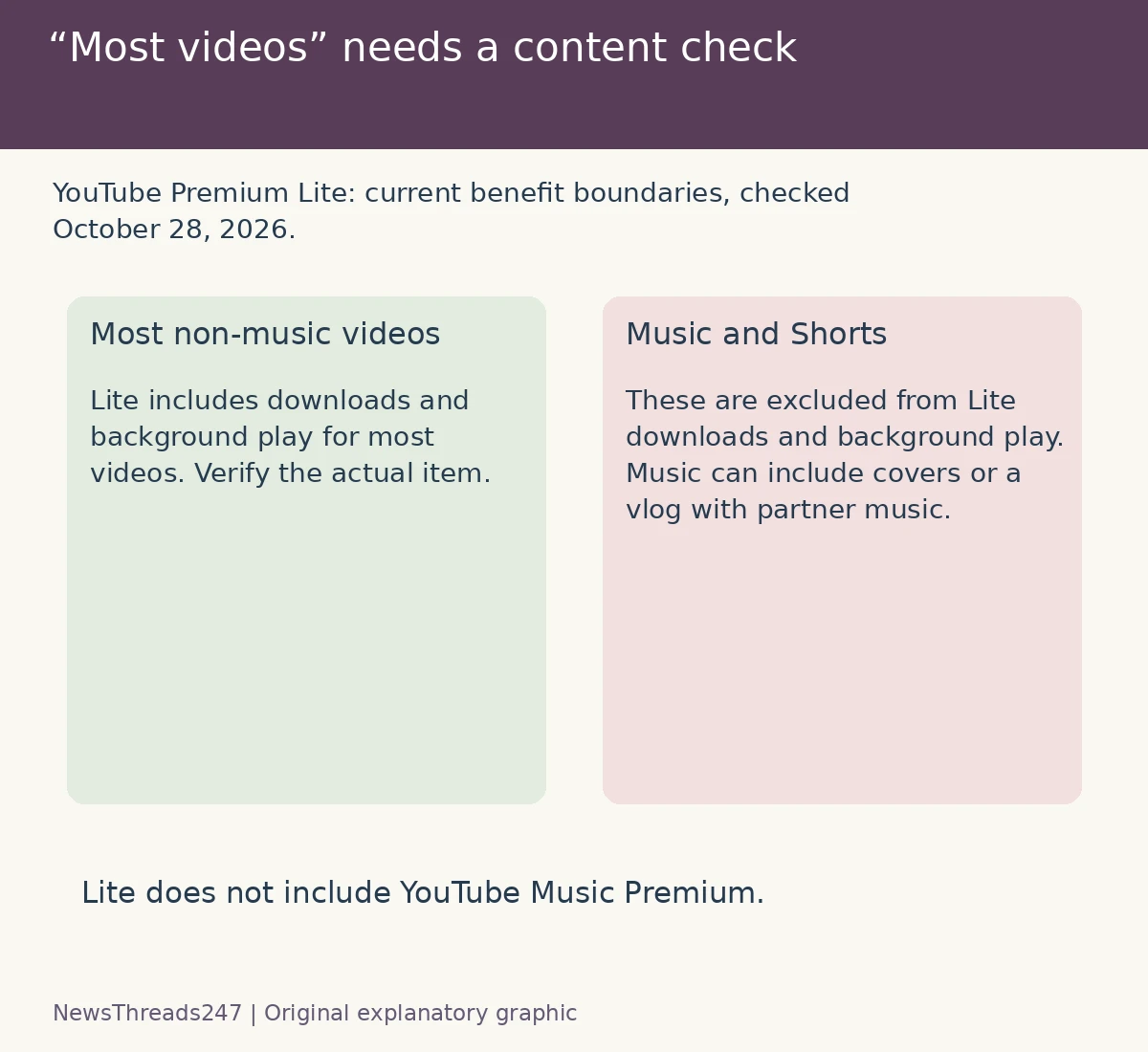
The current Lite guidance excludes music content and Shorts from its downloads and background-play benefits. Its music examples extend beyond official music videos: Art Tracks, children’s songs and user-generated material that includes music-partner content, such as a cover, dance video or a vlog with a popular song. A video looking like a normal creator upload does not settle whether it falls within the exception.
That makes a simple “music video versus everything else” rule too crude. If the purpose of subscribing is to listen to a particular performance, cover or music-heavy video with the screen off, verify the benefit on that content before relying on it. Do not infer eligibility from a title that calls itself a podcast or vlog.
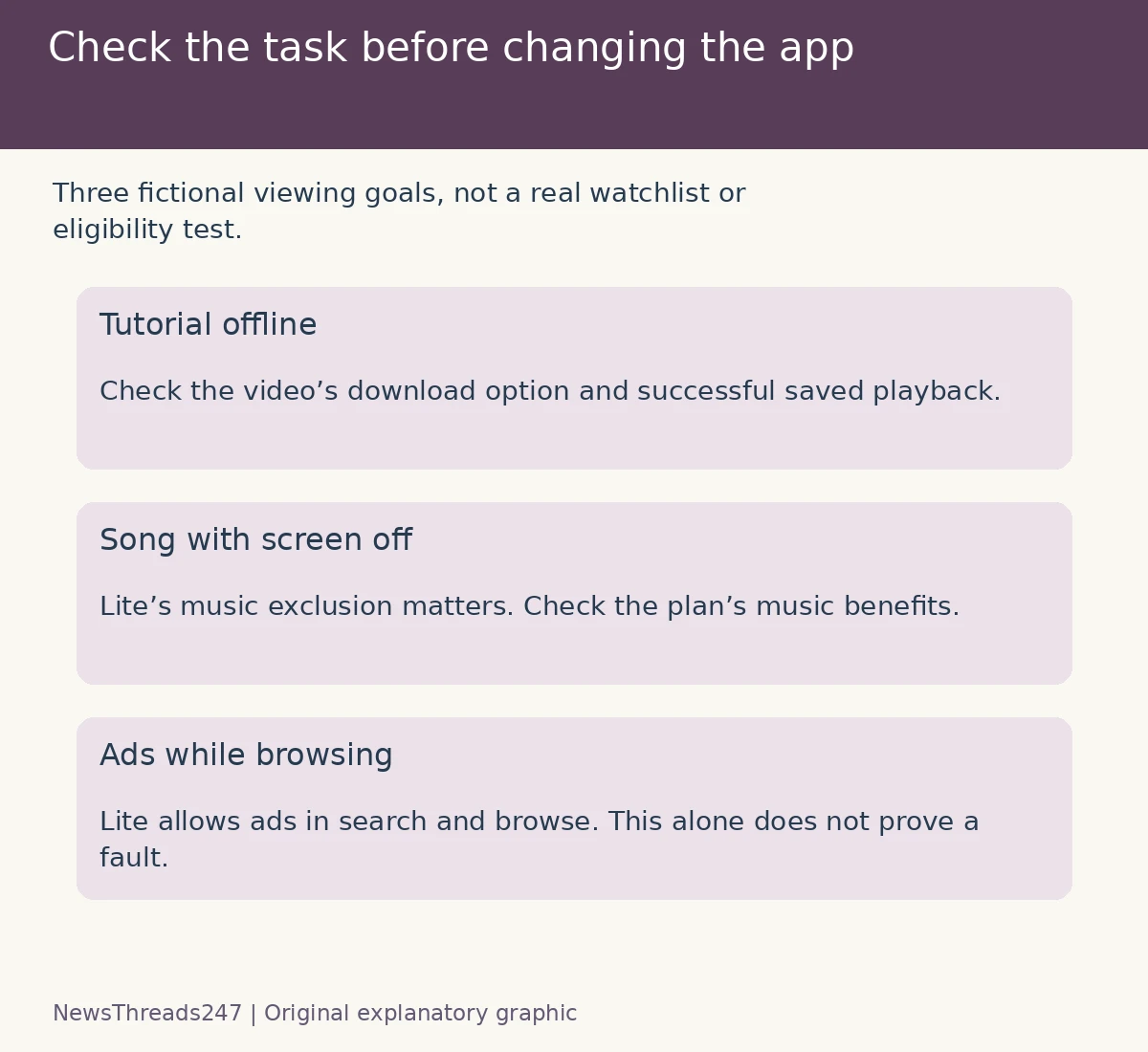
For a fictional train journey, imagine a watchlist containing a spoken tutorial, a music performance and several Shorts. Those are three content cases to check, not one promised offline package. The tutorial may fit Lite’s most-video benefit; the music performance and Shorts need the exclusions considered. This example does not classify a real upload or guarantee that a particular download will be offered.
Ad-free, background and offline are separate checks
Background play means listening while the app is in the background or the screen is off. A download means content saved through the supported service for offline playback. Reducing ads while streaming does not, on its own, establish either feature. Read the benefit needed for your task rather than treating “Premium” as a single universal switch.
Lite’s help says ads may still appear on music content, Shorts, and while searching or browsing. It also says the plan does not include YouTube Music Premium. If your goal is listening inside the YouTube Music app, that omission is central to the choice, rather than a small difference in a feature table.
Compare full Premium without promising an ad-free universe
YouTube’s full Premium benefits guide describes YouTube Music Premium, music downloads and background listening as included benefits. Compare those supported capabilities if music is the main reason you are considering a subscription. This article does not select a universally best plan or recommend spending more for a feature you do not use.
Even the full benefits guide distinguishes platform advertising from promotions embedded by creators. It says branding, promotional links and other creator-enabled material can remain, and describes exceptions for some live-event or Primetime-channel content. Do not read “ad-free” as a promise that every sponsorship spoken inside a video will be removed.
A useful personal comparison has two columns: the videos or listening situations you care about, and the benefit needed for each. Then check the actual plan against those rows. “A cheaper monthly price” is incomplete reasoning if the one feature you need is excluded; “more features” is equally incomplete if none adds value to your routine.
Check existing benefits before buying another plan
Google’s current AI Pro benefit guidance says certain paid memberships include a Premium Lite individual plan automatically. It also limits that benefit to the plan manager, excludes trial periods before conversion to a paid plan, and applies location conditions. Do not assume that every Google One member or every family-group member receives it.
If your account already shows Lite through another membership, identify the source and who holds the benefit. That does not turn Lite into full Premium or add Music Premium. Review the existing plan before creating a second subscription, and read what any upgrade would change, including billing and renewal terms, on the official account page.
Use the current price shown for your account
YouTube’s Lite help directs users to its official membership page for the current price. Check the amount, billing interval, offer conditions and renewal amount presented to you before confirming. This article does not quote an Indian price from an old launch report as though it were a verified offer for every reader today.
A trial, a bundled individual benefit and a standalone paid plan are not necessarily the same transaction. Keep the plan name and billing source together. If the subscription is managed through an app store, follow the instructions for that purchase route rather than assuming every account has identical upgrade or cancellation controls.
If a benefit is missing, classify the problem first
First establish which account is signed in and which membership is actually active. Next check whether the video falls within the plan’s content coverage. Only then treat an eligible feature failing as a troubleshooting problem. Otherwise, repeated app reinstalls could be an attempt to fix a limitation that is part of the plan.
YouTube’s official troubleshooting hub separates download problems, offline playback, ads and background-play issues. Use the route that matches the symptom. Save the video link, plan name, device and exact message for support; do not publish private billing or account details in a public complaint.
Before travelling, check that the intended content has actually downloaded and plays through the supported offline flow. Do not assume a saved playlist title means every item is stored. Our Netflix offline-viewing guide covers a different service: its expiry rules do not transfer to YouTube, but the need to verify your own saved content remains useful.
Sources and visual credits
India-focused membership explainer checked October 28, 2026 against Google’s March 12 India announcement and current YouTube/Google One help pages. Features, account eligibility and purchase terms must be checked for the actual account. No subscription or playback test was performed. Featured art is AI-generated conceptual artwork; the two original graphics are comparisons, not a YouTube interface or a real content-eligibility determination.