
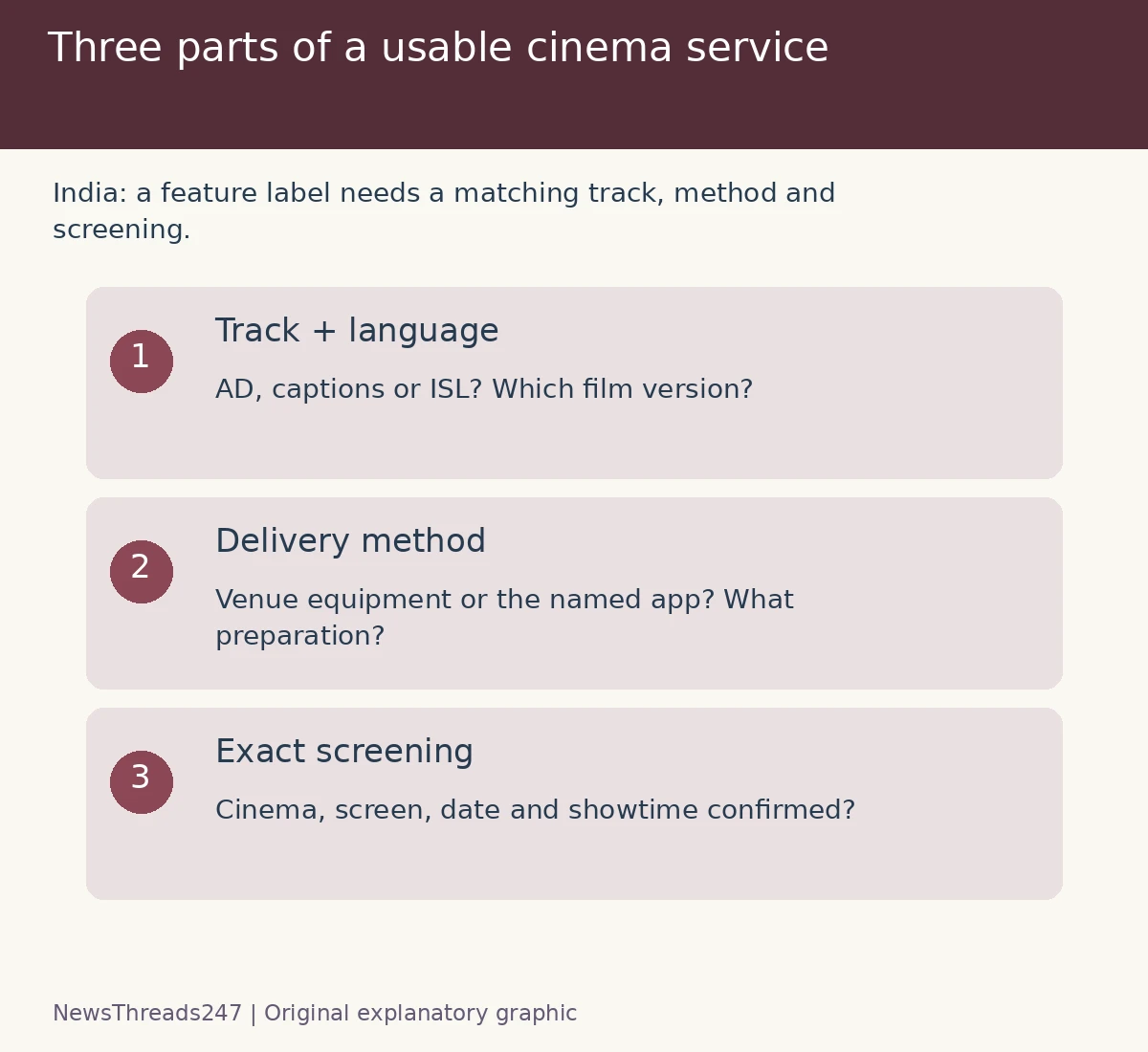
Before booking an Indian cinema show for audio description or captions, confirm both the film’s access track and how the exact screen will deliver it. A film-level label is useful, but it does not tell you everything about a phone app, theatre equipment, language or connection needed at the venue. Ask for the details that match the viewer’s needs before payment.
The policy context has moved beyond a future aspiration. CBFC Kolkata’s February 27, 2026 reminder identified March 15, 2026 as the effective point for the stated mandatory CC and AD requirements during examination of the feature films concerned. That is a certification requirement; it is not evidence that NewsThreads247 has tested every show or that a particular app works in every auditorium.
Name the service you need
Audio description, or AD, supplies narration of visual information. Captions support access to dialogue and relevant sounds; a translation subtitle alone may not supply the same information. The Ministry of Information and Broadcasting’s March 15, 2024 guidelines distinguish audio description, captioning and Indian Sign Language access and describe different delivery methods.
State the required feature and language together. “Accessible in Hindi” is incomplete if the viewer needs Hindi captions and the listed Hindi service is only AD. Likewise, dubbed dialogue is not automatically audio description. Ask which access track accompanies which version of the film.
A group may need more than one service. Ask each person what they use rather than assuming that one symbol covers everyone. A caption display, a narration track, wheelchair access and a suitable route to the seat answer different practical questions; confirm the relevant arrangements separately with the venue.
Connect the film, language and delivery method
The MIB guidelines allow approaches including theatre equipment, headphones for AD, mobile applications and other assistive technologies. Availability of an access file therefore does not identify the method a viewer will use at a particular screening. Ask whether equipment must be requested, whether a personal device is needed and what the venue can actually supply.
The Billion Readers film-access directory is a discovery resource that lists language-specific SLC and AD information and associated apps, and says it is updated weekly. Use it to find the next question, then confirm the exact film version and access service with the provider and theatre. This article does not reproduce its current listings as guaranteed session availability.
Write down the film title, language, cinema, screen, date and showtime before asking for confirmation. Two shows under one cinema name can use different screens. A reply about “our cinema” may not resolve the setup for the session in your booking basket.
Two app approaches show why details matter
Moviebuff Access’s own guidance describes connecting to a participating venue’s Wi-Fi to receive descriptive audio or captions on a phone. Its FAQ says it requires that theatre connection and does not substitute mobile data for it. It also says headphones are required for audio playback. Those are specific service conditions, not universal rules for every cinema-access app.
By comparison, Cinedubs describes downloading a preferred track before a show and advertises AD and caption features. A predownload approach and a venue-network approach require different preparation. Check the provider’s current instructions, device support and the actual title’s track rather than transferring steps from one app to another.
Neither description is a first-hand reliability test or a recommendation that one service is better. A phone app being free to install does not establish that the chosen film, language or theatre setup is supported. Confirm those details before treating installation as the completed access check.
Use a concrete booking question
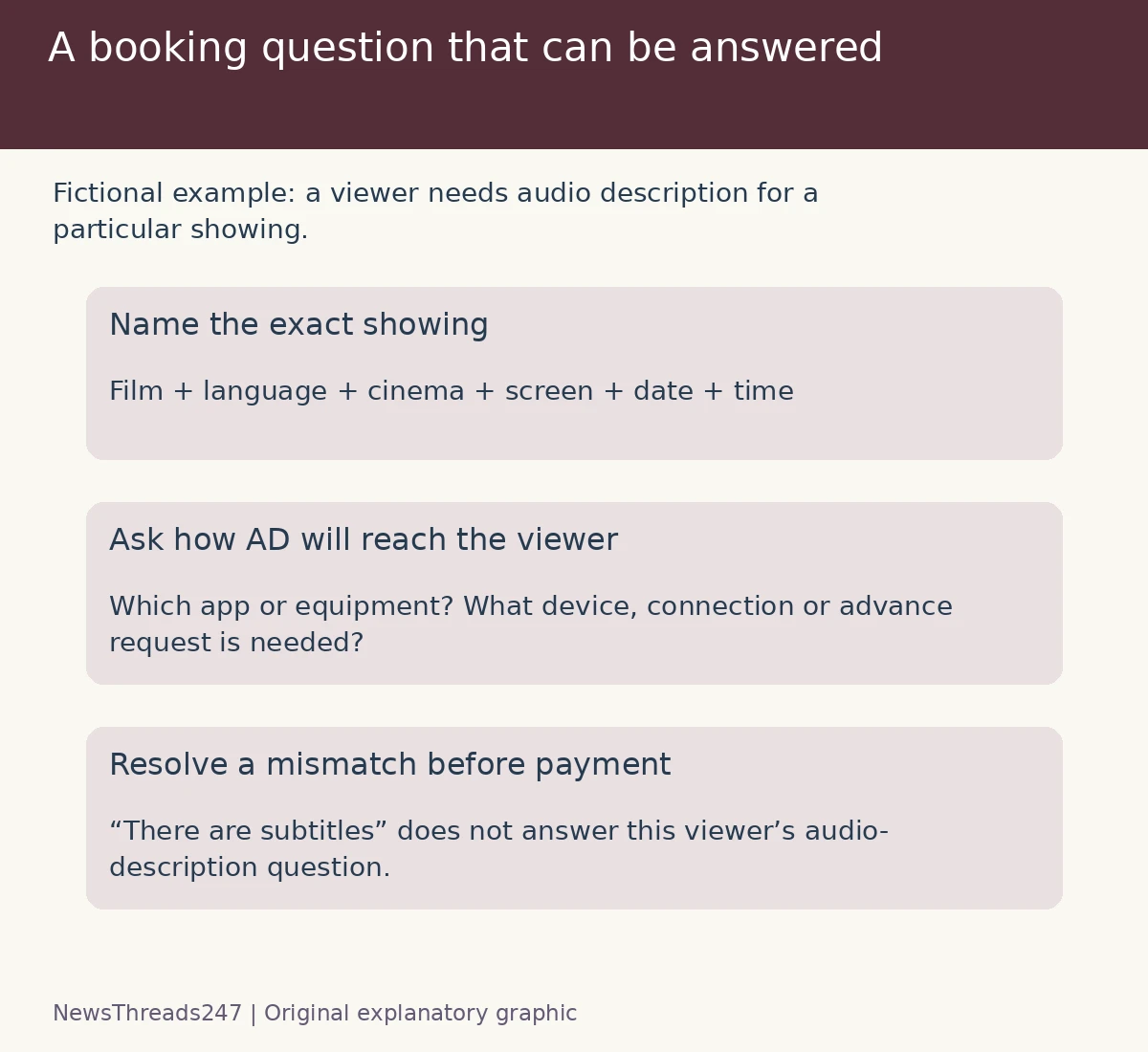
For a fictional Saturday booking, suppose a viewer needs AD in the language of the advertised showing. The ticket page indicates an access feature but does not name a method. A useful enquiry is: for this film, language, screen and showtime, is AD available, through which app or equipment, and what should the viewer bring or arrange in advance?
If the answer names an app, check its matching film entry and current instructions. If it names a receiver or a supported seat, ask how to request it and where to collect it. Keep the reply with the booking details. A generic answer that the film “has subtitles” has not answered this viewer’s AD question.
If the listing and the venue’s response disagree, ask for the discrepancy to be resolved before booking. Do not assume that a later refund will automatically be available. Our BookMyShow cancellation explainer covers a separate decision about the actual booking’s cancellation conditions; it is not a guarantee of a remedy for every access problem.
Prepare without turning the auditorium into a test lab
Before leaving, check device compatibility, battery, storage and the specified headphones or equipment. Complete supported downloads beforehand where required. If a service depends on the venue network, ask how connection support will be available. Leave time to find the correct screen and speak with staff rather than first opening the access app after the main film begins.
Use the provider’s supported synchronisation and assistance steps if the track does not align. Record the film version, show details, app and exact symptom for the support enquiry. Avoid recording the film, sharing protected tracks or following unofficial downloads as a workaround. Ask venue staff about screen brightness and phone-use arrangements so the service can be used without disturbing others.
Keep a clear record when the service fails
If confirmed access is unavailable, retain the original listing, written confirmation, ticket and a concise account of what happened. Explain whether the issue was a missing track, wrong language, unsupported screen, unavailable equipment or connection problem. Those are different defects and may need different responses from the venue, platform or access provider.
Request an explanation or remedy through their official support route. Do not publish a claim that an entire chain is inaccessible from one unresolved incident, or promise compensation that has not been agreed. Policy duties and a particular consumer dispute need their own current evidence.
The useful booking outcome is specific: this viewer can obtain the required track, in the right language, at this screen, using a method they can prepare for. A general accessibility label is the start of that conversation. The practical details make the evening workable.
Sources and visual credits
India guidance checked October 28, 2026: MIB’s 2024 theatre-accessibility guidelines, CBFC Kolkata’s February 2026 reminder, the Billion Readers directory and Moviebuff Access/Cinedubs service descriptions. No screening, app or venue was tested, and no individual film listing is guaranteed here. Featured art is AI-generated conceptual artwork. The two original graphics illustrate access checks; they are not film footage, ticket interfaces or certification badges.