
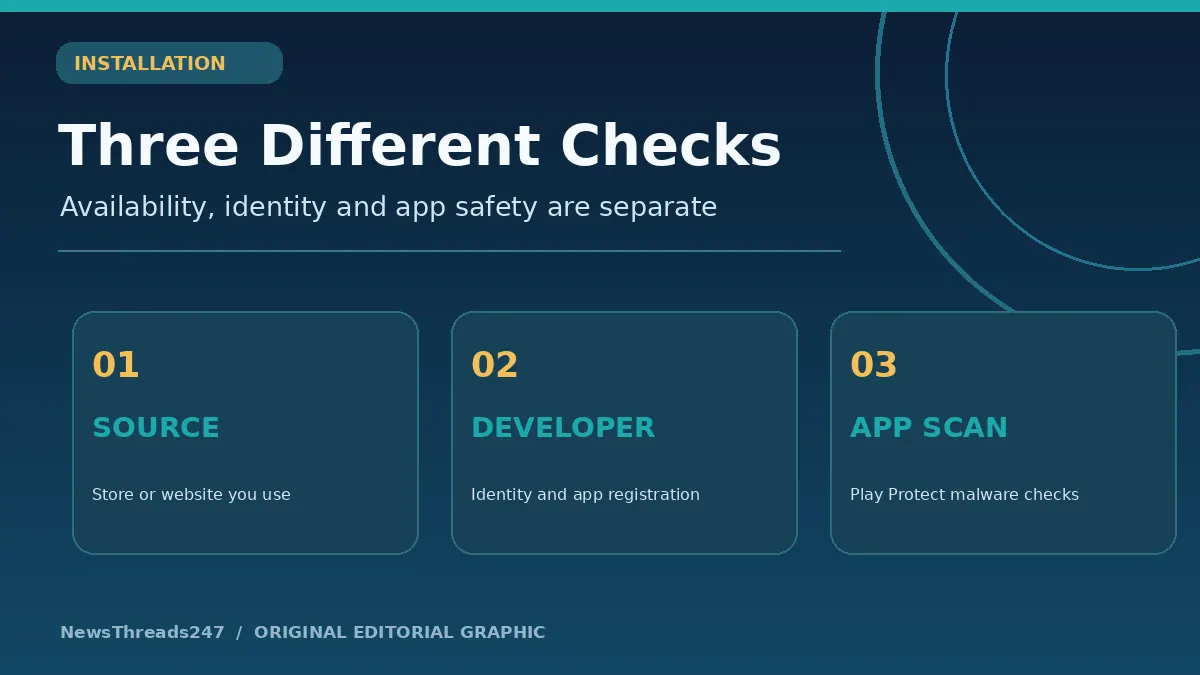
An Android user downloads an app and sees an unfamiliar installation warning. Another reads a headline claiming Google has banned apps from outside the Play Store. A developer worries that an update will disappear because a package has not been registered. These situations sound related, but they involve three different questions: where an app comes from, who published it, and whether the installed software is safe.
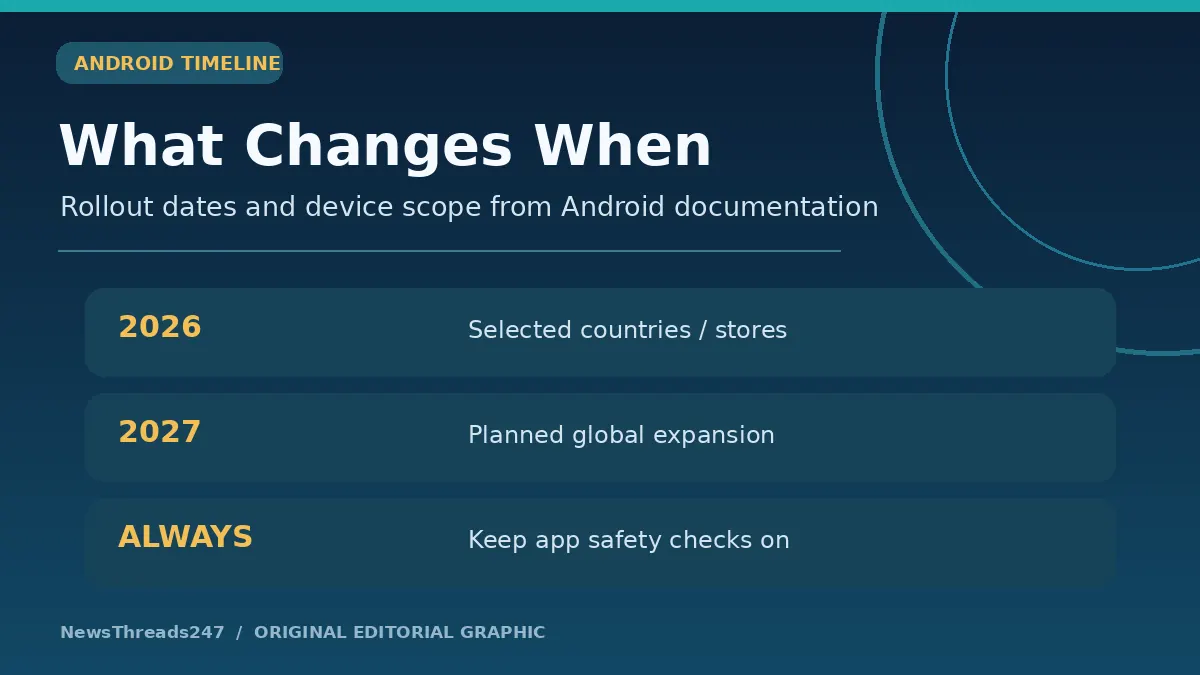
Android’s developer-verification rollout is a real policy change, not a universal overnight shutdown of sideloading. Google’s official timeline says protections began on 30 September 2026 for participating stores on certified Android devices in Brazil, Indonesia, Singapore and Thailand. Wider expansion is planned for 2027. India and the United States should not be described as already subject to the same initial regional enforcement merely because the announcement appeared globally.
The practical task is to separate facts from alarming screenshots. This guide explains identity verification, package registration, third-party app stores, Play Protect scans and what a normal phone user should check before installing unfamiliar software.
What Changed on 30 September 2026?
Android introduced a developer-verification system intended to establish accountability for people distributing Android apps. The requirements include verifying developer identity and registering the app package names linked to that developer. Google says the aim is to make it more difficult for abusive publishers to repeatedly distribute harmful software under changing identities.
The initial protections took effect on certified Android devices running Android 7 or later in four countries: Brazil, Indonesia, Singapore and Thailand. The rollout involved participating app stores, including Google Play and several major device-manufacturer stores. Google’s published schedule says global expansion is planned for 2027 and beyond.
That distinction matters if you live in India. A news article saying ‘Android blocks unverified apps worldwide today’ would be an inaccurate simplification of the official scope as of November 2026. Policy enforcement can change, so readers should check Android’s current official developer-verification page rather than rely on an old viral claim.
Google Play developers also faced their own package-registration deadline. Its Play Console Help documentation states that Play packages needed to be registered by 30 September 2026 to meet Google Play requirements, with unregistered apps subject to removal. This is not identical to claiming that every app from a website suddenly stopped working worldwide on that date.
Developer Verification Is Not the Same as an App Safety Review
Verification asks who is responsible for an app package. It is an accountability and identity mechanism. It does not prove that every registered app is useful, harmless, free from privacy risks or appropriate for a particular user.
Security analysis is a separate process. Google Play Protect checks apps during installation and performs periodic scans. It can warn about, disable or remove apps that are known or assessed to be harmful. The system can also evaluate apps installed from outside Google Play, though the exact behavior depends on device configuration and Google services.
An app could be published by a verified developer but still request excessive permissions, mislead customers or contain a security flaw discovered later. Likewise, an independent developer could have a legitimate reason to distribute software outside a large app marketplace.
A sound consumer decision therefore checks several layers: the source, the developer identity, what permissions the app requests, whether Play Protect or the operating system reports a concern, and whether a safer official distribution route exists.
What Does Registering an Android Package Mean?
An Android app has a package identifier, usually written as a reverse-domain-style name such as com.example.reader. Registration connects that identifier to a verified developer account under Google’s program. It is not the same as buying a web domain, reserving a marketing name or proving ownership of all software with a similar logo.
Developers publishing on Google Play generally use Play Console. Developers who distribute only outside Google Play can use the Android Developer Console. Google’s announcement said most existing Play apps had been registered automatically, but developers needed to verify any remaining package names and check the status in their accounts.
Google’s official Android documentation also describes limited-distribution account options for students and hobbyists, as well as advanced installation mechanisms intended to preserve software freedom while adding security checks.
For ordinary phone users, the underlying package registration is largely invisible. The main consequences appear when a store or operating system checks whether a package can be installed or updated under applicable regional and device policies.
Play Store, Third-Party Store and APK File: Three Routes
The Play Store is Google’s own app-distribution marketplace. It has publisher requirements, store policies, automated systems and reporting channels. A phone manufacturer might also provide an app store that is separate from Google Play; the initial verification rollout included several participating manufacturer stores.
An APK is an Android application package file. Downloading an APK from a developer website or message and installing it directly is commonly called sideloading. The presence of an APK file does not automatically mean it is malicious, but the source may be harder to verify and the device may show additional warnings.
The three routes can overlap. A developer can distribute through Google Play and another store, or through an independent website, while maintaining package identities. The developer-verification program concerns publisher and package registration across those routes, not simply the location of a download button.
When an unfamiliar website claims that you must disable all protection settings to access a routine banking, government or messaging service, treat that as a warning sign. Do not enter credentials or install a file merely because a search result or chat message says it is an urgent update.
Does Android Still Allow Sideloading?
Google’s developer-verification announcements explicitly discussed advanced installation flows and Android Debug Bridge (ADB) for power users. They did not say that installing apps from every source would cease to exist. The precise controls, prompts and requirements depend on the rollout stage, device and region.
This is not advice to bypass safety mechanisms. ADB is a developer tool and an advanced installation flow may introduce deliberate checkpoints to help resist coercion scams. Most users should avoid circumventing a warning simply because a stranger promises faster access or a free paid app.
In regions where verification protections have begun, an installation may be affected by whether the developer and app are registered under the applicable rules. In other places, existing security warnings, Play Protect checks and store restrictions may be the more relevant factors.
The right question is not ‘How can I turn off Android’s checks?’ It is ‘Can I obtain this app from the verified developer or an official marketplace without defeating security protections?’ If you cannot establish the origin, postponing the installation is safer than experimenting.
What Changes for Indian Android Users?
As of 8 November 2026, the official first-phase list does not name India among the four initial enforcement countries. Google’s roadmap discusses expansion globally during 2027. That means Indian users should prepare for potential changes but should not be told that the same regional requirement is already enforced on every local device.
In practice, normal Android safety advice remains relevant now. Use a trusted app source; keep the operating system and Play Protect updated; inspect the publisher and permissions; and avoid APK files circulated by unknown accounts. The most dangerous situation is often social engineering rather than the technical installation method alone.
For example, a fake traffic-challan message may direct you to install an APK before paying a supposed fine. The sensible check is to verify the alleged challan using the appropriate official service, not to allow a text message to determine which software you install.
Our fake e-challan and APK warning guide addresses that specific India-focused scam. Developer registration does not replace the responsibility to verify a payment request or an app’s actual purpose.
What Does Google Play Protect Do?
According to Google’s Play Console documentation, Play Protect checks apps as they are installed and periodically scans the device. If it identifies a potentially harmful app, it may display a warning, disable the app or remove it. Such decisions are separate from the developer identity-registration process.
Play Protect can also assess apps installed from other sources. A clean scan at one moment is not an eternal guarantee: new malicious behavior may be discovered, a server could change, or permissions might be abused later. Security is an ongoing process.
A user should be cautious when someone instructs them to switch Play Protect off. Banking fraud, remote-access scams and fake government APKs frequently rely on convincing people to ignore exactly the safeguards that would interrupt the installation.
If a scan raises a warning, read it carefully. Do not immediately tap through because the app name looks familiar. Check the publisher through an official website, reconsider why the installation is needed and seek reliable technical support if the software is important.
Identity Verification and App Permissions Answer Different Questions
A verified publisher could release a legitimate photo editor that requests access to the photo library. That may be reasonable for its function. The same software requesting SMS messages or accessibility services without a clear need deserves closer examination.
Android permission prompts can also differ between operating-system versions. Some controls are granted only while an app is used, while others may allow continuing access. The consumer’s job is to assess whether the permission matches the purpose and whether a less invasive alternative exists.
Check the installation source as well. A developer’s real website may link to a store listing; a lookalike domain could imitate the design and distribute a different APK. A search engine result and an app icon are not sufficient proof of authenticity.
For important apps, prefer the official service’s own installation instructions. Do not accept an unsolicited ‘update’ link through a messaging group as equivalent to the software vendor’s verified distribution channel.
A Practical Checklist Before Installing an Unfamiliar App
First, identify what problem the app solves and whether you already have a trusted alternative. If it is a bank or government service, begin from the organization’s official website and follow its directed app link.
Second, check the developer or publisher. Examine the store listing, official support site and app-package information where available. Avoid assuming that a familiar logo guarantees authenticity.
Third, inspect requested permissions. Why would this utility need contact lists, SMS messages or full-device accessibility access? If you cannot explain the request, do not grant it simply to proceed.
Fourth, leave available platform protections enabled. Install security and operating-system updates through the manufacturer-approved process. Treat a request to disable scanning, bypass warnings or grant remote control as a separate high-risk decision requiring verification.
Finally, review the app after installation. A change in behavior, unexpected account alerts or requests for unrelated permissions warrants attention. Removing an unfamiliar application may be sensible, but an account-compromise incident could require additional password and security steps.
What Developers Need to Check
Developers who publish on Google Play should verify the identity and package-registration status in Play Console. The official support documentation describes how to register packages not covered automatically. Developers distributing outside Play should examine Android Developer Console requirements relevant to their region and distribution method.
An app identifier is not just marketing text. Teams maintaining several variants, legacy packages or multiple stores should review each package name and signing setup rather than assuming a company’s main account covers everything automatically.
Hobbyists and educators should review Google’s limited-distribution program and other published developer options. The initial rollout details can change, so do not copy an outdated deadline into a new build or legal document without checking the live Android documentation.
Identity verification also does not absolve developers of maintaining good security, honest permissions, privacy practices, update mechanisms and responsive support. It is one layer in a broader trust system.
Frequently Asked Questions
Has Google banned all APK installs in 2026?
No. Google’s rollout introduced developer and package verification in designated regions and participating stores, with advanced paths for certain outside-store installations. The scope should not be described as a worldwide ban.
Is India included in the September 2026 first phase?
No. The official initial country list names Brazil, Indonesia, Singapore and Thailand. Wider global rollout is planned for 2027.
Does developer verification mean an app is safe?
No. Identity verification establishes publisher accountability; app security scanning, permissions and actual behavior still matter.
Does Play Protect check apps from outside Google Play?
Google says Play Protect can assess apps from other sources as well as Google Play. Users should keep available protections enabled and heed warnings.
What should developers do if an app package is not registered?
Review the official Play Console or Android Developer Console guidance, depending on the distribution route, and complete the applicable identity and package registration procedures.
Sources and Editorial Disclosure
Android Developers: Developer Verification Overview — regional rollout timeline, certified-device scope and developer paths. Android Developers Blog, June 18, 2026 — participating stores and power-user installation methods. Google Play Console Help: Package Registration — Play package registration requirement. Google Play Console Help: Play Protect — scanning, warnings and harmful app treatment.
All featured and in-article visuals are original NewsThreads247 editorial diagrams, not screenshots of an actual warning on a particular phone. Rules and regional availability may change after publication; the official Android documentation takes precedence. This is an informational security explainer, not an instruction to circumvent device protections.