
Wired headphones are appearing in searches again, including interest in specific Sony models. But there is a practical problem behind the trend that promotional descriptions often skip: a familiar pair of headphones may work flawlessly with a laptop yet produce no sound from a newer phone, even when you buy a USB-C adapter that appears to fit.
A 3.5mm headphone plug carries an analog audio signal. USB-C can carry digital audio that requires a digital-to-analog converter, while Bluetooth transmits audio wirelessly through supported profiles and codecs. These are not three versions of an identical connection. Device compatibility, microphones, latency, battery use and support for control buttons differ.
The Android Open Source Project explicitly specifies digital-to-analog USB-C adapters for headsets and says analog-only USB-C adapters are not supported under its compliant specification. Bluetooth’s official documentation describes a separate LE Audio framework with the LC3 codec. Before spending money, it helps to understand what each device actually supports.
The Basic Difference: 3.5mm, USB-C and Bluetooth
A traditional 3.5mm headphone jack carries an already converted analog signal. The phone or computer supplies that signal through its audio circuitry, and the headset turns it into sound. A headset with a built-in microphone may use additional connector contacts to return microphone audio.
USB-C does not by itself guarantee an analog headphone signal. A compliant digital USB headset or active USB-C-to-3.5mm adapter communicates over USB and converts digital audio to analog in the accessory. The phone must support the relevant USB audio behavior.
Bluetooth is a radio connection. The phone and headset negotiate a supported audio profile and codec. Because audio travels without a cable, the headset typically needs a battery, wireless circuitry and some combination of codec handling and buffering.
These definitions explain why a cheap plug adaptor is not always enough. The connector’s shape can fit even when the electronic signal expected by the accessory does not match what the device provides.
Why a USB-C Headphone Adapter Sometimes Has No Sound
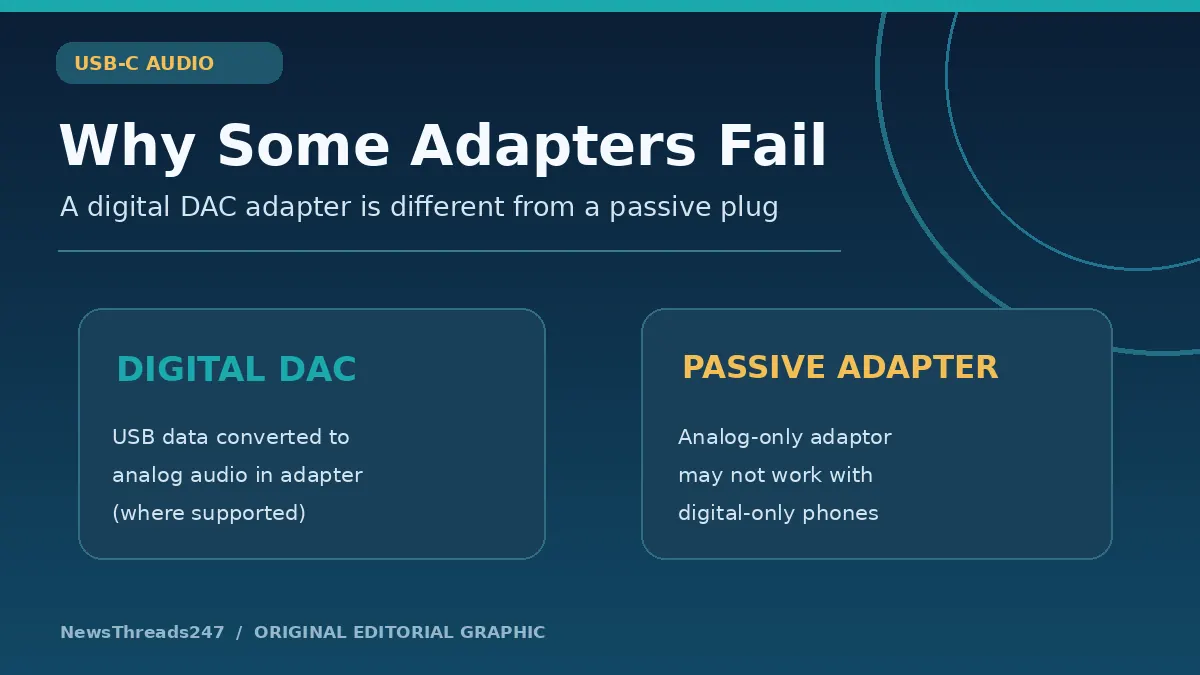
Some USB-C adapters are ‘passive’ accessories intended for particular devices that can output analog audio through the USB-C connector. Others contain a digital-to-analog converter, usually abbreviated DAC. They may look similar from the outside but do different jobs internally.
The Android Open Source Project’s USB-C-to-analog audio accessory guidance specifies digital-to-analog adapters and states that analog-only adapters are not supported under that Android specification. For a phone that outputs digital USB audio, a passive analog-only adapter cannot create a headphone signal from data it does not convert.
A compliant DAC adapter receives digital audio from the phone, converts it to a stereo analog signal and sends that signal to a 3.5mm jack. If it includes microphone support, it must also handle the input path correctly. Product listings should explicitly state compatibility with the phone’s USB audio requirements.
Do not assume that price, connector color or an advertised ‘Hi-Fi’ claim proves compatibility. An inexpensive properly designed adapter may work, while a poorly specified premium-looking product may fail. Verify the exact model and the microphone/control features you need before ordering.
Digital Audio Is Not Automatically Better Audio
Digital transport can preserve the audio data on its way to the converter, but the eventual listening experience still depends on the headphone drivers, fit, converter, amplifier, source material, volume and the listener’s environment. USB-C on a box is not proof that a headset sounds superior.
Similarly, an older 3.5mm headset is not automatically inferior. If it is comfortable, has good drivers and is driven properly by the phone or DAC, it can remain a sensible choice. The limitation may be the missing jack on the new device, not the headset itself.
The place where conversion occurs changes with the connection. With a traditional headphone jack, conversion is generally inside the phone or music player. With a USB-C DAC adapter, it happens in the accessory. Bluetooth headphones contain their own digital audio and amplification electronics.
Listening tests are the only reliable way to compare subjective sound quality under equal conditions. A consumer guide should not make a ranking based purely on the cable type or claim to have tested products it has not used.
The Microphone and Remote-Control Problem
A headset for listening is not always the same as a headset for calls. Some 3.5mm headphones have a three-contact stereo plug with no microphone. Others use a four-contact arrangement intended to support a microphone and controls, subject to device pinout compatibility.
USB headsets can provide a microphone and buttons through digital USB audio and supported controls. The Android headset specification describes stereo output, optional microphone and functions for volume, playback and calls. Actual manufacturers can differ in what they implement.
If you make frequent calls or use wired earphones for online classes, explicitly check that the adapter or headphones support microphone input, not only music output. A seller’s claim that sound works does not prove the phone will recognize the headset’s microphone or button presses.
A quick compatibility test is to play audio, record a short voice memo, make a call where appropriate and try the intended volume and playback controls. Do that within the seller’s return window, because connector support can vary across phone models and operating-system versions.
When Wired Audio Has an Advantage
Wired headphones do not need their own charging session to receive an analog audio signal from a device. They can therefore be convenient for long study sessions, office calls and situations where the user wants to avoid managing a separate headset battery.
They also avoid some wireless-link variables. Radio interference, Bluetooth pairing errors and codec negotiation can affect wireless use. A cable introduces its own practical weaknesses: tangles, connector wear, limited movement and the possibility of damage when a phone is pulled.
Latency is another common reason people consider wired audio, especially for gaming or live monitoring. Bluetooth codecs and implementations can introduce delay, though modern devices and gaming profiles vary considerably. It is not accurate to promise that every wired USB-C device has zero end-to-end latency; operating-system audio paths and processing still take time.
Consider the entire setup instead of comparing one advertisement’s ‘low-latency’ phrase with another’s ‘studio quality’ phrase. A gamer may need predictable lip synchronization; a commuter may care more about convenience, isolation and stable connectivity.
What Bluetooth LE Audio Changes
Bluetooth Classic audio and Bluetooth LE Audio are different architectures. The Bluetooth Special Interest Group describes LE Audio as using Bluetooth Low Energy and its LC3 codec to support improved efficiency, multi-stream applications and features such as Auracast broadcast audio.
LC3 can offer useful quality and power-efficiency tradeoffs, but the result depends on the implementation. A phone and headset both need compatible features for a particular LE Audio benefit to be available. The words ‘Bluetooth 5.2’ on a box alone do not guarantee every LE Audio or Auracast function is supported.
Battery life, latency and sound quality vary with the codec implementation, the headset electronics, volume, radio conditions and how a manufacturer configures the product. Avoid using one codec’s promotional benchmark to promise an exact listening experience for every device.
Bluetooth may be the right solution for exercise, commuting or hands-free mobility. Wired headphones remain useful for predictable connections and users who prefer not to rely on another rechargeable accessory. Neither choice is universally superior.
How to Choose for Calls, Gaming and Travel
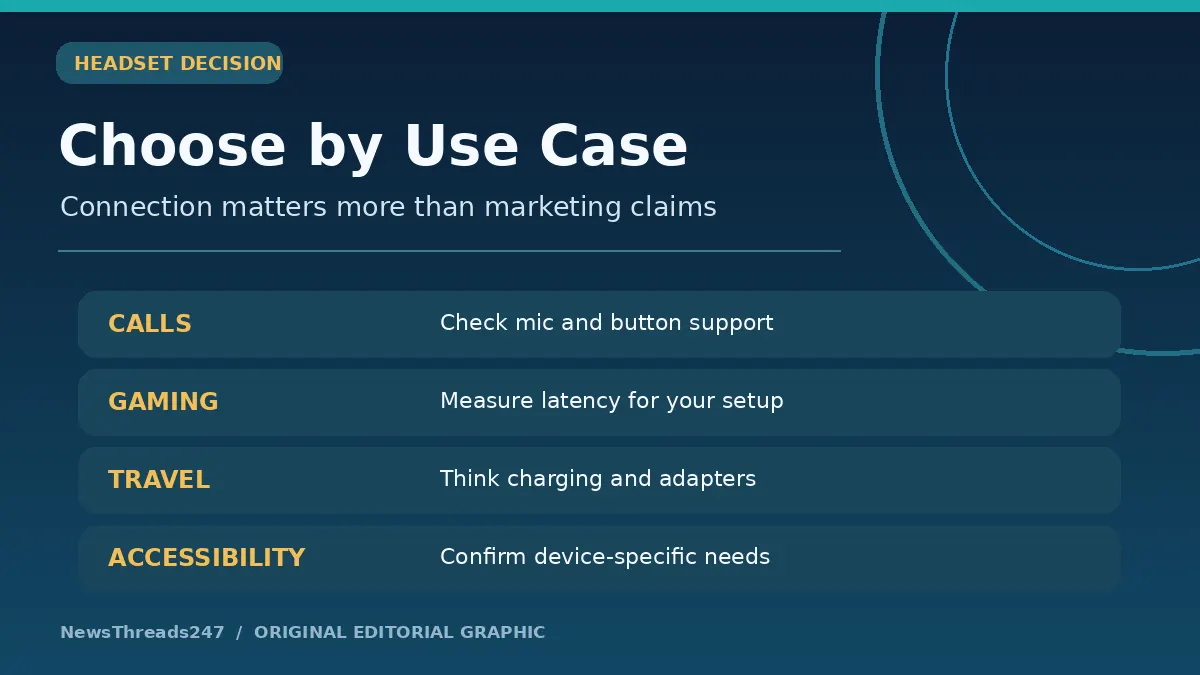
For work calls, prioritize microphone compatibility and clarity. A headset with good audio playback but no recognized microphone may force the phone to use its own mic, changing sound quality for the person on the other end. Test the real apps you use, not just a music player.
For gaming, check latency in the actual phone-game-headset combination. Wireless products sometimes offer specialized low-latency modes or use a proprietary USB dongle rather than ordinary Bluetooth audio. Wired USB audio may be more predictable, but the overall system still adds processing delays.
For travel, consider battery management, portability and repairs. Bluetooth removes the cable but adds charging requirements and a battery that will age. Traditional wired models avoid a headset battery but require a working jack or compatible adapter, and a broken lead may shorten the product’s useful life.
For students on a budget, compatibility and return policy may matter more than exotic driver specifications. If you already own comfortable 3.5mm headphones, a correctly specified active USB-C DAC can be a lower-cost option than replacing the headset altogether.
A Practical Buying Checklist
First, identify the exact phone, tablet or laptop model. Does it have a working 3.5mm port? Does the manufacturer’s documentation confirm USB audio support? Which Bluetooth audio features are actually offered? Do not assume all USB-C devices behave the same way.
Second, decide whether you need headphones only or a microphone as well. For meetings, online learning or calls, look for explicit mic-input and control support on the adapter or headset.
Third, verify the accessory rather than guessing from photos. A USB-C-to-3.5mm adapter should state that it supports digital audio conversion and the operating system or phone model. If the manufacturer provides a tested compatibility list, prefer it over a vague ‘for all phones’ claim.
Fourth, think about physical durability. A right-angle cable may reduce strain in a pocket; a detachable lead may be easier to replace; a wireless headset should have realistic battery service or replacement expectations.
Finally, compare the total cost. A seemingly cheap wired model may need an expensive branded DAC adapter. A wireless headset may require battery replacement later. The best-value choice is the one that performs the required job reliably over its likely useful life.
Why an Adapter Might Work for Music but Not Calls
Stereo playback and microphone input follow related but distinct requirements. An adapter may implement the digital-to-analog output path but not microphone input, or it may support a connector pinout that differs from the attached headset. The result can be clear music with no headset microphone.
USB headset specifications include optional microphone behavior and control mappings. Some apps may default to the phone’s microphone until the user selects the external device; others switch automatically. Test in the actual calling or recording app before deciding that the accessory is faulty.
Troubleshooting should begin safely: unplug and reconnect the adapter, verify whether the phone recognizes a USB audio device, test another permitted headset, check manufacturer updates and inspect the plug for damage. Avoid installing unrelated ‘driver’ APKs from an unknown website as a solution.
Three Realistic Purchase Decisions
An office worker has a comfortable wired headset with a 3.5mm plug but buys a phone with no headphone jack. The sensible first experiment is a manufacturer-compatible active USB-C DAC supporting microphone input. Buying new Bluetooth headphones immediately may not be necessary.
A mobile gamer values precise reaction timing and wants to avoid audio sync problems. The choice should be based on measured or real-world latency of the specific wired USB-C, Bluetooth or dongle-based solution. A generic ‘zero latency’ product title is not enough evidence.
A commuter wants music without cables while walking. Bluetooth may fit better, provided the headset is comfortable, supports the phone and offers sufficient battery life. This user may willingly accept the need for charging in exchange for convenience.
These examples show why a simple ranking of wired versus wireless is not helpful. A useful decision starts from the tasks, devices and constraints rather than the category that happens to be fashionable.
Frequently Asked Questions
Does every USB-C to 3.5mm adapter work with Android?
No. Phones that require digital USB audio generally need an adapter with a compatible DAC, not a passive analog-only converter.
Can wired headphones have a microphone?
Yes. Many headsets include a microphone, but the plug, adapter and device must support the required input path and controls.
Is Bluetooth always worse for sound quality?
No. Quality depends on the codecs, headset hardware, source, tuning and implementation. A blanket wired-versus-wireless ranking is not evidence-based.
Does Bluetooth 5.2 guarantee LE Audio?
No. Check whether the phone and headset explicitly support the relevant LE Audio features and profiles.
Why can I hear music through my adapter but not speak on calls?
The adapter may support playback without microphone input, or there may be a compatibility or app-routing issue. Check the exact accessory and device specifications.
Sources and Editorial Disclosure
Android Open Source Project: USB-C-to-Analog Audio Adapters sets out digital-to-analog adapter requirements. Android USB Headset Specification describes stereo, microphone and button functions. Android USB Digital Audio explains supported USB audio behavior. Bluetooth SIG: LE Audio Overview and Bluetooth LE Audio FAQ explain LC3 and feature compatibility.
This is an original compatibility explainer, not a comparative listening test or endorsement of a specific Sony model or other product. The featured graphic and two in-article illustrations are conceptual diagrams. Product specifications and compatibility change, so users should confirm model-specific support with the manufacturer before buying.