
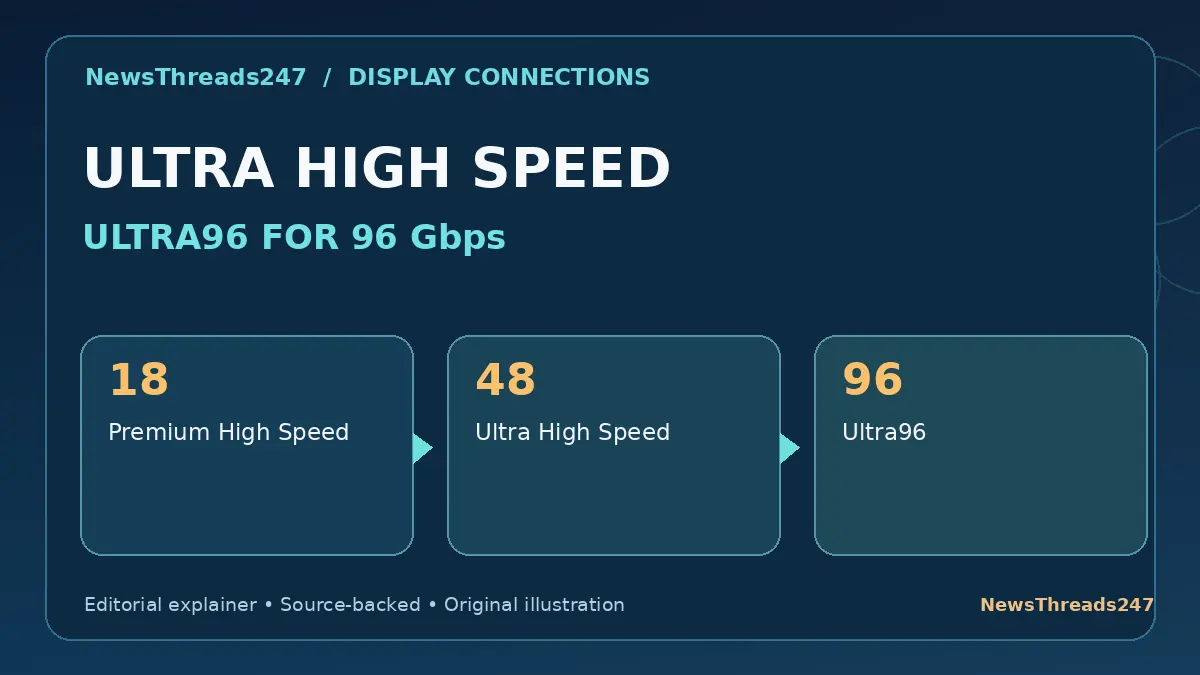
A product listing promises ‘8K HDMI 2.1’ while another advertises ‘4K120’, and a newer package says ‘Ultra96’. The names are easy to mistake for a universal ranking of picture quality. They are better understood as cable capabilities that must match the resolution, refresh rate and features supported by your devices.
This guide distinguishes HDMI cable certification from a television’s port capabilities and uses a practical gaming example to show which checks matter before you spend money.
Table of Contents — Expand or Collapse
- Start With the Display and Source, Not the Cable Price
- Premium High Speed: The 18Gbps Category
- Ultra High Speed: Up to 48Gbps
- Ultra96: What HDMI 2.2 Adds
- Why an HDMI Port Label Can Mislead
- A Practical 4K120 Gaming Setup
- How to Check a Certification Label
- Length, Active Cables and Installation
- What About eARC, HDR and Variable Refresh Rate?
- Frequently Asked Questions
- Sources, Changes and Editorial Disclosure
Start With the Display and Source, Not the Cable Price
A console, a television and a cable work as one video chain. If the television has a 60 Hz input, purchasing a cable rated for 4K at 120 Hz will not make that input accept 120 frames per second. If the source outputs only 4K at 60 Hz, the cable cannot invent extra frames.
Check the maximum output of the console, streaming player or PC, the precise capabilities of the HDMI port you will use on the display, and the formats needed by the application. Some televisions support their highest refresh rate on only a subset of ports. Model manuals are more useful than a large number printed on a cable package.
HDMI’s official guidance classifies certified cables by tested transmission capability. The correct question is not simply whether the cable is marked ‘HDMI 2.1’ but whether its tested category is suitable for the signal the devices are actually exchanging.
Premium High Speed: The 18Gbps Category
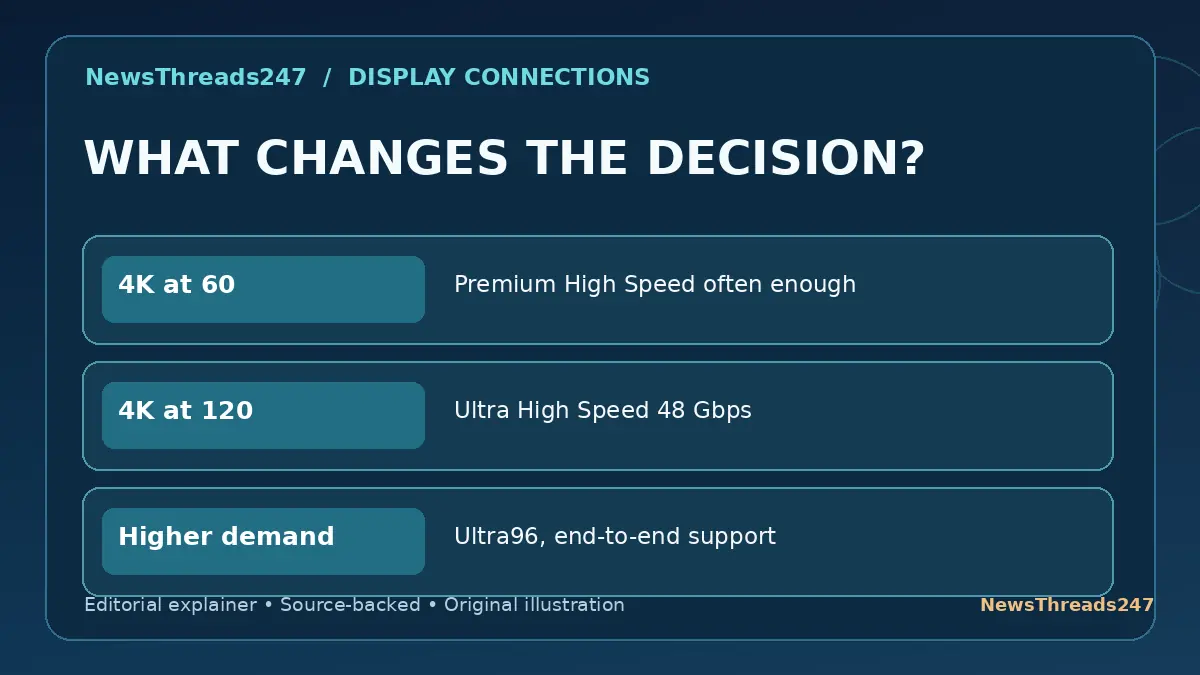
Premium High Speed HDMI cables are certified for up to 18Gbps bandwidth and were designed for applications such as 4K at 60 Hz and related higher-quality video formats within that limit. That makes them relevant to many ordinary 4K televisions, computers and streaming devices.
An expensive Ultra High Speed cable may not produce a visible change if the existing certified cable already carries the chosen format reliably. A cable should be judged by signal integrity and compatible format, not by exaggerated promises of a sharper picture.
The support for audio, color and HDR also depends on the full source-display system and the exact signal configuration. A connector that fits is a necessary condition but not proof that all options will become available.
Ultra High Speed: Up to 48Gbps
Ultra High Speed HDMI was introduced with HDMI 2.1 and supports configurations up to 48Gbps. HDMI.org lists 4K at 120 Hz and 8K at 60 Hz among the applications associated with this category. Certified products should carry the official label that consumers can scan to verify certification.
This category is the straightforward starting point for many current 4K120 gaming setups, provided the game console or graphics card and television both support the intended output. Some signals can also use compression or a lower-bandwidth format; the requirements depend on the actual setup.
Do not treat every claim of ‘8K’, ’48G’ or ‘gaming cable’ on an unverified listing as evidence of independent testing. Look for the proper certification label and use the official verification route.
Ultra96: What HDMI 2.2 Adds
The HDMI 2.2 specification introduced the Ultra96 HDMI cable category, supporting up to 96Gbps. HDMI.org says it is intended for very high-bandwidth configurations, including demanding high-resolution and high-refresh-rate signals.
That does not mean the average 4K television suddenly needs a 96Gbps cable. Existing Ultra High Speed cables remain applicable for configurations within their supported bandwidth, and HDMI documents their compatibility with older HDMI products.
Future-proofing can make sense for a particular professional or high-end system, but buying the newest cable category without knowing the planned hardware can waste money. Match the requirement to the documented format and port limitations.
Why an HDMI Port Label Can Mislead
A television might have several HDMI sockets, but only one or two could support the desired high-refresh-rate, gaming or enhanced-audio feature. The brand’s marketing materials sometimes summarize the product family without stating what every individual port does.
Consult the exact model’s port chart. Check refresh rate, supported resolution, Variable Refresh Rate (VRR) where relevant, Auto Low Latency Mode (ALLM) and Enhanced Audio Return Channel (eARC) support. These are device and setup features, not magical properties that any cable alone can create.
Also distinguish input from output. A soundbar’s eARC connection, a game’s 120 Hz display output and a laptop’s USB-C adapter are three separate system configurations. Every adapter and intermediary must support the required signal path.
A Practical 4K120 Gaming Setup
Imagine a game console specified to output 4K at up to 120 Hz and a television that supports that format only on HDMI port 3. You connect the two using a certified Ultra High Speed cable, enable the correct television input mode and select a supported game/output setting.
If the game remains at 60 Hz, the next check is not necessarily a more expensive cable. Confirm the selected input, console setting, actual game capability, display mode and any intervening receiver or adapter. The signal chain is only as capable as its least suitable element.
Conversely, if the display intermittently blanks or drops the signal at a demanding format, the cable and its length are reasonable items to investigate after verifying the port and settings. A genuine certification label is more useful than generic premium-cable language.
How to Check a Certification Label
HDMI Licensing describes a mandatory certification program for Ultra High Speed and Ultra96 cables. The labels allow verification through a QR code and associated information. For current categories, consult HDMI.org’s official cable categories instead of a marketplace graphic.
The printed label must correspond to the actual item and packaging. Avoid QR codes that redirect to unrelated sellers or request unrelated personal information. If a package’s origin or certification cannot be established, do not assume the number on it has been independently confirmed.
An official cable certification is not a guarantee that a damaged connector, poor-quality adapter or unsupported display port will perform perfectly. Treat the whole connection as a system and use common-sense cable routing and handling.
Length, Active Cables and Installation
Very long HDMI runs can introduce signal-integrity challenges. Some installations use active or optical cable designs. These may have directional connectors or power requirements, so follow the manufacturer-specific installation instructions rather than assuming every end is interchangeable.
Choose a length that comfortably reaches without severe bending or tension at the port. Placing pressure on a television connector to hide excess cable is not a worthwhile trade-off. Cable management should protect connectors and allow equipment ventilation.
For in-wall installations, relevant local electrical and fire-rating rules may apply. A standard consumer HDMI cable is not automatically suitable for every building route. Consider a qualified installer when the route is concealed or unusually long.
What About eARC, HDR and Variable Refresh Rate?
Enhanced Audio Return Channel, HDR formats and VRR often appear beside cable marketing claims. They are not single universal modes automatically activated by purchasing an expensive cable. Source devices, displays, audio equipment, firmware and settings must support the feature.
An Ultra High Speed cable can be a sensible choice for a demanding modern configuration, but a simpler setup may work correctly with another certified category. Use the model documentation to determine the required capabilities and whether signal compression or other conditions apply.
For another example of a cable rating that does not describe every capability, see our 240W USB-C cable versus data-transfer speed guide. Electrical power capacity and information throughput are different specifications.
Frequently Asked Questions
Do I need Ultra High Speed HDMI for 4K120? A certified Ultra High Speed cable is a practical choice for many 4K120 systems, but the source, display and settings must also support the format.
Is Ultra96 always better for a normal 4K TV? Not necessarily. The extra bandwidth does not improve a correctly delivered lower-bandwidth signal by itself.
What is the difference between 18Gbps, 48Gbps and 96Gbps? They indicate the maximum transmission bandwidth associated with different certified cable categories, not the guaranteed refresh rate of your entire system.
Can a cable add eARC or 120 Hz to an older TV? No. Devices and ports must support those functions.
Can I use Ultra High Speed cables with older HDMI devices? HDMI.org documents compatibility with older HDMI product generations, subject to normal device and port limits.
Sources, Changes and Editorial Disclosure
The primary references are HDMI.org — Cable Types and Certification, HDMI.org — Ultra High Speed and Ultra96 Cables, and HDMI 2.2 Specification Overview. Product capabilities and regional certification practices should be checked against current manufacturers’ specifications.
Editorial disclosure: All graphics are original, conceptual NewsThreads247 explainers, not tested product photographs or bench measurements. This is independent general technology guidance, not sponsored advice. HDMI trademarks remain the property of their owners. Refresh trigger: changes to official HDMI certification categories or significant format-support standards.