
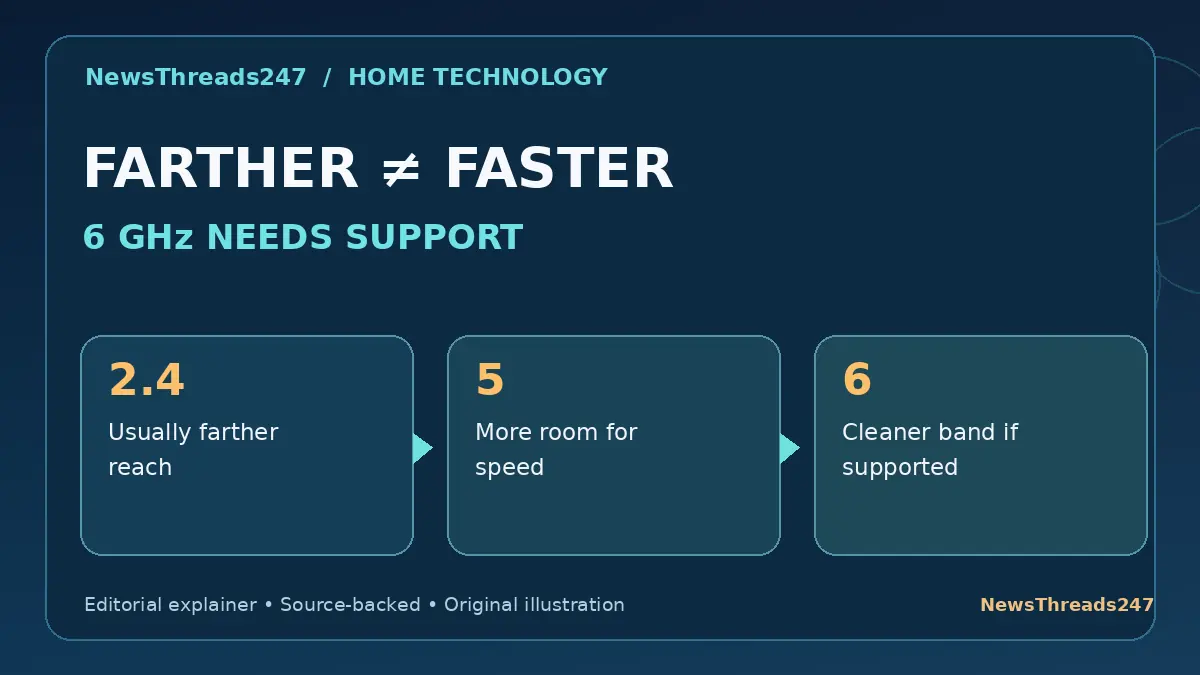
The Wi-Fi menu on your phone may show two nearly identical network names, one ending in 2.4G and another in 5G. A newer router may advertise 6 GHz as well. Should you always choose the largest number? Not if the room you are trying to reach is through two solid walls.
The practical choice is a balance among coverage, available spectrum, interference and device compatibility. This guide uses actual home scenarios instead of assuming an advertised maximum speed is the speed you will receive.
Table of Contents — Expand or Collapse
- Frequency Band Is Not the Same as Wi-Fi Generation
- Why 2.4 GHz Can Reach Farther
- Why 5 GHz Is Often the Practical Middle Ground
- What 6 GHz Adds and What It Cannot Fix
- A Three-Room Home Example
- Should You Split Network Names or Use Band Steering?
- What to Check Before Buying a New Router
- When the Band Is Not the Cause of No Internet
- Frequently Asked Questions
- Sources and Editorial Method
Frequency Band Is Not the Same as Wi-Fi Generation
A router label such as Wi-Fi 6 or Wi-Fi 7 tells you about the wireless technology, not automatically that every device can use a 6 GHz channel. The familiar 2.4 GHz and 5 GHz names identify radio-frequency bands. Wi-Fi 6E brought 6 GHz capability to suitable equipment, while some newer generations can operate across multiple bands if hardware and local regulations allow.
Treat the advertised maximum router speed as a theoretical capability shared across conditions, not a guaranteed speed for one phone through two walls. The band, client device, channel width, signal quality and congestion all affect the result.
A practical home network needs matching capabilities on both ends. A router broadcasting 6 GHz is not useful to a laptop whose wireless adapter only supports 2.4 and 5 GHz. Check the precise model specification instead of relying on a marketing sticker.
Why 2.4 GHz Can Reach Farther
Lower frequencies generally suffer less attenuation through distance and some obstacles. That gives 2.4 GHz an advantage in coverage at the edges of many homes, especially where a router is separated from devices by several walls.
The drawback is crowding. Bluetooth devices, older Wi-Fi networks and some household electronics share or interfere with parts of the 2.4 GHz environment. It offers fewer widely usable non-overlapping channels than 5 GHz, so neighbours can compete for limited airspace.
A smart plug or simple sensor at the far end of a house may work better on 2.4 GHz even when a nearby laptop performs faster on 5 GHz. The ‘best’ band depends on what the device is trying to accomplish, not a universal speed ranking.
Why 5 GHz Is Often the Practical Middle Ground
The 5 GHz band generally provides more channel capacity and can support higher throughput at reasonable distances than crowded 2.4 GHz. It is often a sensible first choice for a computer, television or phone in the same room or one room away from the router.
That does not mean 5 GHz will always beat 2.4 GHz. If the path crosses concrete walls, the received 5 GHz signal may become weaker. A connection can have a high negotiated data rate but still perform badly if packets are frequently retransmitted.
TP-Link’s updated April 2026 range guidance points to router placement, obstacles and interference as major factors. A central, elevated location usually makes a better starting point than forcing every device onto one band and leaving the router inside a cupboard.
What 6 GHz Adds and What It Cannot Fix
Where permitted and supported, the 6 GHz band offers additional spectrum that can reduce congestion compared with busy lower bands. This can be valuable for high-throughput devices operating close to a suitable access point.
The trade-off is that higher-frequency signals commonly have less useful reach through walls, so 6 GHz is not a universal fix for a weak signal upstairs. Some clients cannot see a 6 GHz network because they lack support, compatible security settings or regulatory permission in their region.
Country-specific rules matter. Wi-Fi frequency allocations, channel limits and permitted power settings vary, and a device bought abroad may not expose the same channels locally. For India, verify the latest government and manufacturer approval before treating 6 GHz operation as universally available.

A Three-Room Home Example
Imagine a router near the living-room television. The TV is four metres away with a clear path; a laptop is one room farther through a brick wall; a smart sensor is at the far end of the house.
Start by testing the TV on a well-performing 5 GHz connection. If compatible 6 GHz equipment is actually legal and available on that network, the nearby laptop or TV may also benefit, but only if the signal remains strong. The far sensor may be a better 2.4 GHz candidate because it values stable coverage more than high speed.
This is a decision test, not a speed promise. If the internet service itself is slow, moving between radio bands will not turn a 50 Mbps plan into a faster subscription. The router’s wireless link and the broadband connection are separate bottlenecks.
Should You Split Network Names or Use Band Steering?
Some routers use one network name across 2.4 and 5 GHz and steer compatible devices between them. This can reduce maintenance for a household with many phones and laptops. Other households prefer separate names to troubleshoot older smart devices that only join 2.4 GHz.
There is no one correct choice for every router. Band steering quality and device roaming behavior vary, and a device that stubbornly clings to a distant access point can be a bigger problem than the nominal frequency.
If you split the bands, use descriptive but non-identifying network names and strong security. Do not rely on hiding the SSID as a meaningful security boundary. Keep router firmware current and use the strongest supported Wi-Fi security configuration compatible with the household devices.
What to Check Before Buying a New Router
First measure the actual problem. Does the signal disappear in one bedroom? Is the connection strong but the video buffering? Are only a few older IoT devices failing? Each symptom points toward a different remedy.
A newer Wi-Fi generation can improve efficiency and features on compatible devices, but cannot remove a concrete wall. For a large or unusually shaped home, better access-point placement or a wired-backhaul mesh system may matter more than paying for the most expensive router.
Check whether your client phones and laptops support the proposed band, the channel restrictions in your country, the availability of Ethernet ports and the cost of adding access points. Review the product’s real supported bands rather than assuming all Wi-Fi 7 devices have identical radios.
When the Band Is Not the Cause of No Internet
A device can report an excellent Wi-Fi signal and still show ‘Connected, no internet’. That tells you the local wireless link may be working while the broadband modem, router routing, DNS or service connection is failing.
Changing from 2.4 to 5 GHz may not help if the problem exists upstream. Check a second device, test a wired connection if available and review the internet router status before purchasing replacement equipment.
Our Wi-Fi connected but no internet guide separates the local wireless link from the upstream failure. It is the next place to investigate if every band shows similar outages.
Frequently Asked Questions
Which band is best for gaming? Use the most stable low-latency link available, ideally wired Ethernet when practical. Nearby 5 GHz or suitable 6 GHz may perform well, but signal strength and congestion matter more than the label.
Is 6 GHz always faster than 5 GHz? No. Additional spectrum can help, but device support, signal quality, channel width and backhaul determine actual throughput.
Can a 2.4 GHz device connect to a 5 GHz-only network? No. The device and access point must share a supported band. Many routers broadcast separate bands or a combined network.
Does Wi-Fi 6 mean 6 GHz? Not necessarily. Wi-Fi 6 also operates in 2.4 and 5 GHz. Wi-Fi 6E adds 6 GHz support on compliant equipment.
Will a new router increase my internet plan speed? It can improve local wireless performance but does not raise the broadband speed provisioned by your internet service provider.
Sources and Editorial Method
Primary technical references include TP-Link’s April 2026 signal and range guide, its channel-width and interference explainer, and the Wi-Fi Alliance certification database. Hardware and regulatory capabilities are model- and country-specific.
Editorial disclosure: The graphics are conceptual comparisons, not speed tests, independent benchmark results or photographs of a particular router. The article gives general home-networking information; consult your device specifications and local wireless regulations before assuming a 6 GHz channel is available.