
A Jeevan Pramaan acknowledgement is worth keeping, but it is not the end of the life-certificate process. Download the Digital Life Certificate, check the recorded outcome and contact the pension-disbursing agency if it is rejected or unclear. A successful face or biometric check does not, by itself, confirm that the pension authority has approved the certificate.
For Indian pensioners handling annual verification this November, two separate questions matter: has the right authority accepted the right pension record, and when does this particular scheme require renewal? Confusing those questions can leave a family with an acknowledgement but an unresolved payment problem.
Start with the scheme, not a universal November deadline
SBI’s 2026 life-certificate information says pensioners aged 80 and above can submit from 1 October, and those below 80 from 1 November. The page also confirms that a physical certificate remains an option. Treat this as the bank’s published annual-submission information, then check the requirements attached to your own pension.
EPS-95 pensioners should pay particular attention to a different rule. EPFO’s Pension Manual, section 8.4.2.2, says the November-only system has been replaced: Jeevan Pramaan can be submitted at any time and is valid for one year from submission. Check your previous submission date rather than assuming every EPS pensioner must renew in the same November window.
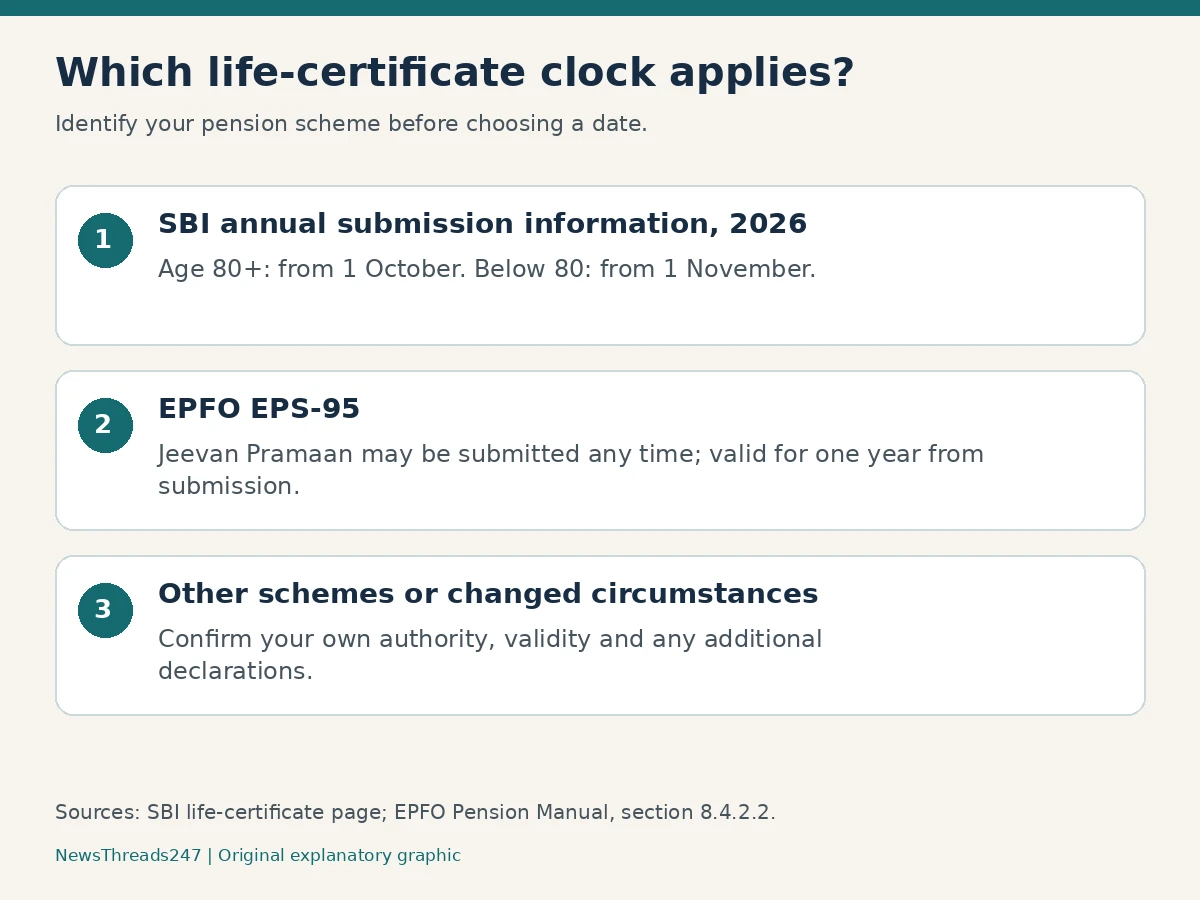
For example, an EPS pensioner whose last submission was in March should work from that record and its one-year validity. A person receiving a different government pension should not copy that March-to-March timetable without confirmation. The same payment bank can handle pensions governed by different rules.
If the scheme name is unclear, take the Pension Payment Order, or PPO, and ask the disbursing agency to identify the sanctioning authority and current renewal requirement. A social-media deadline without a named scheme is not enough to settle that question.
What the Pramaan ID proves, and what remains to check
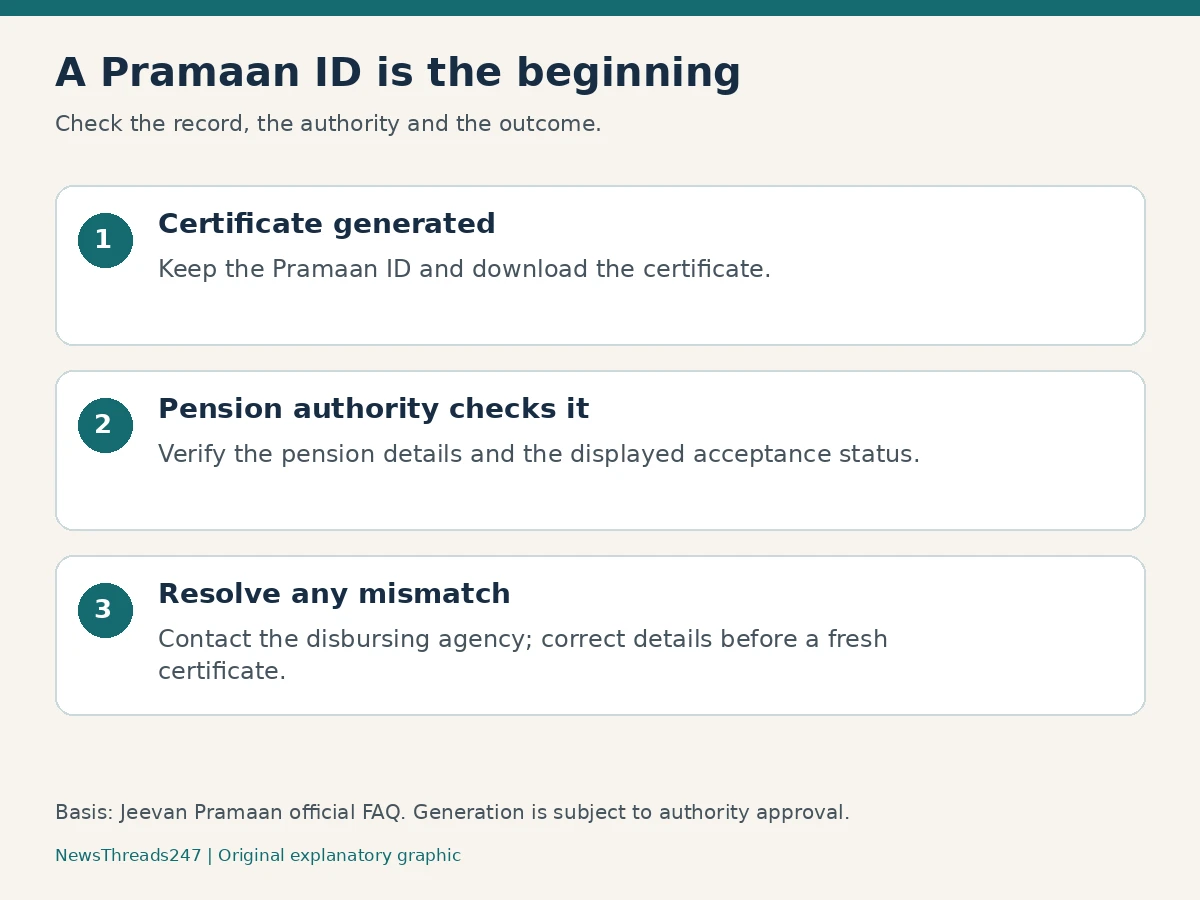
The official Jeevan Pramaan FAQ distinguishes generation from approval. A generated certificate has a Pramaan ID and is available electronically to the relevant agency, but remains subject to its acceptance. The FAQ directs pensioners to download the certificate to see whether it has been accepted or rejected.
Use the ID as a reference when checking the record. Do not treat the acknowledgement SMS, an operator’s verbal assurance or a saved photograph of the phone as a substitute for checking the certificate. Equally, do not assume every missing pension credit means that the certificate failed: ask the bank which part of the payment process needs attention.
| What you have | What to do next |
|---|---|
| Pramaan ID or generation SMS | Download the certificate from the official portal and review its details and status. |
| Accepted certificate | Keep it with the previous certificate and note the scheme-specific renewal date. |
| Rejected or unclear status | Ask the disbursing agency for the reason before repeating the process. |
| No generation acknowledgement | Check whether generation completed; do not describe an unfinished attempt as submission. |
Check the pension details before repeating authentication
A useful check is to place the downloaded certificate beside the PPO and the pension account record. Compare the name, PPO number, account and the named authorities. Do this privately, with the pensioner’s permission where a family member is helping. A helper should read back entries before submission rather than guessing a similar-looking authority from a menu.
If a rejection is reported, contact the disbursing agency, identify the discrepancy and ask what needs correction. Where a fresh certificate is required, enter the corrected information and retain the new reference alongside the old one. This creates a clear trail instead of several unexplained certificates.
A practical enquiry can be short: “My certificate was generated on this date under this Pramaan ID. Please confirm whether it is accepted against my PPO. If not, which detail or declaration needs correction, and what is the approved next step?” Give complete identifiers only through the agency’s secure channel, not in a public complaint or comment.
Choose a supported route, with current device instructions
The official application-download page currently lists face authentication for Android 10 or above and iOS 14 or above on unrooted devices. It directs users to Jeevan Pramaan and AadhaarFaceRD in the relevant app store. Face authentication uses the phone’s camera and does not need an external biometric scanner; the Windows route has separate device requirements.
This matters because older instructions about fingerprint scanners can be mistaken for a requirement for every route. Start with the current official page, check compatibility and follow its linked manual. This guide does not claim to have tested the apps or reproduce a live government interface.
If the phone route is unsuitable, SBI describes branch and assisted-centre options. Confirm the location and service before travelling, especially if the pensioner has limited mobility. Ask any assisted or doorstep provider about availability and charges in advance; an online guide cannot promise that a particular home visit is free or available that day.
Changed circumstances need more than a routine scan
Employment or family-pension circumstances can affect the declarations required. Do not tick an inaccurate statement merely to finish an application. The general Jeevan Pramaan FAQ directs re-employed or remarried pensioners to the conventional submission route; scheme-specific rules still need to be checked with the responsible authority.
For EPS family pensions, EPFO’s manual separately addresses non-remarriage declarations and prompt reporting of remarriage. These are eligibility and declaration issues, not errors to fix by trying another phone. Where circumstances have changed, ask the authority which procedure applies before making a new certificate.
Keep one small verification record for the next renewal
A useful household record contains the pension scheme, responsible agency, generation date, Pramaan ID, acceptance check date and next renewal date confirmed for that scheme. Add the reference of any correction request. Keep the actual pension documents protected; the reminder itself does not need Aadhaar or full bank-account numbers.
Suppose an adult child helps a parent generate a certificate and later notices that the downloaded version names a different disbursing authority. The next useful action is to resolve that record with the pension agency. Repeating face scans without checking the selected authority would not answer the underlying question. This is an illustrative situation, not a reported case.
If the certificate is accepted but a payment is missing, preserve the acceptance record and raise a separate payment enquiry with the pension-disbursing bank or authority. Keep dates and references factual. Neither generation nor acceptance is a promise about the exact day a bank credit will arrive.
For another common record-handling distinction, our UDGAM guide explains why finding an old deposit is separate from the bank approving a claim. In both situations, retaining the reference helps, but the responsible institution must resolve the actual record.
Source and production note: official pages linked above were checked on 4 November 2026. This AI-assisted explainer compares the published procedures and adds a practical verification workflow; it does not provide individual pension-entitlement advice. The lead image is an AI-generated conceptual illustration, and the two explanatory graphics are original NewsThreads247 diagrams.