
A QR code scam works by making a familiar shortcut lead somewhere you did not intend. A criminal can paste a new code over a parking sign, send one in a message, or use it to open a lookalike login or payment page. Before paying or signing in, inspect the physical code, preview the destination, and verify the recipient inside the official app.
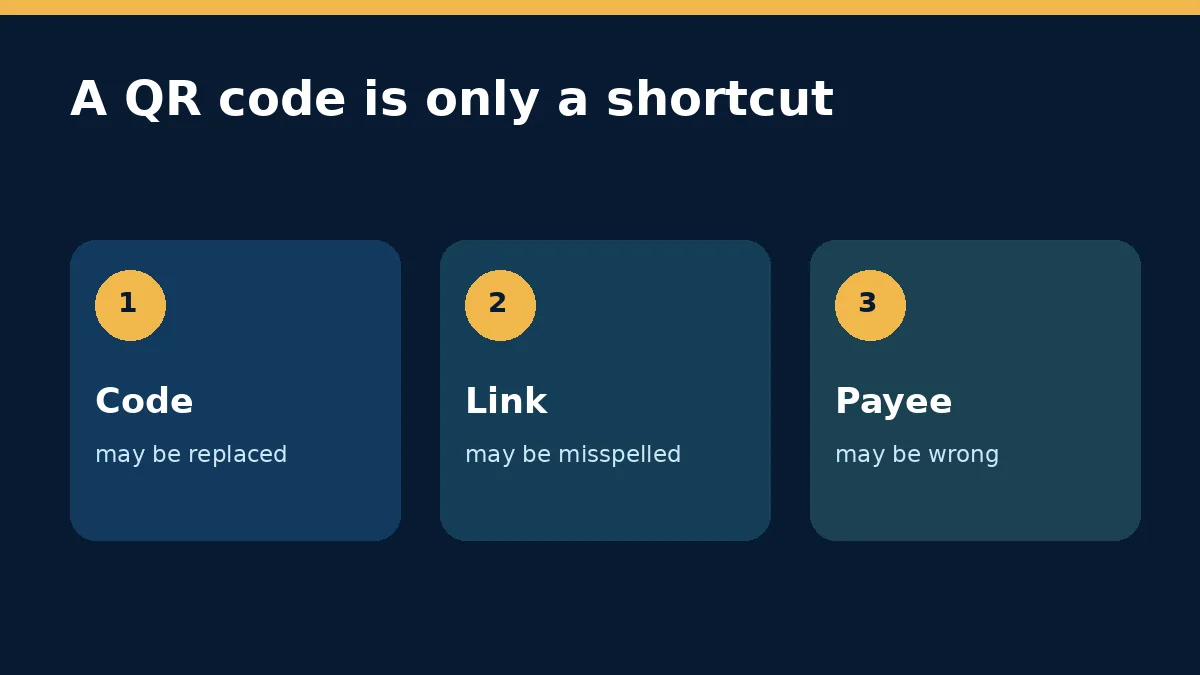
The risk is different in India and the United States, but the decision habit is the same. In India, a QR request can lead into UPI social engineering. In the US, the Federal Trade Commission has recently warned about replaced QR stickers on parking equipment. The useful question is not whether QR technology is safe in general; it is whether this code, destination and transaction match what you intended.
The three checks to make before you continue
First, look at the code itself. A sticker placed over another sticker, a code that does not match the permanent sign, or a poorly printed label on public equipment deserves extra scrutiny. The FBI’s Internet Crime Complaint Center specifically advises checking a physical QR code for tampering.
Second, read the link preview before opening it. A padlock or HTTPS connection only says the connection is encrypted; it does not prove the operator is genuine. Check the complete domain for swapped letters, extra words or an unfamiliar ending. If you know the organisation, open its official app or type its address yourself instead.
Third, verify the action after the destination opens. For a payment, confirm the merchant or recipient name and the amount shown by the bank, card or UPI app. A code shown by a stranger to “receive” a refund, prize or sale payment is a strong warning sign. The NPCI fraud-awareness guide says scanning a QR code and entering a UPI PIN is for making a payment, not receiving one.
| What you see | Safer response | Why |
|---|---|---|
| QR sticker on parking equipment | Compare it with the permanent sign or use the operator’s official app/site | A replacement sticker can redirect payment |
| QR in an unexpected email or parcel | Do not scan; reach the sender through a known channel | The code can hide a phishing link |
| Page asks for a bank or email login | Close it and open the official service separately | A lookalike form can steal credentials |
| UPI app shows an unfamiliar payee | Cancel and verify the intended recipient | The final payee screen is the transaction checkpoint |
Scanning is not the same as losing money
If you only scanned a code and closed the preview, the response is different from entering a password, approving a payment or installing an app. Avoid vague advice that treats every scan as a full device compromise. What happened after the scan determines the next step.
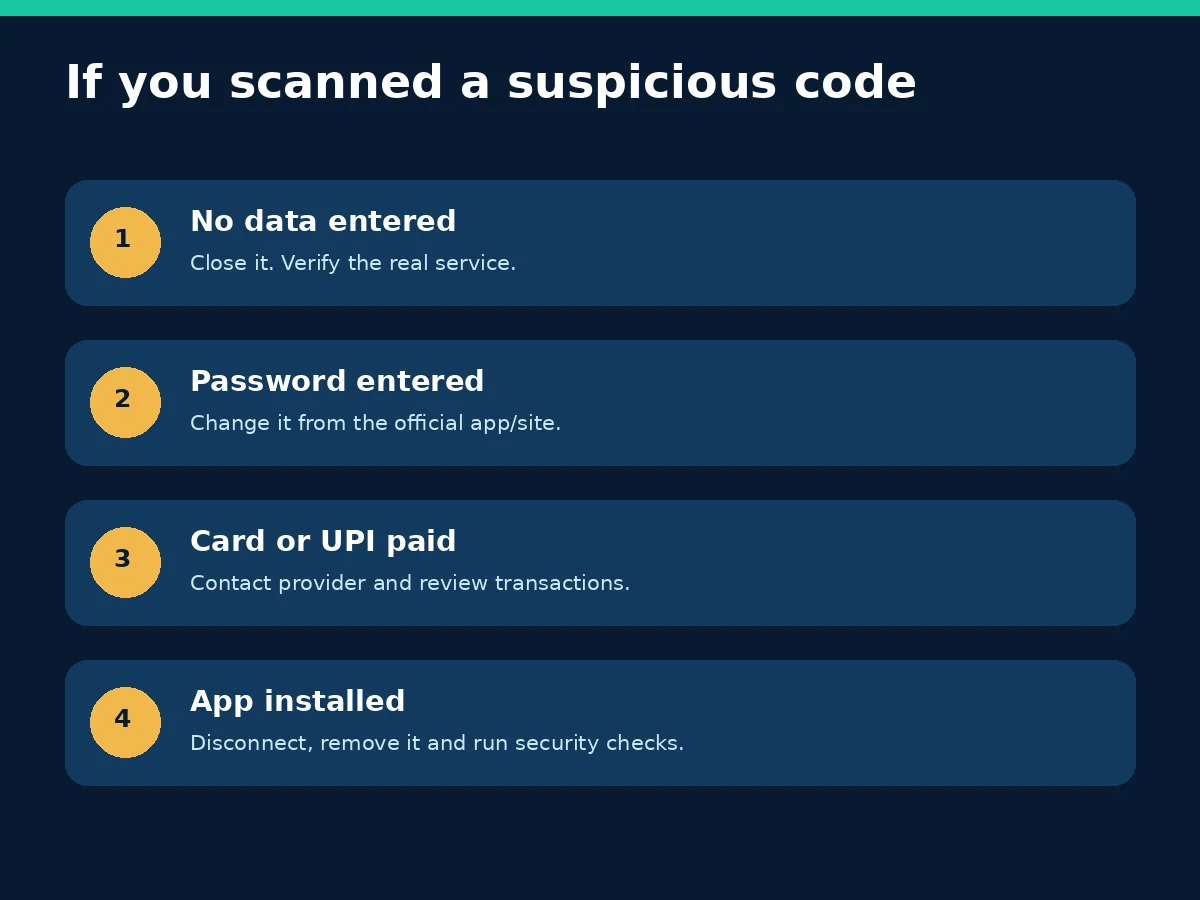
What to do after a suspicious scan
If you entered nothing: close the page, do not call a number displayed there, and verify the real organisation independently. Keep the phone and browser updated. You generally do not need to reset a phone merely because a link preview opened.
If you entered a password: go directly to the official account page or app, change the password, end unfamiliar sessions, and review recovery email, phone and multifactor settings. If the same password was reused, change it on those accounts too. Our Gmail phishing guide explains why reporting a malicious message is different from merely blocking a sender.
If you entered card details or approved a UPI payment: contact the card issuer, bank or payment provider using a verified number. Review recent transactions and use the provider’s dispute or fraud process. Prompt reporting may help, but recovery is not guaranteed. In India, use the official cybercrime reporting portal and the 1930 financial-fraud helpline; in the US, the FTC points consumers to ReportFraud.ftc.gov.
If the page installed an app or profile: stop entering data, disconnect if suspicious activity continues, remove the unknown app or configuration, and run the phone’s built-in security checks. On Android, keep Google Play Protect enabled; Google says it checks apps from Play and other sources and may block unverified apps using sensitive permissions commonly targeted in financial fraud.
A code can be genuine while the request is not
A real merchant’s code can still be used in a dishonest story. Someone may ask you to scan a legitimate-looking payment code while claiming it will release money to you. Judge the request, the recipient and the final confirmation screen together. Do not share a PIN, one-time password or screen-control access to complete a supposed incoming payment.
This is also why QR-reader apps are rarely necessary. Modern phone cameras normally preview the destination. Installing a random scanner adds another app and another permission set without proving the code is safe.
A 30-second routine worth keeping
- Pause when a code arrives unexpectedly or appears pasted over a public sign.
- Preview the full domain before opening it.
- Use the official app or typed address when money or credentials are involved.
- Confirm payee and amount on the final payment screen.
- Respond according to what you actually entered, approved or installed.
Two quick examples
Parking meter: a sticker looks professionally printed, but the preview opens a domain unrelated to the operator named on the sign. Do not use the page. Find the operator through the permanent sign, official map listing or app store entry, then report the substituted sticker to the property or parking authority.
Marketplace sale: a buyer says you must scan a code and enter a UPI PIN to receive payment. Cancel the request. A legitimate incoming payment does not require you to authorise an outgoing transaction. Check your balance in the bank app rather than trusting a screenshot or message.
For menus, event information and other low-stakes links, the same preview habit still helps. The response can be proportionate: avoid entering sensitive data, close an unfamiliar destination, and obtain the information from the venue’s official page.
Sources and scope
Primary sources checked on 5 November 2026: the FTC’s September 2026 parking QR alert, NPCI fraud-awareness guidance, the FBI IC3 QR-code advisory, CERT-In’s online-scam advisory, and Google Play Protect guidance. This is general safety information, not a guarantee of fund recovery.