
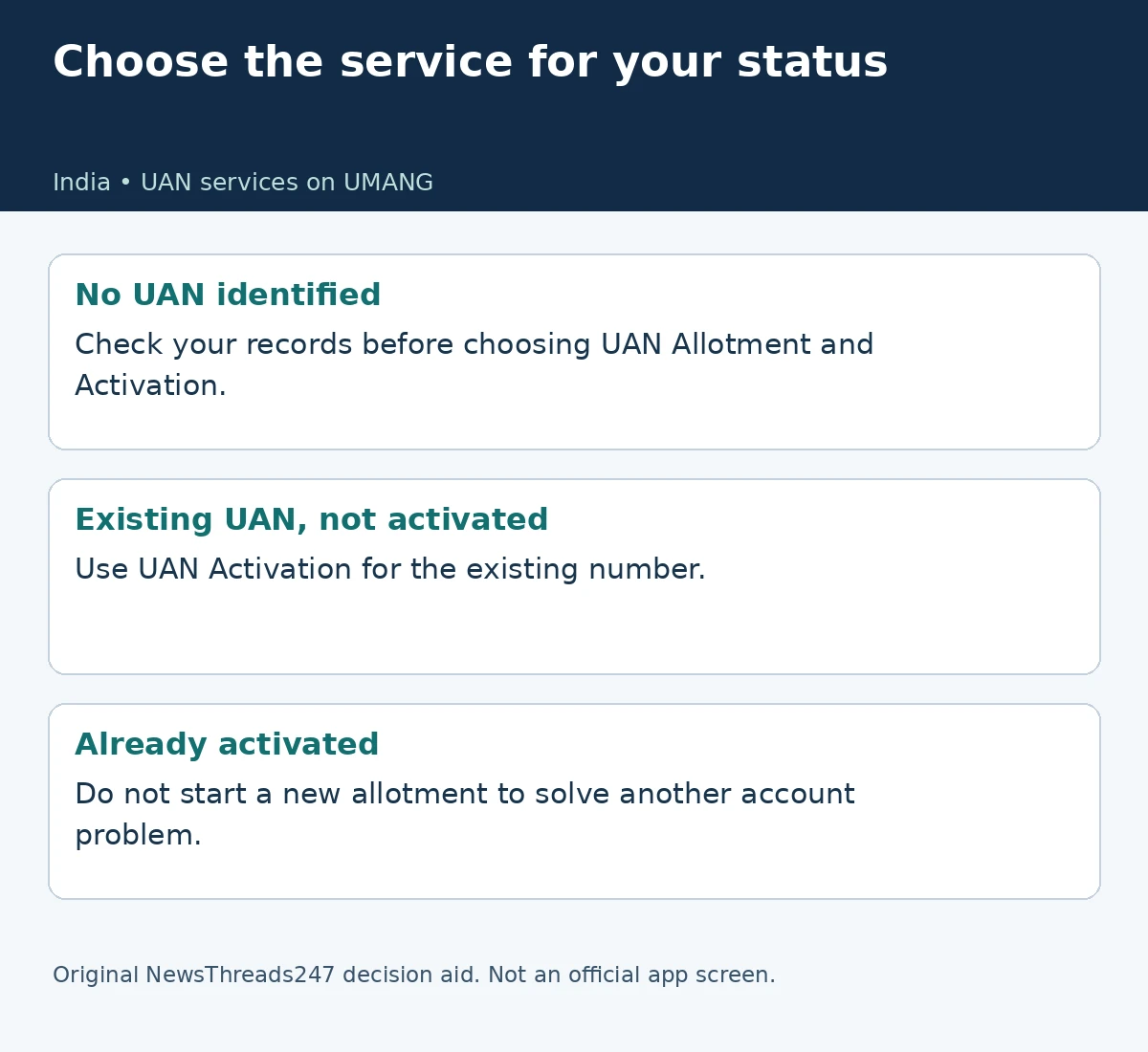
For employees in India, UAN activation now needs the UMANG route identified by EPFO’s current member portal. Before opening that service, establish whether you already have a Universal Account Number. Activating an existing number and obtaining a new one are different tasks. A change of employer, an unrecognised password or an incomplete onboarding message should not be treated as proof that you need a fresh allotment.
The live EPFO member portal says activation through that portal has been discontinued. It directs members to EPFO Services in UMANG, then “UAN Activation” under “UAN Services Through Face Auth”. This guide reflects the portal checked on October 29, 2026; it does not present the change as an announcement made today.
Start by identifying the record you already have
Look for the UAN in your own employment records and previous EPFO correspondence. If the number is uncertain, use the official portal’s “Know Your UAN” service or obtain clarification through the employer’s verified payroll channel. Do not pick a number from an unfamiliar message simply because the sender describes it as an urgent HR requirement.
Make the first enquiry precise: “Is there an existing UAN for me, and is the pending action activation, account access or the employment record?” That is more useful than asking someone to “fix PF”. It lets payroll distinguish a missing identifier from a service-access problem without guessing which process you have already completed.
For a fictional employee changing jobs, an earlier salary record already contains a UAN. The new employer asks for EPFO details, while the employee cannot access online services. The sensible next step is to verify that number and the missing action. The existence of a new job does not itself explain why another number would be needed. This example is a record-checking method, not a ruling on an individual account.
Choose activation or allotment deliberately
EPFO’s current portal separates the instructions. Its activation notice names “UAN Activation”. Its direct-allotment notice instead directs users to “UAN Allotment and Activation”. Read the service name before supplying identity details. Two similar-looking entries can answer different needs; the word “UAN” alone does not tell you which route matches your record.
The Ministry of Labour’s April 9, 2025 announcement describes Aadhaar face authentication through UMANG for generation and activation. It also explicitly addresses members with a number that has not yet been activated. That earlier announcement gives the background; the working portal supplies the current route. Neither is a reason to assume that a problem with another EPFO service requires new allotment.
Prepare for the supported identity check
Read the current official instructions before beginning. The ministry’s announcement describes UMANG and AadhaarFaceRD, an Aadhaar-linked mobile number, consent, OTP validation and face matching for the generation flow. Follow the prompts for the service you actually selected rather than copying every field from a screenshot of a different route. Device and app instructions may change.
Use your own verified access to the required records and mobile connection. Keep identity information inside the supported process. A helper can explain the screen without receiving your OTP or keeping a copy of your documents. Do not upload an Aadhaar image to a public comment thread to demonstrate that an activation attempt failed.
Allow enough time to read a prompt before approving it. Consent for one identity check should be understood in the context of that service, rather than accepted because a stranger promises faster onboarding. This article has not accessed a member account, performed a biometric check or tested a phone. It therefore does not promise that a particular device or attempt will succeed.
Record the point at which the process stops
If the attempt fails, note the selected service, exact message and stage: before the identity check, during capture, or after a result. Keep an appropriately redacted record for the official support enquiry. Do not turn an error message into a diagnosis that the Aadhaar record, UAN or employer entry is definitely wrong without checking the relevant record.
A focused support question might say that the existing-number activation service returns a specified message after the identity step. That helps identify what needs investigation. “It does not work” leaves the reader guessing whether the issue is installation, login, choosing the route or completing the service. Avoid repeated fresh-allotment attempts as an improvised solution.
Activation is one part of onboarding
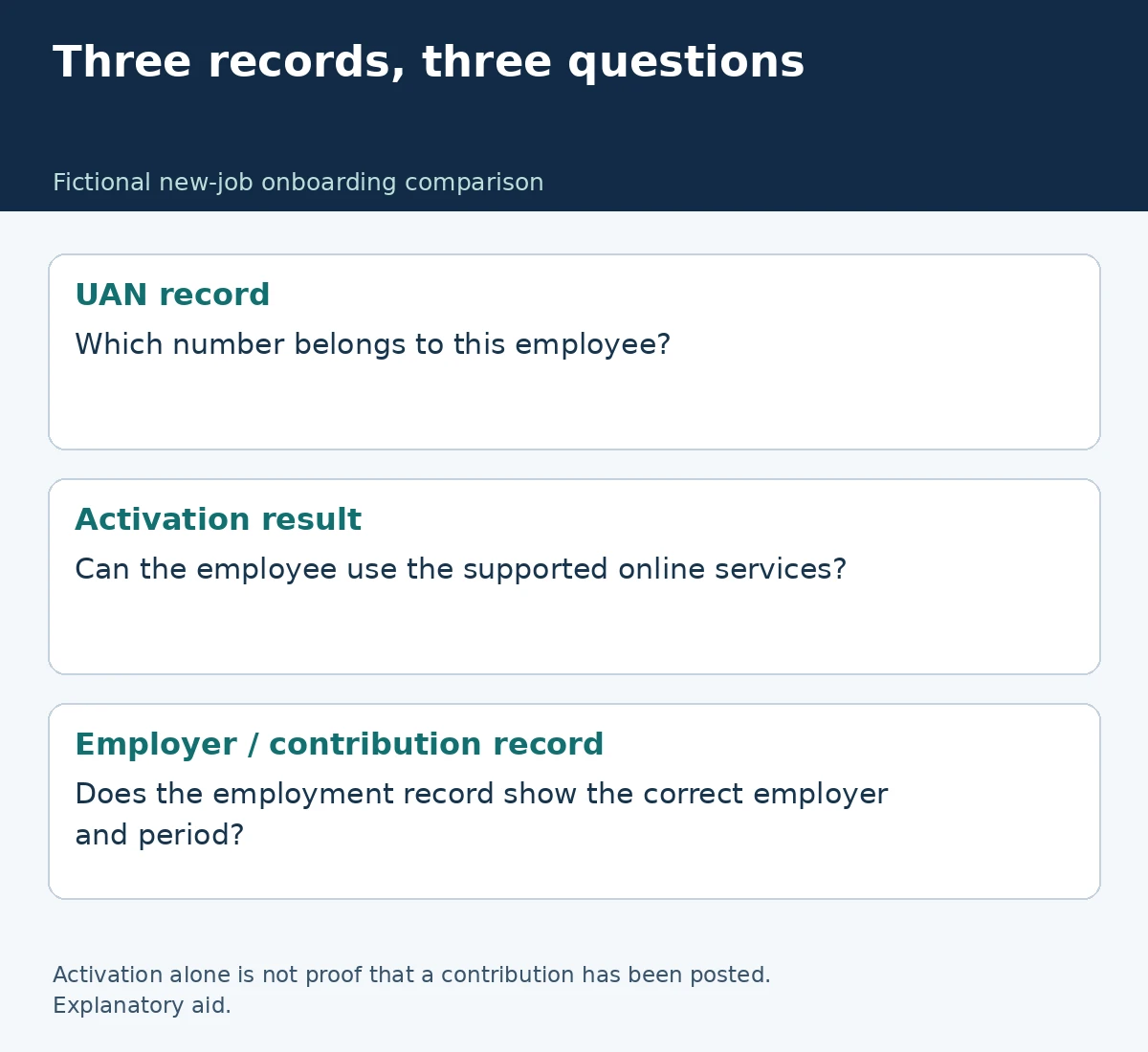
Once the supported flow reports completion, retain its acknowledgement or result. Then reconcile what the employer actually requested. An activation result concerns access to the identified UAN; it is not, by itself, a receipt proving that a particular month’s contribution has been posted. Keep the account-access result and the employer’s employment or contribution records separate.
Build a small onboarding file: the verified UAN, the activation result where applicable, the employer’s acknowledgement of the details supplied, and any unresolved question. This is an editorial organisation method, not an official additional document requirement. Store the file securely and send only the information needed for the specific payroll task.
Our India job-offer pay comparison covers a related but separate decision about compensation. A salary component described in an offer and the employment record used for EPFO administration answer different questions. Check each against its own evidence rather than treating one document as proof of every onboarding step.
Sources and scope
India employment-service guidance checked October 29, 2026 against the working EPFO member portal and the ministry’s April 2025 announcement. No member account, biometric process or employer record was tested. This guide does not establish individual EPF eligibility or entitlement.
Visual credits: NewsThreads247. Featured artwork is an AI-generated conceptual illustration, not an official app or identity document. The two original diagrams explain service selection and record keeping; the onboarding comparison is fictional.