
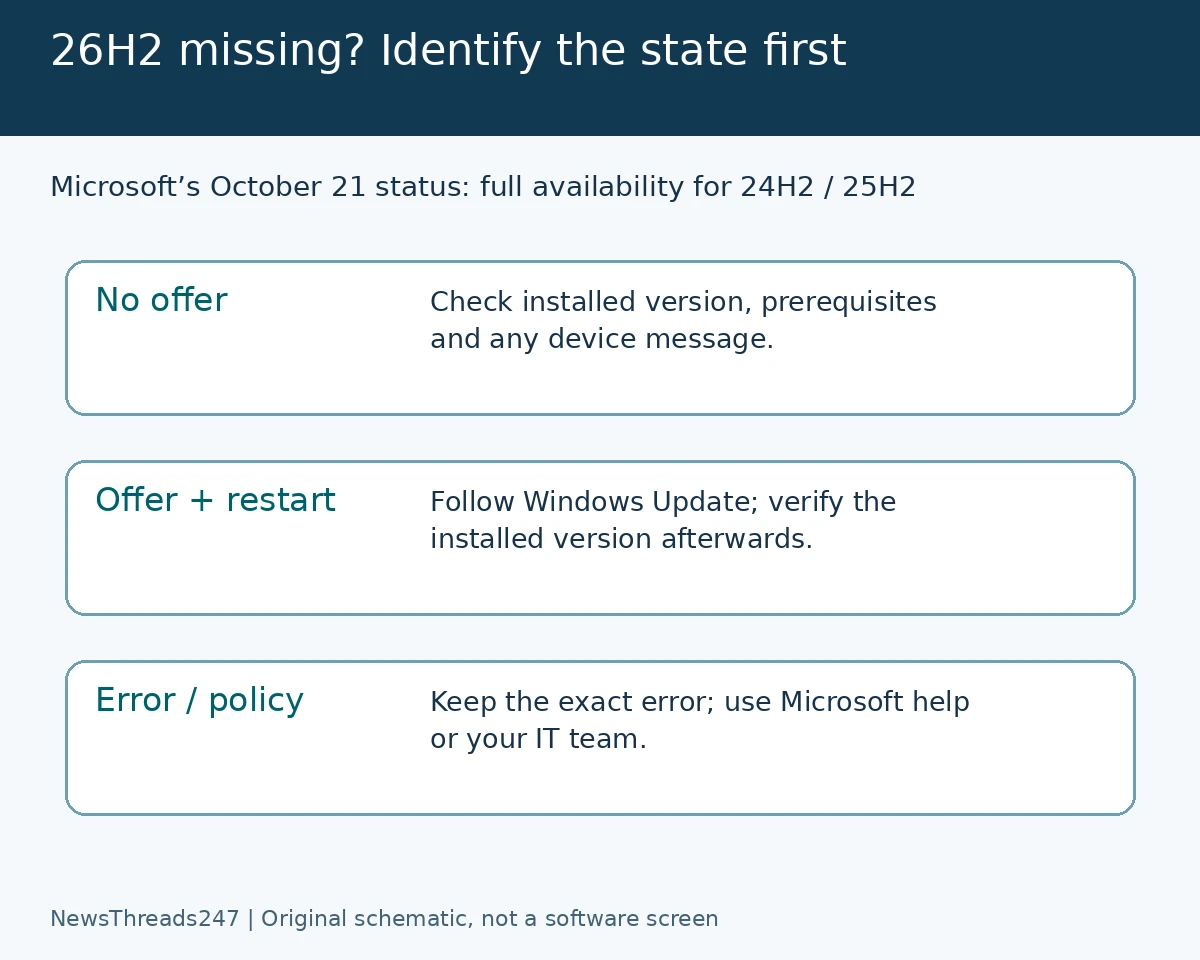
Windows 11 version 26H2 has moved beyond its launch-day rollout, but a missing offer still needs a device-specific check. Microsoft’s release-health page, with status dated October 21, 2026, says full availability has been reached for devices running 24H2 and 25H2. Advice that simply tells everyone to wait for the initial phased rollout is now incomplete.
For users in India, the US and elsewhere, the next step is to identify what Windows Update actually shows: no feature-update offer, an installation waiting for a restart, a compatibility message or an error. Those are different states. This guide does not promise that a particular PC is eligible or prescribe a way to force an update past a safeguard.
Start with the version already installed
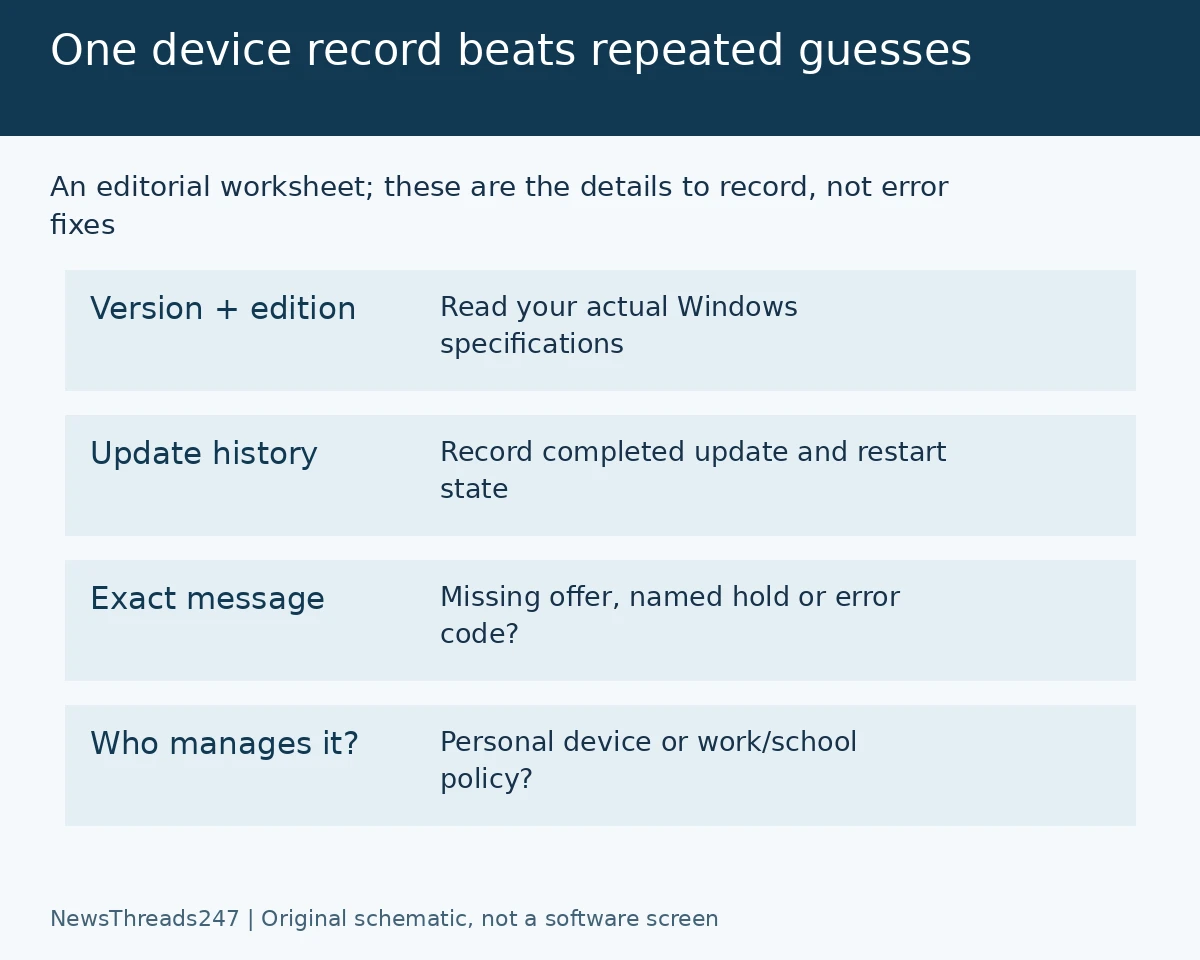
Open Settings, then System and About, and record the Windows version and edition. Microsoft’s KB5121794 enablement-package article lists 24H2 or 25H2 as the starting versions for that package. It also lists the September 22, 2026 KB5124010 preview, or a later cumulative update, as a prerequisite.
An enablement package is a particular route to the new version, not a universal repair tool for every Windows installation. If your recorded version differs, do not infer that the same package or a third-party download walkthrough applies. Use Microsoft’s current guidance for that starting version.
Keep the edition in the note too. A work-managed laptop and a personal home PC can show different choices. Knowing only that both say ‘Windows 11’ is not enough to explain why one displays an offer and the other does not.
Read the current offer before changing anything
Microsoft’s current release-health instructions direct users to Settings, Windows Update and Check for updates, then Download & install if the 26H2 offer is available. Its September 29 launch explanation describes the enablement-package approach and separately discusses commercial deployment controls. The October status is the more recent availability reference.
Read the complete message and retain its date. If a restart is pending, that is useful information for the next check. If an error appears, copy its exact code rather than reducing it to ’26H2 missing’. A support conversation becomes much easier when the description matches the screen.
Avoid changing several settings and installing several packages at once. You would lose the ability to tell which action changed the result. Before an operating-system change, make sure important files are backed up and reserve time when a restart will not interrupt urgent work.
A safeguard is different from a broken update check
Microsoft’s safeguard guidance explains that known issues can prevent a feature-update offer. If Windows provides a Learn more link about a hold, read the device-specific information and compare it with the current release-health page.
Do not turn an example compatibility message from an old article into a diagnosis of your PC. A hold needs evidence from the actual device or applicable official issue. Equally, a broad availability announcement is not proof that an individual compatibility concern has disappeared.
This distinction matters when an unofficial guide offers a registry change, a bypass or a direct installer as the first response. A different installation route does not establish that the underlying compatibility issue has been resolved. Start with the named issue and the supported next action.
Three fictional PCs show why one fix is not enough
Imagine PC A already has an update downloaded and displays a restart request. Its owner’s next record should say ‘restart pending’, not ‘no download’. After following the supported process, the owner should check the installed version again. An old screenshot is not the final result.
PC B displays a specific error when checking for updates. Preserve the code and when it appeared, then use Microsoft’s Get Help or official support guidance. Do not assume the cause is a damaged cache, an old driver or low storage merely because those appear in a generic troubleshooting list.
PC C belongs to an employer and says settings are managed by the organisation. Ask the IT team about the deployment plan and provide the version, edition and message. A personal-PC walkthrough cannot establish permission to override the organisation’s update policy.
These examples are an editorial way to classify the problem, not evidence that those three causes explain every missing offer. The useful result is a more accurate next question, rather than a larger collection of attempted fixes.
Check known issues without assuming they affect you
The release-health page separates issue descriptions, originating updates and statuses. Match all three before applying an entry to your situation. A report about a particular virtual-desktop setup, for example, should not automatically be presented as a problem on every household laptop.
Likewise, ‘resolved’ needs its associated update or condition. A headline that an issue was fixed is less useful than knowing whether your installation contains the relevant change. This guide makes no claim that 26H2 is universally bug-free or that every application has been tested.
Our Android update-status guide illustrates a related reading habit: identify which update layer a message refers to. Its Android-specific menus do not transfer to Windows. Here, distinguish the installed feature version, cumulative servicing and the actual offer or error.
Finish with a record you can use
Keep four fields together: version and edition, update history or restart state, exact message and whether the PC is managed. Add the official page and the date checked. If the result changes, update the record instead of repeating a step whose outcome you no longer remember.
That approach protects against stale launch advice without encouraging a forced upgrade. The new availability status is useful news; the screen on your own PC still determines the next supported action.
Sources and visual credits
Microsoft’s release-health, enablement-package, launch and safeguard pages were checked October 28, 2026. The availability status is dated October 21; this is not an announcement of a new rollout today. No installation or first-hand performance test was performed for this article. The featured image is AI-generated conceptual artwork; the two explanatory graphics are original schematics, not Windows screenshots.