
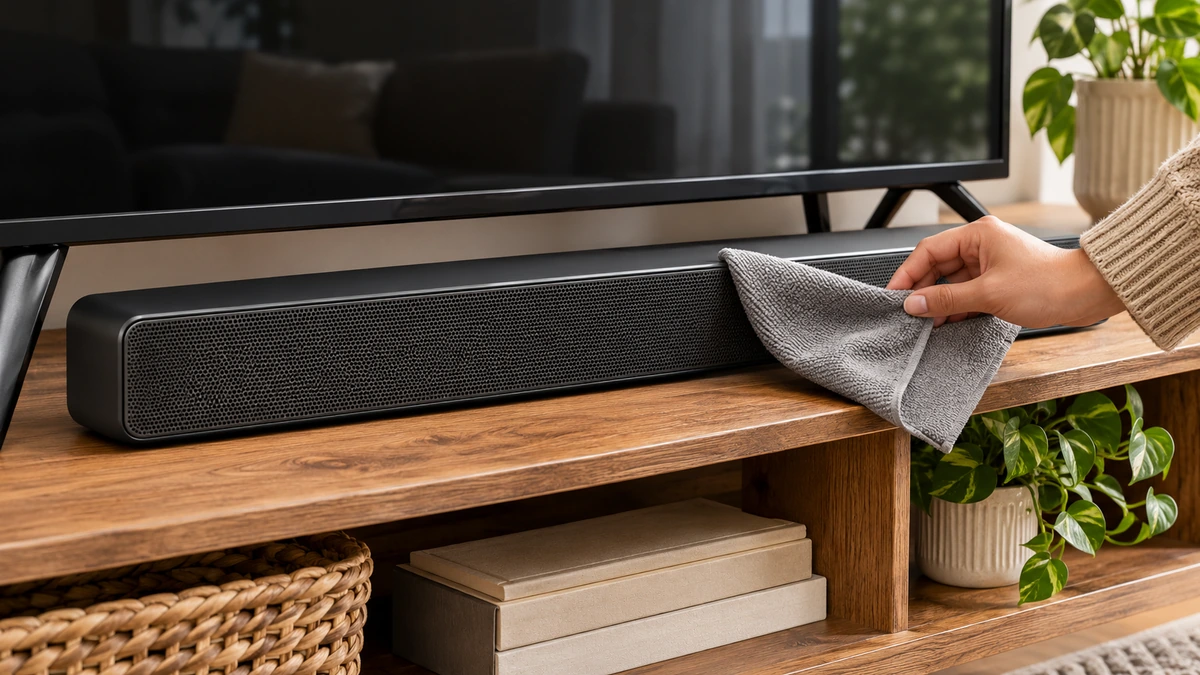
If movie dialogue is too quiet while action scenes are already loud enough, raising the main volume may solve one moment and spoil the next. First decide whether the whole soundtrack is quiet, the words are difficult to distinguish, or the loudest moments are the problem. Those are different listening questions.
The useful next step is a small comparison you can repeat. Pick a short conversation and a louder passage, note your current settings, and change one relevant control. This guide uses Netflix and Sonos instructions as specific examples. A control’s name, availability and effect depend on the app, player, speaker and software version; no single setting is a universal repair.
In this article
Listen for the problem before opening another menu
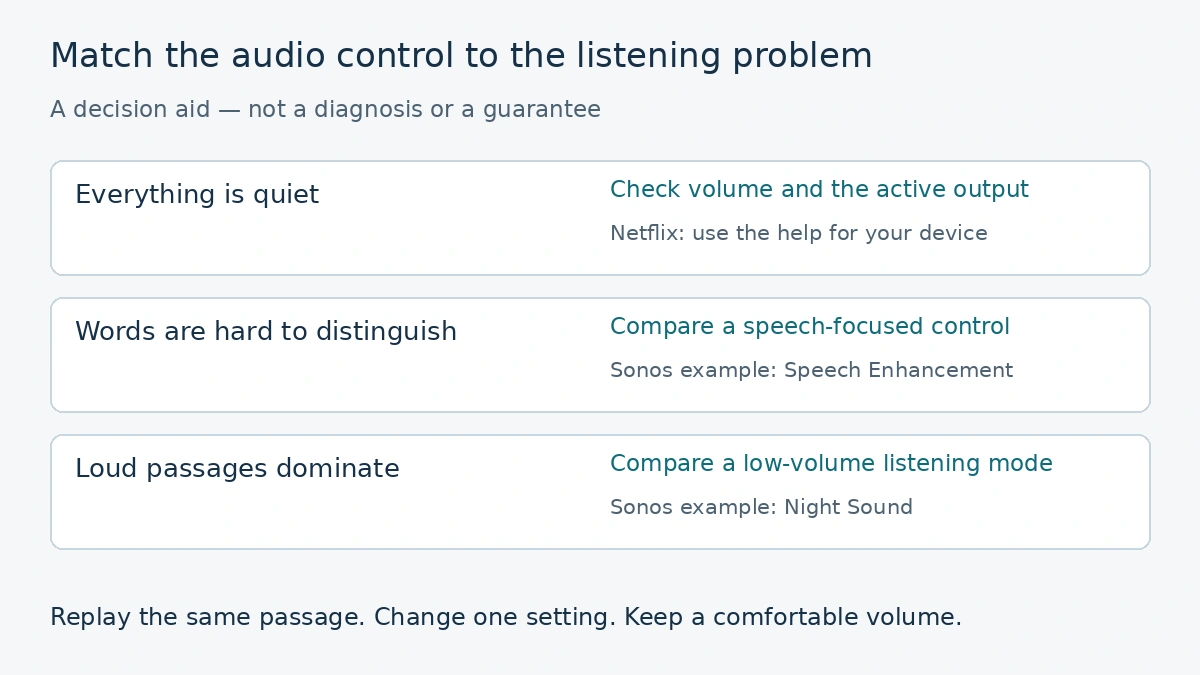
Start at a comfortable level with a conversation you can replay. If voices, background music and effects are all too quiet, check the actual output device and its volume. If the music is clear but the words disappear, the problem is more specific than the main volume. If speech is comfortable until a sudden loud passage, reducing the contrast may matter more than boosting everything.
Write down what you hear in ordinary language: “The room conversation is hard to follow, but the music is already strong.” That is a useful observation. “The stream must be broken” is an explanation you have not established. Keep the observation separate from the suspected cause.
Netflix maintains separate guidance for low overall volume and quiet voices with otherwise normal background sound. Even those help pages branch by device. Read the section for your equipment instead of applying a search-result shortcut intended for a different setup.
Try a second title before changing a long list of settings. A difference between two films narrows the observation to those presentations and your playback conditions; it does not prove that either soundtrack was badly made. Also note the language track. Comparing a dubbed version with the original changes more than the volume control.
Speech enhancement and night sound answer different questions
Sonos describes Speech Enhancement as boosting frequencies associated with the human voice during TV playback through its home-theatre speakers. That is a speech-focused option. Its instructions tell users to select the relevant home-theatre product while TV audio is playing. Do not assume a similarly named TV setting is automatically controlling a separate soundbar.
Sonos Night Sound addresses the contrast between loud and quiet passages: it reduces intense sounds and raises quieter ones for low-volume listening. That can suit a late-evening film when effects are the disruptive part. It is a different goal from simply increasing the main volume.
Imagine two fictional viewers using the same compatible system. Arun can follow the conversation but keeps reaching for the remote during action scenes. Leila finds the words indistinct even during a fairly even scene. Arun has a reason to investigate the night-listening control; Leila has a reason to compare speech enhancement. Neither example establishes which option will sound best to you.
Use the control that matches the complaint, then replay the same passage. Ask two questions: are the words easier to follow, and are the loud moments still comfortable? A useful change should improve the listening problem you identified without creating a worse one elsewhere.
Some devices offer several strengths or combine processing in different ways. Start with the available modest setting rather than assuming that the largest number or strongest label is best. If you prefer the original presentation in a quieter room, turn the processing back off. Choosing a listening mode is a preference decision as well as a technical one.
Check the format and the actual speaker path
List the chain in front of you: streaming app, playback device, television and any external speaker system. Identify which component is producing the sound. A television’s speaker adjustment may not be the relevant control when a separate home-theatre system is playing the audio.
For a narrowly scoped example, Netflix’s quiet-voices page gives Apple TV 4 and Apple TV 4K a format check: Video and Audio, Audio Format, Change Format, then New Format and Dolby Digital 5.1. It says to try Netflix again, then test Stereo if that does not resolve the issue. These are Netflix’s instructions for those devices, not a recommendation to force every television to stereo.
Before making that kind of change, record the previous setting and follow the current device-specific help. A format change can affect more than speech clarity. Reassess the overall presentation afterwards and restore the earlier setting if the comparison does not help. Avoid changing the format, enhancement and equalizer together; you would lose the ability to tell which change mattered.
Look at physical placement as well. Check that the relevant speaker is not hidden behind objects and that its installation follows the manufacturer’s guidance. Do not move or disconnect equipment while it is powered in a way its instructions prohibit. There is no need to purchase a new soundbar merely to conduct the initial listening comparison.
Keep a useful result and know when to stop
Use a short note with the title, language track, output device, setting changed and result. For example: “Conversation easier; action still too strong.” That observation suggests the remaining question. It does not justify stacking every enhancement option until the original comparison is forgotten.
Captions can help you follow the film while you investigate. They are an alternative source of information, not proof that the sound settings are correct. Our guide to subtitles, captions and audio description explains those separate track choices.
If the difficulty remains, give the service or equipment support team the specific symptom and playback chain. Tell them whether it happens on one title or several and what you have already tried. This is more actionable than reporting only that the sound is “bad.” Do not send account passwords or payment information with an ordinary troubleshooting description.
Stop changing settings once you have a comfortable, understandable result. Save the original values so that another viewer or a different kind of programme can return to them. Recheck the official instructions after a major app, player or speaker update; menu routes and compatibility can change.
The aim is to enjoy the film with fewer interruptions. A controlled comparison gives you a defensible choice without claiming to diagnose the mix, measure the room or prove one device superior. None of the examples here comes from a hands-on product test.
Official guidance checked 18 November 2026. Reverify device-specific instructions and software support after updates. Original comparison method and fictional examples by NewsThreads247 Editorial; illustrations are disclosed and no first-hand listening test is claimed.